









































































































Single-rail is often easier to deploy and less expensive for small inference clusters or phased projects. Dual-rail is more suitable when distributed training, high availability, traffic separation, or future expansion justifies the additional hardware and operational complexity.
- Calculate logical server-facing ports for single-rail and dual-rail designs.
- Review dual-port adapters, separate NICs, and independent network paths.
- Map 400G server links to physical 800G switch ports using breakout.
- Identify smaller, simpler, and budget-sensitive deployments.
- Evaluate training traffic, fault isolation, availability, and future growth.
- Understand the differences between dual-rail InfiniBand and dual-rail RoCE.
- Prepare the server, switch, cabling, firmware, and software for phased expansion.
- Prepare the information needed for accurate hardware and cable selection.
- Choose the number of rails according to workload, availability, and expansion needs.
What Is the Difference Between Single-Rail and Dual-Rail?
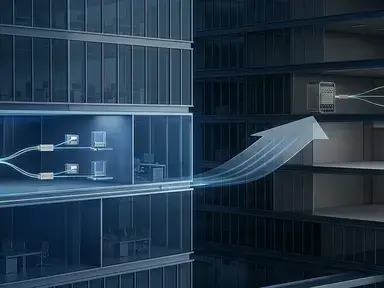
In a single-rail design, each GPU server has one backend network path. In a dual-rail design, each server has two independent paths that may connect to separate switches, separate leaf groups, or separate fabric planes.
| Item | Single-Rail | Dual-Rail |
|---|---|---|
| Network paths per server | One | Two independent paths |
| NIC requirement | One logical backend port | Two independent backend ports |
| Switch-port requirement | Lower | Higher |
| Cable and optic quantity | Lower | Usually doubled on the server side |
| Fault isolation | One path can become a single point of failure | A second path can remain available |
| Configuration effort | Lower | Higher |
| Typical use | Smaller clusters, inference, and phased deployments | Large training clusters, high availability, and separate network planes |
Dual-rail does not automatically improve performance. The operating system, driver, cluster software, and workload must be able to use both paths. A second physical link without software and fabric support may add cost without providing the expected benefit.
How Many Network Ports Does a GPU Cluster Need?
Start with the number of logical server-facing links, not the number of switches currently available in inventory.
Single-Rail Example
Dual-Rail Example
The dual-rail design needs twice as many server-facing logical links. It may also require two independent switch paths and twice as many server-side cables or optical assemblies.
This calculation does not include leaf-to-spine uplinks, spine-to-spine links, storage connections, management connections, spare ports, maintenance capacity, or additional links for high-availability designs.
A 64-port switch therefore does not necessarily provide 64 available GPU-server connections. Some physical ports may be reserved for uplinks, redundancy, storage, or future expansion.
Does Dual-Rail Require a Dual-Port NIC?
Not always, but the server must provide two independent network interfaces. A dual-rail design may use one dual-port adapter, two single-port adapters, or separate interfaces for compute and storage traffic.
| Server Design | Possible Use |
|---|---|
| One dual-port NIC | Two backend rails from one adapter |
| Two single-port NICs | Physically separate adapters or network paths |
| One port for compute and one for storage | Separate traffic planes |
| Two ports connected to different fabrics | Fault isolation or protocol separation |
A dual-port NIC becomes useful for dual-rail networking when both ports connect to independent switches or network planes. If both ports connect to the same switch, ASIC, power domain, or failure domain, the actual redundancy benefit may be limited.
The MCX755106AS-HEAT ConnectX-7 adapter is an example of a dual-port QSFP112 adapter that may be considered for high-bandwidth server connectivity. The exact design still depends on server PCIe layout, firmware, cable type, operating system, and application requirements.
By comparison, the MCX75310AAS-NEAT ConnectX-7 adapter is a single-port 400G OSFP option. It may fit a single-rail design or a server that uses multiple single-port adapters for separate network paths.
NVIDIA's ConnectX-7 adapter documentation lists different port, protocol, and host-interface configurations. The exact adapter OPN should be verified before completing the server BOM.
How Does Dual-Rail Affect 800G Switch Port Planning?
If an 800G switch port supports 2×400G breakout, one physical 800G port can create two logical 400G ports.
Single-Rail With 400G Servers
Dual-Rail With 400G Servers
These are only server-facing calculations. The actual switch count must also include uplinks, spine ports, redundancy, storage, maintenance, and spare capacity.
The NVIDIA SN5610 may be considered when an AI network requires high-density 800G ports with lower-speed breakout options. Its physical port count, breakout mode, airflow, power, and cable requirements must be reviewed together with the selected NICs.
Send your GPU count, NIC model, fabric type, and target speed for a port and BOM review.
When Is Single-Rail the Better Choice?
Single-rail can be appropriate when the cluster is small, the workload is mainly inference, or the project prioritizes a lower initial bill of materials.
- The cluster is small.
- The workload is mainly inference.
- The deployment is a proof of concept.
- The application does not require independent network planes.
- The project prioritizes lower initial NIC, switch, cable, and optic costs.
- A later second rail is planned but not yet required.
- The organization wants a simpler operational model.
Single-rail also reduces the number of components that must be configured and tested. There are fewer NIC ports, cables, switch ports, optical modules, and port mappings to maintain.
The main limitation is that one physical or logical failure can affect the server's backend connectivity. This risk may be acceptable for smaller or non-critical environments, but it should be documented in the architecture decision.
When Is Dual-Rail Worth the Additional Cost?
Dual-rail is more compelling when the second path has a clear purpose related to training traffic, availability, traffic separation, or planned cluster growth.
- Distributed training generates heavy east-west traffic.
- The cluster requires higher availability.
- The application supports independent network planes.
- The design separates compute and storage traffic.
- A single link cannot provide the required aggregate bandwidth.
- The project needs clear failure-domain separation.
- GPU pods will be expanded over time.
- Maintenance must be possible without taking an entire server offline.
Dual-rail is not automatically necessary for every AI cluster. It increases hardware and operational requirements, so the second rail should be justified by the workload and availability model.
A practical decision rule is: choose dual-rail when the second path is required for bandwidth, availability, traffic separation, or planned scale. Do not add it only because the server has a second NIC port available.
| Deployment Scenario | Recommended Direction | Reason |
|---|---|---|
| Small inference cluster | Single-rail | Lower cost and simpler operations |
| AI proof of concept | Single-rail with expansion planning | Avoid overbuilding while preserving a migration path |
| Large distributed training cluster | Evaluate dual-rail first | Higher traffic and stronger failure-domain requirements |
| High-availability AI platform | Dual-rail | Maintains a second backend path during selected failures |
| Separate compute and storage networks | Dual-plane design | Keeps traffic classes independent |
| Budget-constrained deployment | Single-rail | Lower initial NIC, switch, cable, and optic cost |
| Multi-pod GPU expansion | Dual-rail or multi-plane design | Better control of scale and failure domains |
InfiniBand and RoCE Dual-Rail Designs
The rail concept exists in both InfiniBand and Ethernet-based networks, but the implementation details are different.
InfiniBand
- Two HCA or adapter ports
- Separate switch paths or fabric planes
- Subnet Manager planning
- Fabric topology validation
- Compatible NDR, HDR, or other speed-specific cables
- Application awareness of multiple rails
RoCE
- Two Ethernet paths
- PFC and ECN planning
- Consistent QoS and buffer configuration
- Congestion-control policies
- VLAN, VRF, or network-plane separation
- Verification that both rails are used as intended
RoCE dual-rail is not simply two ordinary Ethernet links. The network must maintain the required behavior under congestion and microburst conditions. For both fabrics, confirm whether the application supports rail-aware communication.
How to Upgrade From Single-Rail to Dual-Rail
A phased upgrade is possible if the original design reserves enough server, switch, rack, power, and cable capacity.
- Confirm that the server has an available PCIe slot or second adapter port.
- Verify that the server chassis can provide sufficient airflow and power.
- Reserve switch ports for the future second rail.
- Define the second rail's switch, uplink, and failure-domain design.
- Install the second NIC, cable, or optical assembly.
- Update the driver and adapter firmware if required.
- Configure the second network plane.
- Test link status, FEC, errors, latency, and traffic distribution.
- Run a controlled application or training test.
- Simulate a single-rail failure before production use.
A future-ready design should reserve more than empty switch ports. It should also account for rack space, switch power, cable pathways, optics, software licensing, and maintenance procedures.
BOM Checklist and Frequently Asked Questions
What to Include in a Dual-Rail BOM
- GPU server quantity
- GPU model
- NIC model and port count
- Single-rail or dual-rail requirement
- Ethernet, RoCE, or InfiniBand fabric
- Server-facing port speed
- Leaf and spine port requirements
- DAC, AOC, or optical transceiver requirements
- Fiber distance
- PCIe generation and slot width
- Switch airflow and power
- Required spare quantity
- Target delivery date
Use the AI/HPC networking hardware sizing guide to organize the GPU count, fabric type, NIC configuration, rail design, and switch-port requirements before requesting a quotation.
No. The two ports must be connected to independent paths and configured so that the operating system, fabric, and application can use them appropriately.
Not automatically. It can provide more aggregate bandwidth when the workload and software use both rails, but the actual improvement depends on the application, topology, congestion, and traffic distribution.
Multiply the number of servers by the number of 400G ports per server and by two rails, then divide by two when using supported 800G-to-2×400G breakout. Add uplink, redundancy, and spare capacity separately.
No. Both use two network paths, but their fabric management, congestion control, configuration, and application behavior differ.
Yes, if the server PCIe capacity, switch ports, rack power, cable paths, firmware, and software architecture were planned for expansion. Adding only a second cable may not be enough.
Information to Include in a Quote Request
- GPU server quantity and GPU model
- Single-rail or dual-rail requirement
- Preferred InfiniBand, Ethernet, or RoCE fabric
- Required switch and NIC speed
- Rack airflow and power requirements
- Required cables, optics, and delivery region
For a configuration-specific review, send your AI/HPC networking requirements, including the GPU node count, NIC configuration, fabric type, rail design, and target delivery date through the AI and HPC networking inquiry form.
Final Takeaway
Single-rail is simpler and usually less expensive. Dual-rail adds a second independent path that can improve bandwidth, availability, and traffic separation, but it also increases the number of NIC ports, switch ports, cables, optics, configurations, and compatibility checks.
The correct decision should be based on the GPU workload, cluster size, fabric protocol, failure-domain requirements, and expansion plan. Calculate the logical server-facing ports first, then map those ports to physical switch ports, NICs, breakout cables, transceivers, and uplinks.