Solving Warehouse WiFi Coverage and Uptime IssuesDesign reliable warehouse WiFi coverage and uptime with warehouse wifi 6 ap, industrial wireless access points, and warehouse poe switches for racks and docks.
OLT Capacity Planning for GPON Access NetworksPlan OLT capacity for GPON OLT systems and EA5800 capacity planning, optimizing GPON split ratio and OLT uplink design for scalable fiber access.
Enterprise OLT Platform Selection for Fiber AccessDesign enterprise OLT platform strategy for GPON OLT platform, modular OLT chassis, and OLT service boards to scale passive optical LAN and XG-PON evolution.
Scale Data Center Networking Under Long Lead TimesScale data center networking faster under long lead times with data center spine switches, leaf spine data center designs and Cisco UCS fabric interconnects.
Tunnel Video Surveillance VLAN Stability over FiberDesign stable tunnel video surveillance VLANs using optical transport backbone and Arista fiber aggregation for resilient Huawei OptiX OSN CCTV networks.
Fiber vs Copper in Industrial Networks Design GuideCompare fiber vs copper in industrial ethernet, plan hybrid industrial fiber network designs, and select rugged ethernet switches and industrial SFP transceivers.
When you are provisioning a multi-node GPU cluster for LLM fine-tuning and realize your workstation-class PCIe slots are thermal-throttling under sustained FP4/FP8 tensor core workloads, the distinction between workstation and server-class silicon becomes a multi-million dollar engineering problem. Deploying high-density compute for artificial intelligence requires more than just comparing raw TFLOPS. It demands a deep understanding of memory architectures, thermal design power (TDP) envelopes, interconnect topologies, and driver stack capabilities.
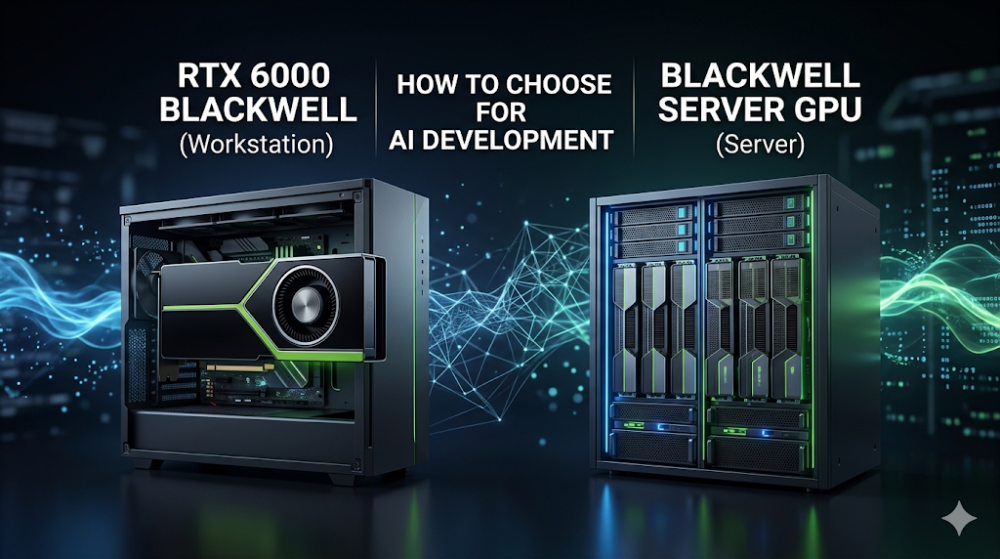
As machine learning models scale into hundreds of billions of parameters, selecting between the NVIDIA RTX 6000 Blackwell workstation GPU and dedicated NVIDIA Blackwell server GPUs (such as the B100 or B200) dictates your cluster's physical footprint, power delivery infrastructure, and overall training efficiency. This guide provides a rigorous architectural comparison to help infrastructure architects and systems integrators make data-driven procurement decisions.
The transition to the NVIDIA Blackwell architecture represents a paradigm shift in silicon design, moving away from monolithic dies toward a dual-die, co-packaged high-bandwidth silicon interconnect design. Built on a custom TSMC 4NP process, Blackwell integrates two fully limit-sized dies into a single unified GPU. However, how this architecture is implemented differs significantly between the RTX 6000 Blackwell workstation GPU and enterprise-grade NVIDIA Blackwell server GPUs.
Blackwell Architecture Tensor Cores and Precision Scaling
At the heart of the Blackwell architecture is the second-generation Transformer Engine. This engine dynamically adjusts precision levels to maximize compute density. While Hopper introduced FP8, Blackwell introduces native FP4 (4-bit floating-point) precision. This allows developers to double their effective model training and inference throughput without a proportional increase in memory footprint.
RTX 6000 Blackwell Workstation GPU: Optimized for local development, prototyping, and medium-scale fine-tuning. It utilizes high-speed GDDR7 memory, which offers a substantial bandwidth upgrade over GDDR6 but operates on a narrower bus compared to server-class High Bandwidth Memory (HBM).
NVIDIA Blackwell Server GPU (B100/B200): Engineered for massive scale-out data centers. These GPUs utilize HBM3e memory, providing terabytes-per-second of memory bandwidth directly to the Blackwell architecture tensor cores. This is critical for preventing memory-bound bottlenecks during large-scale LLM training.
Interconnect Topologies: PCIe Gen 5 vs. NVLink 5
The architectural divide is most apparent in multi-GPU communication. The RTX 6000 Blackwell is primarily deployed via standard PCIe Gen 5 x16 slots. While PCIe Gen 5 offers a bidirectional bandwidth of 128 GB/s, it introduces a severe bottleneck when scaling past 2 to 4 GPUs in a single workstation chassis.
In contrast, the NVIDIA Blackwell server GPU utilizes NVLink 5, delivering up to 1.8 TB/s of bidirectional bandwidth per GPU. This allows an HGX baseboard of 8 Blackwell GPUs to act as a single, massive logical accelerator. For AI developers, this means that while an AI development GPU comparison might show similar single-card performance for small models, server-class GPUs scale almost linearly across hundreds of nodes, whereas workstation GPUs hit a communication wall.
Part 2: Hardware Specifications and Performance Sizing Guide
When designing an AI infrastructure BOM (Bill of Materials), matching the hardware specifications to your specific workload profile is critical. Over-provisioning leads to wasted capital expenditure, while under-provisioning results in severe compute bottlenecks.
The following table outlines the key hardware differences between the workstation-class RTX 6000 Blackwell and the data center-class Blackwell server GPUs.
Specification / Feature
NVIDIA RTX 6000 Blackwell (Workstation)
NVIDIA Blackwell Server GPU (B200 SXM)
Form Factor
Dual-slot PCIe Gen 5 x16
SXM6 / OAM (Open Accelerator Module)
Memory Type
GDDR7
HBM3e
Memory Capacity
48 GB
Up to 192 GB
Memory Bandwidth
Approx. 1.5 - 1.8 TB/s
Up to 8.0 TB/s
FP4 Tensor Performance
Sized for local workstation execution
Up to 9 PFLOPS (with Sparsity)
Thermal Design Power (TDP)
~300W - 350W (Active Blower)
700W - 1000W (Passive / Liquid Cooled)
Interconnect Bandwidth
PCIe Gen 5 (128 GB/s bidirectional)
NVLink 5 (1.8 TB/s bidirectional)
Driver Stack Support
NVIDIA RTX Enterprise (vGPU limited)
NVIDIA AI Enterprise / vGPU / MIG
Real-World Engineering Bottlenecks and Diagnostics
Deploying multiple RTX 6000 Blackwell workstation GPUs in standard server chassis often leads to thermal and power delivery issues. Workstation GPUs rely on active blower fans that exhaust heat out of the I/O bracket. When stacked closely in a 4U rackmount chassis, the intake of one card is blocked by the backplate of the adjacent card, leading to rapid thermal throttling.
Furthermore, workstation power supplies must be rated to handle transient power spikes. A 350W TDP GPU can exhibit microsecond-level power spikes up to 700W. Without high-quality digital PSUs with sufficient headroom, these transients will trigger Over-Current Protection (OCP) and cause sudden system reboots.
To diagnose and manage these hardware bottlenecks, engineers can use the following nvidia-smi diagnostic commands to monitor thermal limits, adjust power caps, and verify PCIe link speeds:
# Enable persistence mode to keep the driver loaded and reduce initialization latency
sudo nvidia-smi -pm 1

# Query real-time GPU temperature, power draw, and active thermal throttling reasons
nvidia-smi --query-gpu=temperature.gpu,power.draw,clocks_throttle_reasons.active,pcie.link.gen.current,pcie.link.width.current --format=csv,l,1

# Manually cap the power limit of the RTX 6000 Blackwell to prevent transient PSU trips (e.g., cap at 300W)
sudo nvidia-smi -pl 300

# Check for uncorrected ECC memory errors to ensure data integrity during long training runs
nvidia-smi --query-gpu=ecc.errors.uncorrected.aggregate.total --format=csv,noheader
Part 3: Sourcing, BOM Optimization, and Risk Mitigation
Sourcing high-end enterprise GPU silicon is one of the most challenging aspects of modern AI infrastructure deployment. Lead times from traditional distributors for cutting-edge NVIDIA hardware can stretch from 6 to 8 weeks, or even longer during high-demand cycles. For system integrators and enterprise IT departments, these delays translate directly into missed deployment deadlines and project cost overruns.
To optimize your procurement and bypass these supply chain bottlenecks, you can explore the NVIDIA RTX 6000 Blackwell Price and Inventory Status on Router-switch. By maintaining a robust, multi-warehouse physical inventory valued at over $20 million, Router-switch bypasses the traditional multi-tiered distribution model. This allows for same-week dispatch on critical hardware, ensuring your AI development pipelines remain uninterrupted.
Flat Supply Chain and Bulk Sourcing Advantages
For small-to-medium enterprises (SMEs) and specialized AI startups, budget optimization is critical. Router-switch's flat supply chain eliminates the markups added by multiple layers of regional middlemen. This enables direct bulk-purchase discounts on both the RTX 6000 Blackwell workstation GPU and high-density NVIDIA Blackwell server GPUs.
Every GPU shipped by Router-switch comes with a 100% original genuine guarantee. Serial numbers (S/N) are fully verifiable in the official vendor databases prior to deployment, ensuring complete compliance and peace of mind.
Post-Deployment Risk Mitigation: 3-Year RS Care and Rapid RMA
Deploying high-TDP Blackwell GPUs running continuous, high-temperature AI training workloads carries inherent hardware failure risks. Traditional manufacturer warranties often involve complex, slow RMA processes that can leave your development team without compute resources for weeks.
Router-switch mitigates this operational risk by offering:
Free 1-on-1 CCIE/Infrastructure Consultancy: Get expert guidance on PCIe lane allocation, power distribution, and thermal design before you buy.
Complimentary 3-Year RS Care Extended Warranty: Extended coverage that goes beyond standard manufacturer warranties.
Rapid RMA Standby Replacement: In the event of a hardware failure, Router-switch ships a replacement unit first to minimize your Mean Time to Repair (MTTR), keeping your AI training clusters online.
Part 4: Frequently Asked Questions
Q1: Can I run NVLink between multiple RTX 6000 Blackwell workstation GPUs?
Unlike older generations (such as Ampere), NVIDIA has phased out physical NVLink bridge support on standard workstation-class GPUs. Multi-GPU configurations using the RTX 6000 Blackwell workstation GPU communicate over the PCIe Gen 5 bus. If your workload requires ultra-high-bandwidth, low-latency GPU-to-GPU communication (e.g., training LLMs with tens of billions of parameters), you should look at an NVIDIA Blackwell server GPU platform utilizing NVLink 5.
Q2: How does GDDR7 memory on the RTX 6000 Blackwell compare to HBM3e on server GPUs for AI workloads?
GDDR7 memory offers excellent latency and a significant bandwidth improvement over GDDR6, making it ideal for local AI model development, inference prototyping, and fine-tuning. However, HBM3e (found on server-class Blackwell GPUs) uses a highly parallel 3D-stacked architecture that delivers up to 8.0 TB/s of bandwidth—nearly 5 times that of GDDR7. For large-scale training workloads where the GPU cores are constantly waiting for data, HBM3e is essential to prevent memory bandwidth bottlenecks.
Q3: What are the power supply requirements for a workstation running dual RTX 6000 Blackwell GPUs?
Each RTX 6000 Blackwell GPU has a TDP of approximately 300W to 350W. However, due to transient power spikes (which can briefly double the power draw), a dual-GPU workstation requires a high-quality, ATX 3.0-compliant power supply of at least 1600W. It is highly recommended to use digital PSUs with platinum or titanium efficiency ratings to handle these transient loads without triggering system shutdowns.
Q4: Does the RTX 6000 Blackwell support Multi-Instance GPU (MIG)?
No, Multi-Instance GPU (MIG) technology—which allows a physical GPU to be partitioned into multiple fully isolated hardware instances—is reserved exclusively for enterprise-grade NVIDIA Blackwell server GPUs (such as the B100 and B200). The RTX 6000 Blackwell supports standard software-based GPU partitioning via vGPU drivers, but it does not offer the strict hardware-level compute and memory isolation provided by MIG.
Expertise Builds Trust
20+ Years • 200+ Countries • 21500+ Customers/Projects CCIE · JNCIE · NSE7 · ACDX · HPE Master ASE · Dell Server/AI Expert