Solving Warehouse WiFi Coverage and Uptime IssuesDesign reliable warehouse WiFi coverage and uptime with warehouse wifi 6 ap, industrial wireless access points, and warehouse poe switches for racks and docks.
OLT Capacity Planning for GPON Access NetworksPlan OLT capacity for GPON OLT systems and EA5800 capacity planning, optimizing GPON split ratio and OLT uplink design for scalable fiber access.
Enterprise OLT Platform Selection for Fiber AccessDesign enterprise OLT platform strategy for GPON OLT platform, modular OLT chassis, and OLT service boards to scale passive optical LAN and XG-PON evolution.
Scale Data Center Networking Under Long Lead TimesScale data center networking faster under long lead times with data center spine switches, leaf spine data center designs and Cisco UCS fabric interconnects.
Tunnel Video Surveillance VLAN Stability over FiberDesign stable tunnel video surveillance VLANs using optical transport backbone and Arista fiber aggregation for resilient Huawei OptiX OSN CCTV networks.
Fiber vs Copper in Industrial Networks Design GuideCompare fiber vs copper in industrial ethernet, plan hybrid industrial fiber network designs, and select rugged ethernet switches and industrial SFP transceivers.
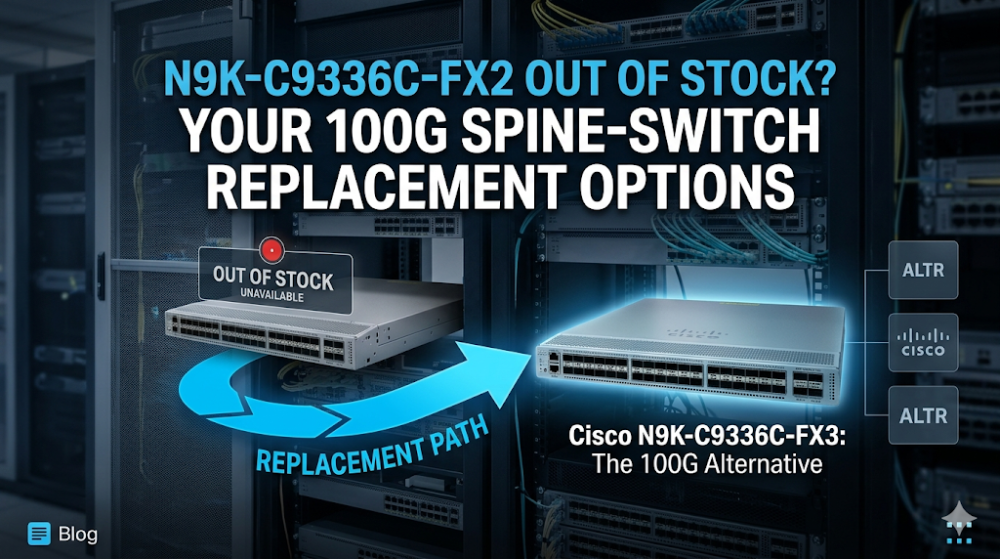
The N9K-C9336C-FX2 is a 36-port 100G QSFP28 spine switch that has become a standard building block in data center leaf-spine fabrics. When this model goes out of stock, the ripple effect is immediate: expansion projects stall, failed units cannot be replaced, and architects must decide whether to wait for restocking or pivot to an alternative. This guide explains the replacement options, starting with the FX3 follow-on model and extending to higher-density alternatives when the fabric design allows.
Part 1: N9K-C9336C-FX2 — What It Is and Why It's Scarce
The N9K-C9336C-FX2 provides thirty-six 100GE QSFP28 ports in a 1RU chassis, making it one of the most port-dense 100G spine options in Cisco's Nexus 9000 portfolio. It is commonly deployed as a spine switch in medium-scale data centers where 100G leaf-to-spine uplinks are standard and the total fabric size fits within 36 downlinks per spine.
Scarcity of this model typically stems from supply constraints on specific ASICs or port components rather than a product discontinuation. Cisco has not announced EoL for the FX2, but lead times can stretch to 8–12 weeks or more during supply-tight periods. For projects with rigid timelines, that delay is not acceptable.
Part 2: FX3 as Direct Replacement — Compatibility Reality
The N9K-C9336C-FX3 is the follow-on model to the FX2. It shares the same 36×100G QSFP28 port configuration, the same 1RU form factor, and the same power and cooling requirements. In most fabric designs, the FX3 is a drop-in replacement.
What Stays the Same
Port count and speed: 36×100G QSFP28
Form factor: 1RU
Power supplies: Compatible PSU options
NX-OS support: Runs the same software train
Breakout modes: Supports 4×25G and 2×50G breakout cables
What Changes
ASIC generation: The FX3 uses a newer ASIC revision that improves buffer management and reduces latency for elephant flows. For most workloads this is invisible, but latency-sensitive HPC or financial trading environments may notice a difference.
NX-OS minimum version: The FX3 requires NX-OS 10.2(1) or later for full feature support. If your FX2 fabric is running an older release, the upgrade path must be planned.
MACsec: The FX3 adds hardware MACsec encryption on all 100G ports. The FX2 either lacks this or requires specific hardware variants. If MACsec is not part of your design, this difference is irrelevant.
When FX3 Is the Right Choice
The FX3 is the right replacement when:
You need to maintain the same 36×100G spine density
Your NX-OS version is already at 10.2(1) or you can upgrade
You want a model that Cisco is actively prioritizing for new shipments
You do not need backward compatibility with pre-10.2 NX-OS releases
Part 3: Configuration Migration Checklist
If you are inserting an FX3 into an existing FX2 fabric, verify these points before powering on the replacement.
1. NX-OS Version Alignment
Ensure all spine switches — both FX2 and FX3 — run a compatible NX-OS version. If the FX2 nodes are on an older release, plan an upgrade window before adding the FX3. Mixed-version fabrics can operate, but features like VPC, fabric peering, and consistent QoS policies require version alignment.
2. Port Channel and VPC Compatibility
If your leaf switches connect to the spine via port channels or VPC, confirm that the FX3 ports support the same channel-group modes. The FX3 is backward-compatible with existing VPC domains, but the VPC peer link must be on the same NX-OS feature set.
3. QoS and Buffer Profiles
The FX3's newer ASIC handles buffer allocation differently. If your fabric relies on custom QoS policies or priority flow control (PFC) for RoCE or storage traffic, validate these policies on the FX3 in a lab or staging environment before production cutover.
4. Breakout Cable Verification
If any spine ports use QSFP28-to-SFP28 breakout cables to connect to 25G leaf switches, confirm that the FX3 supports the same breakout configuration. Cisco's breakout support matrix varies by port and transceiver combination.
5. Power and Cooling
While the FX3 shares the same form factor, its newer ASIC may have slightly different thermal characteristics. Verify that your rack has adequate airflow and that power circuits can handle the load if multiple FX3 units are deployed simultaneously.
Part 4: Alternative 100G Spine Switches
If the FX3 is also unavailable, or if your fabric design can accommodate a different port count, consider these alternatives.
N9K-C9364C-GX
The N9K-C9364C-GX offers 64×100G QSFP28 ports in a 2RU chassis. It is effectively double the density of the FX2/FX3. This model makes sense when:
You are expanding the fabric and would need two FX3 switches anyway
You want to reduce spine switch count and simplify inter-spine links
Rack space and power are available for the larger chassis
The trade-off is cost: the C9364C-GX is more expensive per switch, though the per-port cost may be lower when accounting for reduced management overhead.
N9K-C93180YC-FX3
The N9K-C93180YC-FX3 is a 48×25G SFP28 + 6×100G QSFP28 switch. It is not a direct spine replacement for the FX2, but it can serve as a combined leaf-spine in smaller fabrics where 25G server connectivity and 100G uplinks coexist. This is a niche alternative, not a general spine replacement.
N9K-C9336C-FX2 (Refurbished)
For projects that require absolute configuration parity — for example, replacing a failed FX2 in a homogeneous fabric — refurbished FX2 units may be available. The risk is warranty coverage and support eligibility. Verify with the supplier whether refurbished units include Cisco SmartNet or equivalent third-party support.
Part 5: When to Consider a Different Architecture
Sometimes the right answer is not a different spine switch, but a different fabric architecture.
400G Spine Upgrade
If your 100G leaf switches are nearing their own upgrade cycle, consider whether this is the moment to move the spine layer to 400G. The Nexus 9364D-GX2A provides 64×400G ports, allowing 100G leaf switches to connect via breakout while leaving headroom for future 400G leaf upgrades. This is a larger capital commitment but avoids a second spine refresh in 2–3 years.
Reduce Spine Count with Higher Density
A fabric with four FX2 spine switches could be redesigned with two C9364C-GX switches. The leaf count stays the same, but spine-to-spine connectivity is simplified and the total number of devices to manage is halved. The constraint is that each leaf must dual-home to both spines, which may require longer fiber runs depending on rack layout.
FAQ
Is the FX3 officially backward-compatible with the FX2?
Yes, in terms of port configuration and fabric role. The FX3 is designed as a follow-on to the FX2 and supports the same 36×100G spine topology. However, NX-OS version alignment and specific feature configurations should be verified before mixing FX2 and FX3 in the same fabric.
Can I mix FX2 and FX3 spine switches in the same fabric?
Yes, but with caveats. The fabric will function if NX-OS versions are aligned and VPC domains are properly configured. For production stability, most architects prefer homogeneous spine layers. If mixing is necessary, limit it to a migration window rather than a permanent design.
What is the lead time for the FX3?
Lead times vary by region and order volume. In general, the FX3 has better availability than the FX2 because it is the current-generation model. For projects needing units within 2–4 weeks, confirming distributor stock before finalizing the BOM is essential.
Does the FX3 support the same transceivers as the FX2?
Both switches use QSFP28 transceivers and support the same Cisco-certified optic portfolio. Third-party transceivers that work on the FX2 typically work on the FX3, but EEPROM compatibility should be verified if you rely on non-Cisco optics.
Should I buy refurbished FX2 units instead of FX3?
Refurbished FX2 units are an option for exact replacement scenarios where configuration parity is critical. The trade-off is support: refurbished units may not qualify for Cisco SmartNet, and replacement parts become harder to source as the product ages. For new deployments or expansions, the FX3 is the lower-risk choice.
What should I prepare before requesting a quote for FX3 or alternatives?
Prepare your current fabric diagram, the number of spine switches needed, your NX-OS version, and whether you use breakout cables or MACsec. Also confirm your timeline — if you need units within 30 days, that constraint will filter which alternatives are viable.
If the N9K-C9336C-FX2 is out of stock for your project and you need to confirm whether the FX3 fits your existing fabric without configuration rework, send your fabric diagram and NX-OS version to Router-Switch for a compatibility review. We will confirm FX3 availability, validate feature parity, and identify any configuration adjustments needed before you place the replacement order.
Expertise Builds Trust
20+ Years • 200+ Countries • 21500+ Customers/Projects CCIE · JNCIE · NSE7 · ACDX · HPE Master ASE · Dell Server/AI Expert