Solving Warehouse WiFi Coverage and Uptime IssuesDesign reliable warehouse WiFi coverage and uptime with warehouse wifi 6 ap, industrial wireless access points, and warehouse poe switches for racks and docks.
OLT Capacity Planning for GPON Access NetworksPlan OLT capacity for GPON OLT systems and EA5800 capacity planning, optimizing GPON split ratio and OLT uplink design for scalable fiber access.
Enterprise OLT Platform Selection for Fiber AccessDesign enterprise OLT platform strategy for GPON OLT platform, modular OLT chassis, and OLT service boards to scale passive optical LAN and XG-PON evolution.
Scale Data Center Networking Under Long Lead TimesScale data center networking faster under long lead times with data center spine switches, leaf spine data center designs and Cisco UCS fabric interconnects.
Tunnel Video Surveillance VLAN Stability over FiberDesign stable tunnel video surveillance VLANs using optical transport backbone and Arista fiber aggregation for resilient Huawei OptiX OSN CCTV networks.
Fiber vs Copper in Industrial Networks Design GuideCompare fiber vs copper in industrial ethernet, plan hybrid industrial fiber network designs, and select rugged ethernet switches and industrial SFP transceivers.
Imagine a 2:00 AM maintenance window in a medium-sized enterprise campus network. You are migrating the core distribution layer from a legacy chassis to a modern, distributed fabric. Suddenly, syslog alerts start flooding the console: CHASSISD_VC_PORT_DOWN and fpc2 FEC mismatch. The mixed-mode Virtual Chassis stack you just provisioned is experiencing split-brain behavior, dropping critical vSAN replication traffic and isolating entire VLANs. This nightmare scenario highlights the critical importance of understanding the architectural, ASIC-level, and protocol differences between the Juniper EX4600 and EX4300.
When designing a campus network, selecting the appropriate hardware platform requires a deep understanding of packet processing pipelines, buffer serialization, and scalability limits. This comprehensive Juniper campus switch comparison analyzes the Juniper EX4600 and EX4300 platforms, providing network architects with the technical insights needed to make informed deployment decisions.
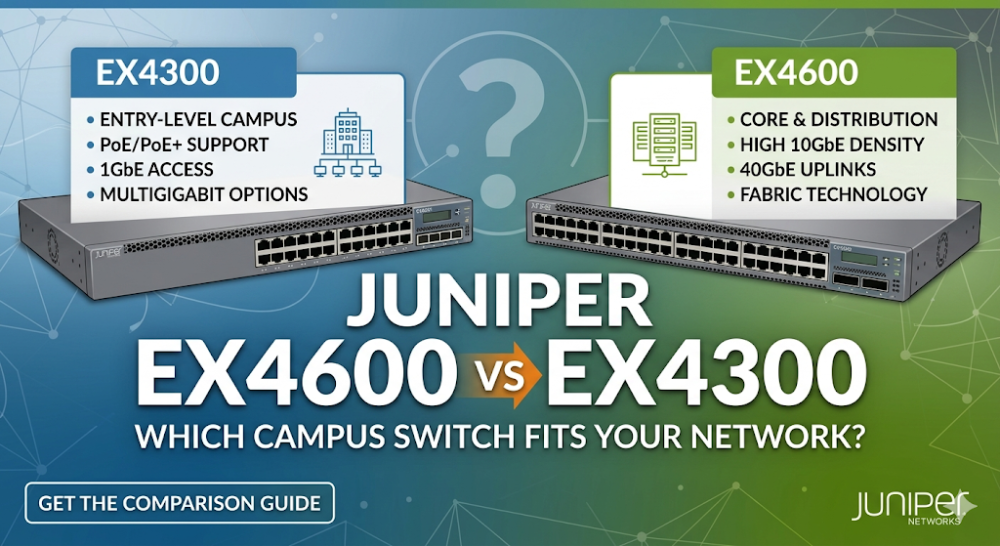
The fundamental difference between the Juniper EX4600 and EX4300 lies in their silicon architecture and intended placement within the campus hierarchy. The EX4600 is engineered as a low-latency, high-density Juniper enterprise core switch or distribution-layer platform, whereas the EX4300 is optimized as a feature-rich, high-density access-layer switch with Power over Ethernet (PoE+) capabilities.
ASIC Pipeline and Buffer Architecture
The Juniper EX4600 is powered by the Broadcom Trident II (BCM56850) ASIC. This merchant silicon architecture utilizes a non-blocking, shared-buffer pipeline. The Trident II features a 12 MB smart packet buffer dynamically allocated across all ports. This architecture ensures ultra-low port-to-port latency (~1 microsecond) and high-throughput L2/L3 serialization, making it ideal for aggregating high-bandwidth uplinks.
In contrast, the Juniper EX4300 utilizes a custom Juniper-designed ASIC (the Enterprise Packet Processor or EPP). This silicon is optimized for deep queue depths per port to mitigate microbursts common in access-layer environments where multiple 1G client devices burst traffic simultaneously into 10G or 40G uplinks. The EX4300 features a packet buffer of up to 4 MB (model-dependent), but employs aggressive dynamic buffer allocation profiles to prevent packet drops during transient congestion.
Virtual Chassis (VC) and Mixed-Mode Topologies
Both platforms support Juniper's Virtual Chassis technology, allowing multiple physical switches to be managed as a single logical device. However, their implementation and scaling limits differ significantly:
EX4600 Virtual Chassis Configuration: The EX4600 supports up to 10 switches in a single Virtual Chassis. It utilizes standard 10GbE or 40GbE ports configured as Virtual Chassis Ports (VCPs). This provides massive backplane throughput (up to 720 Gbps bi-directional when using 40G QSFP+ links).
EX4300 Virtual Chassis Configuration: The EX4300 also supports up to 10 members but features dedicated, built-in 40GbE QSFP+ VCP ports on the rear panel. This preserves front-panel ports for client access and uplinks.
In mixed-mode Virtual Chassis environments, an EX4600 can act as the master (RE) and backup member, while EX4300 switches serve as line-card members. This topology leverages the superior CPU and control-plane memory of the EX4600 while utilizing the cost-effective PoE+ port density of the EX4300 at the access layer.
Part 2: Hardware Specifications and Performance Sizing Guide
To properly size your network fabric, you must evaluate the raw throughput, MAC table capacity, routing scale, and interface density of each platform. The following table provides a detailed technical comparison of the EX4300 performance specifications against the EX4600.
Feature / Specification
Juniper EX4600
Juniper EX4300
Target Network Layer
Core / Distribution / Aggregation
Access / Aggregation
ASIC Architecture
Broadcom Trident II (BCM56850)
Juniper Custom EPP
Max Switching Capacity
1.44 Tbps
Up to 496 Gbps
Forwarding Rate
1.07 Bpps (Billion Packets/Sec)
Up to 369 Mpps
MAC Address Table
288,000 entries
64,000 entries
L3 Routing Table (IPv4)
128,000 prefixes
16,000 prefixes
Packet Buffer Size
12 MB (Dynamic Shared)
4 MB (Dynamic Shared)
PoE/PoE+ Support
No
Yes (Up to 30W per port, 950W budget)
Uplink Speeds
Up to 4x 40GbE QSFP+
Up to 4x 10GbE SFP+ or 2x 40GbE QSFP+
Mixed-Mode Virtual Chassis Configuration Example
When deploying a Juniper EX4600 vs EX4300 mixed Virtual Chassis, you must manually configure the mixed-mode setting on all participating switches and reboot them before cabling the VCP links. Below is the exact Junos CLI configuration sequence to establish a stable mixed-mode Virtual Chassis:
# Step 1: Enable mixed-mode on all switches (Execute on each switch individually before stacking)
user@switch> request virtual-chassis mode mixed reboot

# Step 2: Once rebooted, log into the designated Master EX4600 and configure member priorities
user@EX4600-Master# set virtual-chassis member 0 mastership-priority 255
user@EX4600-Master# set virtual-chassis member 1 mastership-priority 255

# Step 3: Configure the EX4300 member switches with lower priority to prevent them from taking mastership
user@EX4600-Master# set virtual-chassis member 2 mastership-priority 128
user@EX4600-Master# set virtual-chassis member 3 mastership-priority 128

# Step 4: Commit the configuration
user@EX4600-Master# commit and-quit

# Step 5: Verify the Virtual Chassis status and member roles
user@EX4600-Master> show virtual-chassis
To optimize your procurement and ensure you select the correct hardware revision for your deployment, you can explore the Juniper EX4600 Price and Inventory Status on our dedicated product page.
Part 3: Sourcing, BOM Optimization, and Risk Mitigation
Designing a high-performance campus network is only half the battle; navigating the complexities of hardware procurement, lead times, and long-term support is where projects succeed or fail. Traditional distribution channels often quote lead times of 8 to 12 weeks for enterprise-grade Juniper switches, which can delay critical infrastructure rollouts and incur project delay penalties.
Overcoming Supply Chain Bottlenecks
Router-switch addresses these supply chain challenges by maintaining over $20 million in on-shelf inventory across global warehouses. This extensive stock allows for same-week dispatch on critical hardware, including the EX4600 and EX4300 series. By bypassing multiple layers of regional middleman markups through a flat, direct supply chain, systems integrators and enterprise IT departments can secure significant bulk-purchase discounts, optimizing their Bill of Materials (BOM) without sacrificing hardware quality.
Mitigating Post-Deployment Risks
Hardware failures and configuration bottlenecks can severely impact business continuity. While traditional vendor support contracts are often costly and complex, Router-switch provides comprehensive risk mitigation:
Free 1-on-1 CCIE Consultancy: Access expert guidance during the design and pre-sales phases to ensure configuration compatibility, especially when planning complex mixed-mode Virtual Chassis topologies.
Complimentary 3-Year RS Care Warranty: Every switch is backed by an extended warranty, providing peace of mind long after the initial deployment.
Rapid RMA Standby Replacement: In the event of a hardware issue, Router-switch ships a replacement unit first, minimizing Mean Time to Repair (MTTR) and keeping your network operational.
100% Original Genuine Guarantee: All hardware shipped features fully verifiable serial numbers (S/N) within official vendor databases, ensuring authenticity and compliance.
To integrate these platforms into a broader enterprise architecture, check out our comprehensive Juniper Switches Solutions to compare additional models and accessories.
Part 4: Frequently Asked Questions (FAQ)
Q1: Can I mix Juniper EX4600 and EX4300 switches in the same Virtual Chassis?
Yes. Juniper supports mixed Virtual Chassis configurations containing both EX4600 and EX4300 switches. However, you must configure the Virtual Chassis to run in "mixed mode" using the request virtual-chassis mode mixed reboot command on all members. In this topology, the EX4600 switches must be configured as the master and backup routing engines (priorities 255) due to their superior CPU and memory capacities, while the EX4300 switches act as line-card members.
Q2: How do I resolve port flapping caused by FEC mismatches on 10G/40G links between EX4600 and EX4300?
Forward Error Correction (FEC) mismatches are a common cause of port flapping on high-speed links. To resolve this, manually configure the FEC mode on both ends of the link to match. For example, to disable FEC on a 40GbE interface on the EX4600, use:
user@EX4600# set interfaces et-0/0/40 gigether-options fec none
Ensure the corresponding interface on the EX4300 is configured with the identical FEC setting.
Q3: Does the EX4300 support full Layer 3 routing protocols like OSPF and BGP?
Yes, but licensing requirements apply. The EX4300 supports basic Layer 3 routing (static routing and RIP) out of the box. To run advanced routing protocols such as OSPFv2/v3, BGP, or IS-IS, you must install an Enhanced Feature License (EFL) or Advanced Feature License (AFL) depending on the specific protocol scale required.
Q4: What are the primary power supply redundancy options for the EX4600 vs EX4300?
Both switches support dual, hot-swappable AC or DC power supplies for 1+1 redundancy. However, the EX4300 power supplies are also designed to deliver Power over Ethernet (PoE+) to downstream devices. When sizing an EX4300 deployment, ensure the power supplies (e.g., 350W, 715W, or 1100W) are selected based on the total PoE budget required by your IP phones, access points, and security cameras. The EX4600 does not support PoE.
Expertise Builds Trust
20+ Years • 200+ Countries • 21500+ Customers/Projects CCIE · JNCIE · NSE7 · ACDX · HPE Master ASE · Dell Server/AI Expert