Solving Warehouse WiFi Coverage and Uptime IssuesDesign reliable warehouse WiFi coverage and uptime with warehouse wifi 6 ap, industrial wireless access points, and warehouse poe switches for racks and docks.
OLT Capacity Planning for GPON Access NetworksPlan OLT capacity for GPON OLT systems and EA5800 capacity planning, optimizing GPON split ratio and OLT uplink design for scalable fiber access.
Enterprise OLT Platform Selection for Fiber AccessDesign enterprise OLT platform strategy for GPON OLT platform, modular OLT chassis, and OLT service boards to scale passive optical LAN and XG-PON evolution.
Scale Data Center Networking Under Long Lead TimesScale data center networking faster under long lead times with data center spine switches, leaf spine data center designs and Cisco UCS fabric interconnects.
Tunnel Video Surveillance VLAN Stability over FiberDesign stable tunnel video surveillance VLANs using optical transport backbone and Arista fiber aggregation for resilient Huawei OptiX OSN CCTV networks.
Fiber vs Copper in Industrial Networks Design GuideCompare fiber vs copper in industrial ethernet, plan hybrid industrial fiber network designs, and select rugged ethernet switches and industrial SFP transceivers.
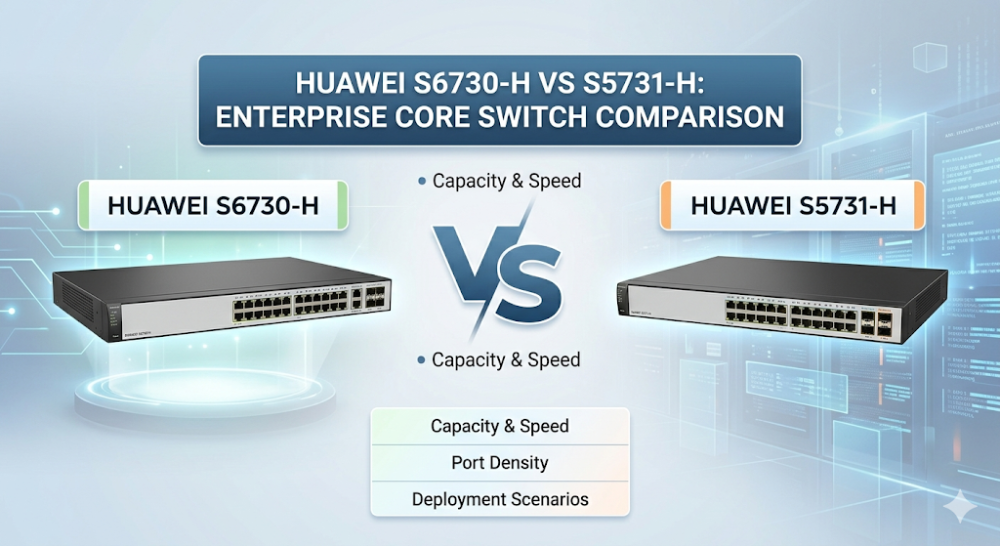
During a high-throughput database replication or a campus-wide Wi-Fi 6/7 migration across an enterprise network in Singapore, Tokyo, or Hong Kong, network engineers often face a critical bottleneck: silent packet drops at the aggregation layer due to oversubscribed uplinks and rigid ASIC pipelines. When designing or upgrading a campus network, selecting the correct hardware platform is the difference between seamless multi-service virtualization and endless troubleshooting tickets. To make an informed decision, network architects must evaluate the to determine if its 10G/40G/100G density justifies the core-layer investment, or leverage the broader Huawei Switches Solutions Portfolio to design a cost-effective, multi-tier campus architecture. This deep-dive technical analysis compares the Huawei S6730-H and S5731-H series, focusing on ASIC architecture, hardware specifications, and real-world deployment sizing.
The fundamental differentiator in this Enterprise Core Switch Comparison lies within the silicon. Both the Huawei S6730-H and Huawei S5731-H are built upon Huawei's proprietary Ethernet Network Processor (ENP) ASIC architecture, but they are optimized for vastly different throughput profiles and layer boundaries.
Unlike traditional fixed-pipeline ASICs that require hardware replacements to support new protocols, the programmable ENP chip allows on-the-fly packet processing pipeline updates. This is crucial for modern Huawei campus switch architecture deployments utilizing EVPN-VXLAN, Network Quality Analyzer (NQA), and native Access Controller (AC) functions.
Packet Buffer Serialization and Microburst Handling
In high-density virtualization environments, microbursts—sudden bursts of packets received in milliseconds—can easily overwhelm standard port buffers.
Huawei S6730-H: Features a significantly larger, dynamically allocated packet buffer pool. This allows the switch to absorb transient microbursts from 10G/25G downlinks without dropping frames, making it ideal for compact core or high-density aggregation layers.
Huawei S5731-H: Designed primarily for gigabit access and light aggregation. While it shares the ENP's programmable benefits, its buffer allocation per port is smaller, optimized for 1G client access with 10G uplinks.
VRP Configuration and Community Pain Points
A common struggle reported by engineers in the field involves multi-rate port auto-negotiation and Forward Error Correction (FEC) mismatches when connecting third-party transceivers. Below is a highly realistic Huawei VRP configuration block demonstrating how to manually adjust interface speed, disable auto-negotiation, and configure the correct FEC mode on an S6730-H to prevent port flapping, followed by a basic EVPN-VXLAN NVE interface registration.
# Enter system view and configure a 10G interface on the S6730-H
system-view
interface Ten-GigabitEthernet0/0/1
 description Uplink_To_Core_S6730H
 undo negotiation auto
 speed 10000
 fec mode rs
 commit

# Configure EVPN VXLAN NVE Interface for Campus Virtualization
bridge-domain 10
 vxlan vni 5010
#
evpn vpn-instance vpna
 route-distinguisher 100:1
 vpn-target 100:1 export-extcommunity
 vpn-target 100:1 import-extcommunity
#
interface Nve1
 source 1.1.1.1
 vni 5010 head-end peer-list 2.2.2.2
 commit
This configuration ensures that the high-speed transceiver operates with Reed-Solomon FEC (fec mode rs), eliminating the silent packet drops and link-state flapping often experienced during initial deployments.
Part 2: Hardware Specifications and Performance Sizing Guide
When conducting a Huawei S6730-H vs S5731-H comparison, understanding the physical and logical scale of each platform is essential for correct network sizing. The S6730-H is a native 10GE/25GE/40GE/100GE platform, whereas the S5731-H is a 1GE platform with 10GE uplinks.
The following table outlines the key hardware specifications of representative models from both series:
Specification / Feature
Huawei S6730-H48X6C
Huawei S5731-H48T4XC
Downlink Ports
48 x 10 Wave SFP+
48 x 10/100/1000BASE-T RJ45
Uplink Ports
6 x 40G QSFP+ (or 100G QSFP28 via license)
4 x 10 Wave SFP+
Switching Capacity
2.4 Tbps / 24 Tbps (Stack)
176 Gbps / 672 Gbps
Forwarding Performance
480 Mpps
132 Mpps
MAC Address Table
Up to 384,000 entries
Up to 64,000 entries
Routing Table (FIB)
256,000 (IPv4) / 80,000 (IPv6)
32,000 (IPv4) / 16,000 (IPv6)
VXLAN Support
L2/L3 VXLAN Gateway, BGP-EVPN
L2/L3 VXLAN Gateway, BGP-EVPN
Native Wireless AC
Yes (Manages up to 1,024 APs)
Yes (Manages up to 1,024 APs)
Performance Sizing Guide
When to choose the Huawei S6730-H: If your network design requires a 10G uplink switch comparison that extends down to the distribution layer, or if you are building a compact core for a mid-sized enterprise (500–2000 users). Its massive MAC and FIB tables allow it to handle complex routing boundaries, multi-tenant VRFs, and high-density VXLAN encapsulation without hardware resource exhaustion.
When to choose the Huawei S5731-H: If your primary requirement is high-density Gigabit Ethernet access for end-user devices, IP phones, and standard office APs, while still requiring advanced Layer 3 features like free mobility, native AC capability, and VXLAN fabric integration.
Part 3: Sourcing, BOM Optimization, and Risk Mitigation
Procuring enterprise-grade hardware in the Asian market involves navigating long lead times, complex licensing structures, and post-deployment support risks. Traditional distribution channels often quote 6 to 8 weeks for delivery, which can stall critical migration projects and incur substantial delay penalties.
Router-switch addresses these supply chain bottlenecks through its robust logistics and inventory management:
Immediate Availability: With over $20 million in multi-warehouse on-shelf stock, Router-switch bypasses traditional distributor delays, enabling same-week dispatch to major Asian hubs like Singapore, Hong Kong, and Tokyo.
Direct Cost Optimization: By utilizing a flat supply chain, Router-switch eliminates multiple layers of regional middleman markups, allowing system integrators and SMEs to secure direct bulk-purchase discounts.
Risk Mitigation & Warranty: To safeguard your investment against hardware failures, Router-switch provides a complimentary 3-Year RS Care extended warranty. This includes a Rapid RMA standby replacement service—shipping the replacement unit first to minimize Mean Time to Repair (MTTR)—backed by free 1-on-1 CCIE consultancy for initial configuration and deployment troubleshooting.
100% Genuine Guarantee: Every switch shipped features a fully verifiable serial number (S/N) that can be authenticated directly in the manufacturer's official database, ensuring complete peace of mind.
Part 4: Frequently Asked Questions (FAQ)
Q1: Can the Huawei S5731-H act as a native Wireless Access Controller (AC)?
Yes. Both the Huawei S5731-H and Huawei S6730-H feature native AC functionality powered by their programmable ENP ASICs. They can manage up to 1,024 Access Points (APs) without requiring a standalone AC hardware appliance. However, note that AP licenses must be purchased separately to activate this feature.
Q2: How do the ENP ASICs in the S6730-H handle microbursts compared to standard fixed-pipeline switches?
The ENP ASIC in the Huawei S6730-H utilizes a dynamic buffer allocation mechanism. Instead of dividing the packet buffer statically per port, it pools the buffer memory. When a specific port experiences a microburst (e.g., during a sudden storage backup or VM migration), the switch dynamically allocates buffer space from the shared pool, preventing packet drops that degrade TCP performance.
Q3: What are the common causes of port flapping when connecting third-party transceivers to the S6730-H, and how do you resolve them?
Port flapping is typically caused by auto-negotiation mismatches or Forward Error Correction (FEC) discrepancies between the switch and the third-party transceiver. To resolve this, use the Huawei VRP configuration to disable auto-negotiation (undo negotiation auto), manually set the port speed, and configure the appropriate FEC mode (such as fec mode rs or fec mode base-r) to match the connected device.
Q4: Does the S5731-H support full EVPN-VXLAN distributed gateway deployment?
Yes, the S5731-H supports both centralized and distributed EVPN-VXLAN gateway deployments. This allows you to extend your campus network fabric down to the access layer, enabling consistent security policies and free mobility across the entire enterprise network.
Expertise Builds Trust
20+ Years • 200+ Countries • 21500+ Customers/Projects CCIE · JNCIE · NSE7 · ACDX · HPE Master ASE · Dell Server/AI Expert