Solving Warehouse WiFi Coverage and Uptime IssuesDesign reliable warehouse WiFi coverage and uptime with warehouse wifi 6 ap, industrial wireless access points, and warehouse poe switches for racks and docks.
OLT Capacity Planning for GPON Access NetworksPlan OLT capacity for GPON OLT systems and EA5800 capacity planning, optimizing GPON split ratio and OLT uplink design for scalable fiber access.
Enterprise OLT Platform Selection for Fiber AccessDesign enterprise OLT platform strategy for GPON OLT platform, modular OLT chassis, and OLT service boards to scale passive optical LAN and XG-PON evolution.
Scale Data Center Networking Under Long Lead TimesScale data center networking faster under long lead times with data center spine switches, leaf spine data center designs and Cisco UCS fabric interconnects.
Tunnel Video Surveillance VLAN Stability over FiberDesign stable tunnel video surveillance VLANs using optical transport backbone and Arista fiber aggregation for resilient Huawei OptiX OSN CCTV networks.
Fiber vs Copper in Industrial Networks Design GuideCompare fiber vs copper in industrial ethernet, plan hybrid industrial fiber network designs, and select rugged ethernet switches and industrial SFP transceivers.
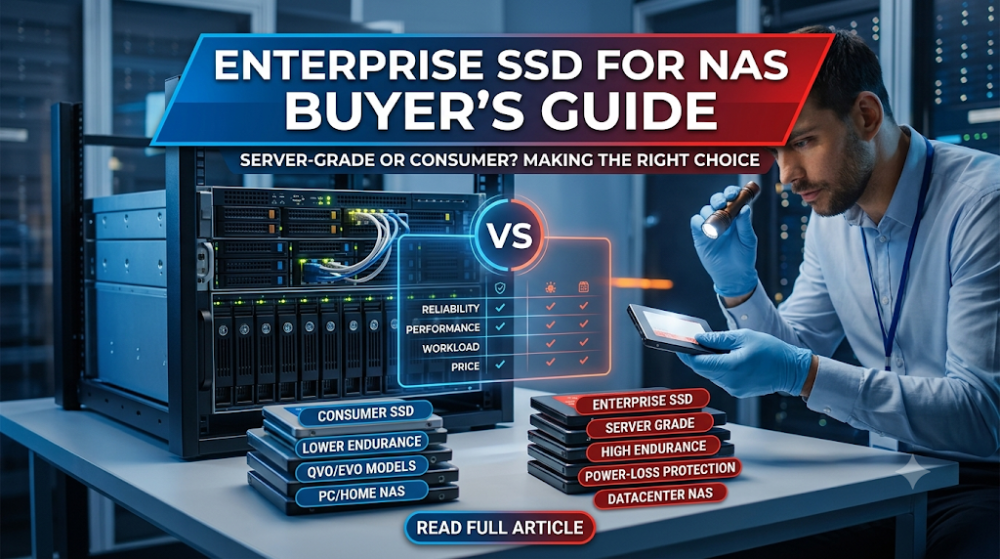
Network-attached storage (NAS) has become the default choice for centralized file sharing, backup, and media storage in offices and small businesses. As SSD prices continue to fall, many buyers are tempted to populate their NAS with solid-state drives instead of traditional hard disks. The question is not whether SSDs work in a NAS. They do. The question is whether you need enterprise-grade SSDs, or whether consumer SSDs are sufficient for your workload.
This guide is written for IT managers, procurement teams, and small business owners who are evaluating SSD options for their NAS. The goal is to help you decide whether the higher cost of enterprise SSDs is justified for your specific use case, or whether you are overbuying for a workload that consumer drives can handle.
Use enterprise SSDs for NAS when the device is shared by multiple users, runs 24/7, handles frequent writes, or stores business-critical data. The higher endurance and error-handling reduce the risk of failure and data loss.
Consumer SSDs are fine for home NAS, read-heavy workloads, or small offices with light usage. They cost less and perform well for light-duty file sharing and media streaming.
The key difference is endurance, not speed. Enterprise and consumer SSDs often have similar read performance. The gap shows up in write endurance, error correction, and sustained performance under heavy load.
Calculate your actual write volume before deciding. Many NAS workloads are read-heavy, which means consumer SSDs may last longer than expected.
Hybrid setups (SSD cache + HDD storage) are often the best value. Use a small enterprise SSD for cache and large HDDs for bulk storage.
Use case
Recommended SSD type
Why
Home media NAS
Consumer SSD
Read-heavy, low write volume
Small office file sharing
Consumer or entry enterprise
Moderate usage, budget sensitive
Multi-user business NAS
Enterprise SSD
High concurrency, 24/7 operation
VM or database storage
Enterprise SSD
Random writes, high IOPS demand
Backup target
HDD or enterprise SSD
Sequential writes favor HDD cost
Part 2: What makes an SSD "enterprise" grade
Higher write endurance
Enterprise SSDs are rated for significantly more write cycles than consumer drives. This is measured in DWPD (drive writes per day) or TBW (terabytes written). A typical consumer SSD might be rated for 0.3 DWPD, while an enterprise SSD can handle 1 to 10 DWPD. For a NAS that is constantly syncing, indexing, or receiving backups, this endurance gap determines how long the drive lasts before wear becomes a problem.
Better error correction and power-loss protection
Enterprise SSDs include more robust error-correcting code (ECC) and power-loss protection capacitors that ensure data in flight is written safely if power is cut. Consumer SSDs may lose data that is in the cache during an unexpected shutdown. For a NAS that stores shared business data, this protection is valuable.
Sustained performance under load
Consumer SSDs are optimized for burst performance on light workloads. When subjected to sustained heavy writes, many consumer drives slow down significantly as their caches fill. Enterprise SSDs maintain consistent performance under continuous load, which matters for NAS environments where multiple users write simultaneously.
Longer warranty and higher MTBF
Enterprise SSDs typically come with 3 to 5 year warranties and higher mean time between failure (MTBF) ratings. Consumer SSDs usually carry 3 year warranties with lower MTBF. The warranty difference reflects the manufacturer's confidence in the drive's ability to handle continuous operation.
Part 3: NAS workload types and SSD stress
Read-heavy workloads stress SSDs less
File sharing, media streaming, and document access are primarily read operations. SSDs do not wear out from reading. If your NAS is mainly used to serve files that are written once and read many times, write endurance is not a major concern. Consumer SSDs handle these workloads well.
Write-heavy workloads wear SSDs faster
Synchronization services, backup jobs, database storage, and video editing produce constant writes. Every write cycle consumes a small amount of the SSD's finite endurance. In a multi-user environment where several people save files simultaneously, the cumulative write volume adds up quickly. This is where enterprise SSDs justify their cost.
Random vs sequential writes
Random writes, common in virtualization and database workloads, are harder on SSDs than sequential writes. Large sequential backups are easier to handle and can be managed with HDDs or consumer SSDs. Random I/O is where enterprise SSDs with better controllers and more overprovisioning show their advantage.
Part 4: When enterprise SSDs are worth it
Business-critical data on a shared NAS
If your NAS stores documents, databases, or project files that your team depends on, the reliability advantage of enterprise SSDs is worth the premium. A failed consumer SSD in a RAID array may not cause data loss if redundancy is configured, but the replacement and rebuild process still creates downtime and risk.
Virtual machine storage
Running virtual machines from a NAS requires high random IOPS and low latency. Enterprise SSDs deliver consistent performance under the mixed read-write patterns that VMs generate. Consumer SSDs may work for a few light VMs but struggle under heavier virtualization workloads.
24/7 operation
Enterprise SSDs are designed for continuous operation. Consumer SSDs are designed for intermittent use in personal computers. If your NAS runs around the clock, the enterprise drive's higher MTBF and longer warranty provide peace of mind.
Multi-user environments
When multiple users access a NAS simultaneously, the drive controller handles more concurrent operations. Enterprise SSDs have more powerful controllers and more overprovisioning to maintain performance under concurrency. Consumer SSDs may experience latency spikes when overloaded.
Part 5: When consumer SSDs are sufficient
Home and small office NAS
For a home NAS that stores photos, videos, and documents for one or two users, consumer SSDs are usually sufficient. The write volume is low, the drive is not under constant load, and the cost savings are significant.
Read-heavy media servers
If your NAS primarily serves movies, music, or photos that are written once and read many times, the endurance advantage of enterprise SSDs is largely irrelevant. Consumer SSDs deliver the same read performance for this use case.
Budget-constrained deployments
Enterprise SSDs cost significantly more per gigabyte than consumer drives. If your budget is tight and your workload is light, consumer SSDs are the practical choice. You can always upgrade to enterprise drives later if your workload grows.
SSD cache rather than primary storage
Some NAS devices support SSD caching, where a small SSD accelerates access to frequently used files stored on larger HDDs. In this configuration, the cache SSD handles hot data while the HDDs handle bulk storage. A consumer SSD may suffice for light caching, though enterprise SSDs are still preferred for heavy cache workloads.
Part 6: Endurance, DWPD, and what the numbers mean
DWPD tells you how much you can write daily
DWPD (drive writes per day) indicates how many times you can fill the entire drive with new data every day over the warranty period. A 1 DWPD drive in a 1TB SSD means you can write 1TB of new data per day for 5 years. For most NAS workloads, 1 DWPD is more than enough.
TBW gives you the total lifetime limit
TBW (terabytes written) is the total amount of data you can write to the drive before the warranty expires. A consumer 1TB SSD might have a 300 TBW rating, while an enterprise version could offer 1,000 TBW or more. Calculate your expected write volume to see which rating you need.
Calculate before you buy
If your NAS writes 50 GB per day, a 1TB consumer SSD with 300 TBW would last approximately 6,000 days, or about 16 years. For light workloads, consumer SSD endurance is not the limiting factor. For heavy write workloads, the math changes quickly.
Part 7: Common buyer mistakes
Mistake 1: Buying enterprise SSDs for a read-heavy home NAS
If your NAS mainly streams media and serves documents, you are paying for write endurance you will never use. Consumer SSDs handle read-heavy workloads just as well.
Mistake 2: Using consumer SSDs for multi-user business NAS with heavy writes
Shared business NAS with active collaboration, backups, and sync services create sustained write loads. Consumer SSDs may fail prematurely or slow down under this stress.
Mistake 3: Ignoring the RAID rebuild impact
When an SSD fails in a RAID array, the rebuild process reads from all remaining drives and writes to the replacement. This is a sustained write operation that stresses the replacement drive. Enterprise SSDs handle this better than consumer drives.
FAQ
Can I use consumer SSDs in a NAS?
Yes, for light-duty and read-heavy workloads. Consumer SSDs work fine for home and small office NAS where write volume is low.
What is the main advantage of enterprise SSDs in NAS?
Higher write endurance, better sustained performance under load, and stronger error correction. These matter most in multi-user, write-heavy, or 24/7 environments.
Should I use SSDs or HDDs for my NAS?
For performance-sensitive workloads, SSDs are better. For bulk storage and backups where cost per terabyte matters, HDDs are still the practical choice. Hybrid setups with SSD cache and HDD storage offer a good balance.
How do I calculate whether I need enterprise SSDs?
Estimate your daily write volume, multiply by the number of users, and compare to the SSD's DWPD or TBW rating. If you are well within consumer ratings, enterprise SSDs may be overkill.
What is the best next step before buying NAS SSDs?
Define your workload type (read-heavy vs write-heavy), user count, uptime requirements, and budget. Then match the SSD type to those requirements rather than buying by brand or specification alone.
Part 8: The next practical step
If you are evaluating SSDs for your NAS, the next useful step is to measure your actual workload before choosing a drive type. That means estimating how much data you write per day, how many users access the NAS simultaneously, and whether the NAS stores business-critical data. Once those are clear, the decision between enterprise and consumer SSDs becomes a straightforward calculation rather than a guess.
Router-Switch can help compare enterprise SSD options, check availability, and ensure you are buying drives that match your actual workload rather than overspending on specifications you do not need. If you are unsure whether enterprise SSDs are justified for your NAS, the fastest path is to define your write volume and uptime requirements first.