Solving Warehouse WiFi Coverage and Uptime IssuesDesign reliable warehouse WiFi coverage and uptime with warehouse wifi 6 ap, industrial wireless access points, and warehouse poe switches for racks and docks.
OLT Capacity Planning for GPON Access NetworksPlan OLT capacity for GPON OLT systems and EA5800 capacity planning, optimizing GPON split ratio and OLT uplink design for scalable fiber access.
Enterprise OLT Platform Selection for Fiber AccessDesign enterprise OLT platform strategy for GPON OLT platform, modular OLT chassis, and OLT service boards to scale passive optical LAN and XG-PON evolution.
Scale Data Center Networking Under Long Lead TimesScale data center networking faster under long lead times with data center spine switches, leaf spine data center designs and Cisco UCS fabric interconnects.
Tunnel Video Surveillance VLAN Stability over FiberDesign stable tunnel video surveillance VLANs using optical transport backbone and Arista fiber aggregation for resilient Huawei OptiX OSN CCTV networks.
Fiber vs Copper in Industrial Networks Design GuideCompare fiber vs copper in industrial ethernet, plan hybrid industrial fiber network designs, and select rugged ethernet switches and industrial SFP transceivers.
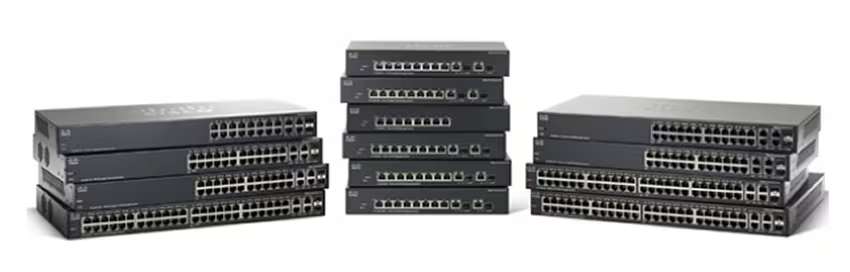
When deploying a Cisco Small Business (SMB) switch, the first step is accessing its management interface. Popular models like the SG200, SG250, SG300, SG350, and CBS350 use default credentials for initial login. Understanding these credentials, login procedures, password recovery, and security best practices is essential for IT administrators.
Part 1: Official Default Credentials for Cisco SMB Switches
Cisco SMB switches come with factory default credentials to simplify first-time setup. Below is a reference table based on Cisco SMB Administration Guides:
Notes: Credentials are case-sensitive. On first login, most models require changing the password to comply with security rules. CBS350 is the newer SMB series with improved firmware support.
Part 2: How to Log Into Cisco SMB Switches
Before attempting to log in, ensure your PC is connected to the switch, understands the management subnet, and is prepared to use either Web GUI or console access. Proper preparation prevents common login errors and ensures a smooth first-time configuration.
Web GUI Access
Connect your PC to a switch port.
Ensure your PC is in the same subnet (e.g., 192.168.1.x).
Open a browser and navigate to http://192.168.1.254 (default IP).
Login using username cisco and password cisco.
Follow prompts to set a new secure password.
CLI / Console Access
Use a console cable and terminal emulator (115200 baud, 8N1, no flow control).
Login with cisco / cisco.
The initial configuration wizard may prompt for password change.
Part 3: Resetting Cisco SMB Switch Passwords
If the default login fails or the password is forgotten:
Factory Reset Procedure (Cisco Official)
Locate the reset button on the switch.
Ensure the device is powered on.
Press and hold the reset button for 10–15 seconds.
Release and wait for the switch to reboot.
Re-access at 192.168.1.254 using default login credentials (cisco / cisco).
Important: This will erase all configurations, including VLANs, IP settings, and user accounts. Always back up configurations before resetting.
Part 4: Security Best Practices After First Login
Change Default Password Immediately: Do not reuse "cisco" or simple passwords.
Enforce Strong Passwords: Minimum 8 characters, mix of uppercase, lowercase, numbers, and special characters.
Configure Management VLAN/IP: Restrict management access to a dedicated VLAN or IP list.
Disable Unused Services: Turn off Telnet or HTTP if only using SSH/Web GUI.
Enable Password Aging: Ensure passwords are changed periodically.
Keep Firmware Updated: Apply official Cisco patches to prevent vulnerabilities.
Part 5: Popular SMB Switch Models Comparison
Model
Ports
PoE Support
Firmware Status
EOL Status
SG200
8/24
Limited
Last SMB firmware
EOL
SG250
24/48
Yes
Last SMB firmware
Supported, older series
SG300
24/48
Limited
Last SMB firmware
EOL
SG350
24/48
Yes
Current SMB firmware
Supported
CBS350
24/48
Yes
Current SMB firmware
Current, recommended
Part 6: Where to Buy Cisco SMB Switches Securely
Securing your network begins with sourcing genuine hardware. Router-switch provides multiple advantages for IT administrators and businesses:
Fast Quotes & Model Verification: Quickly confirm models and pricing.
Global Stock Coverage: Immediate access to both common and specialty SKUs.
Genuine Hardware & Compliance: Direct sourcing from authorized suppliers ensures authenticity.
Technical Guidance: Assistance with product selection and deployment planning.
Flexible Procurement & Payment Options: Seamless global logistics with multiple payment solutions.
This ensures Cisco SMB switch deployment is timely, reliable, and secure.
Part 7: People Also Ask (PAA)
Q1: What is the default password for a Cisco SMB switch?
The default password is cisco for SG200, SG250, SG300, SG350, and CBS350.
Q2: What is Cisco switch's default username and password?
Default username is cisco and default password is cisco.
Q3: What is the default password for a Cisco SMB 250?
For SG250 switches, the default login is username cisco / password cisco (case-sensitive).
Q4: What is the default password for Cisco 2960 switch?
Cisco Catalyst 2960 switches do not have a default password set; credentials are defined during initial setup.
Conclusion
Understanding default usernames and passwords is the first step for managing Cisco SMB switches. Immediately changing default passwords, securing management access, and updating firmware are critical for network safety.
For reliable Cisco SMB hardware—including SG200, SG250, SG300, SG350, and CBS350—visit Router-switch.com or compare pricing via IT-Price.com to ensure genuine devices, fast quotes, and expert support.
Expertise Builds Trust
20+ Years • 200+ Countries • 21500+ Customers/Projects CCIE · JNCIE · NSE7 · ACDX · HPE Master ASE · Dell Server/AI Expert