Solving Warehouse WiFi Coverage and Uptime IssuesDesign reliable warehouse WiFi coverage and uptime with warehouse wifi 6 ap, industrial wireless access points, and warehouse poe switches for racks and docks.
OLT Capacity Planning for GPON Access NetworksPlan OLT capacity for GPON OLT systems and EA5800 capacity planning, optimizing GPON split ratio and OLT uplink design for scalable fiber access.
Enterprise OLT Platform Selection for Fiber AccessDesign enterprise OLT platform strategy for GPON OLT platform, modular OLT chassis, and OLT service boards to scale passive optical LAN and XG-PON evolution.
Scale Data Center Networking Under Long Lead TimesScale data center networking faster under long lead times with data center spine switches, leaf spine data center designs and Cisco UCS fabric interconnects.
Tunnel Video Surveillance VLAN Stability over FiberDesign stable tunnel video surveillance VLANs using optical transport backbone and Arista fiber aggregation for resilient Huawei OptiX OSN CCTV networks.
Fiber vs Copper in Industrial Networks Design GuideCompare fiber vs copper in industrial ethernet, plan hybrid industrial fiber network designs, and select rugged ethernet switches and industrial SFP transceivers.
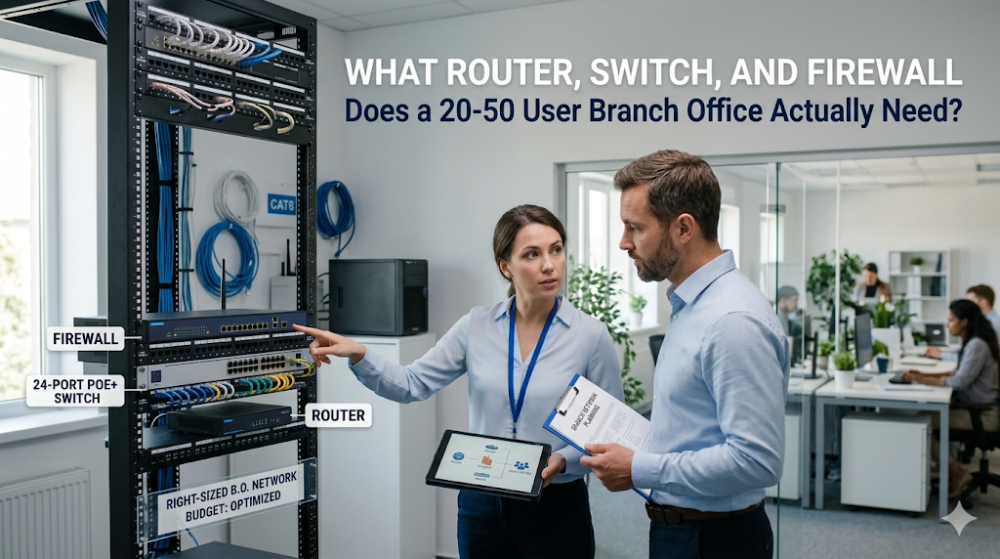
Many branch-office buyers do not actually need the cheapest possible network stack. They need a BOM that will survive the next 2 to 3 years without overspending on performance the site will never use. For a 20 to 50 user branch, the real question is not whether you can buy a router, switch, and firewall for under a certain number. It is whether the branch has enough WAN headroom, PoE capacity, and security margin to avoid a mid-cycle replacement. This guide shows what a right-sized branch BOM usually looks like, where teams commonly overbuy, and where underbuying creates problems later.
Part 1: What a 20-50 User Branch Actually Has to Support
A 20 to 50 user branch usually has a simpler requirement set than teams expect, but it still has a few traps that affect the BOM:
Stable WAN connectivity for cloud apps, voice, video meetings, and VPN back to HQ
Enough PoE for access points, IP phones, and a few cameras
At least one clean security enforcement point, especially if traffic exits directly to the internet
Enough access ports for current users plus modest headroom for adds, moves, and changes
A realistic path for growth over the next 24 to 36 months
What buyers often get wrong is treating all branches the same. A 20-user sales office, a 35-user service branch, and a 50-user project office may all fall into the same headcount bucket, but their WAN usage, PoE draw, and security needs can differ enough to change the recommended BOM.
Part 2: How Much Router Capacity Is Usually Enough
The router is still the WAN anchor for many branches, but this is also the place where buyers overpay for headroom they never use. For a 20 to 50 user site, the real questions are WAN speed, service mix, and whether the branch needs modular growth.
Recommended: Cisco ISR 4221
The Cisco ISR 4221 is still a reasonable fit when the branch has modest WAN bandwidth, traditional routing requirements, and no aggressive SD-WAN or encrypted-traffic load. It delivers:
WAN throughput: 35–75 Mbps with typical security services — sufficient for branches on broadband or low-bandwidth MPLS
Ports: 2×GE WAN + 2×GE LAN, with NIM slots for expansion
VPN: IPsec and SSL VPN support for site-to-site and remote access
Management: Cisco IOS-XE, familiar to most network engineers
When ISR 4221 Is Sufficient
Branch WAN is 50 Mbps or less
No plans for SD-WAN or heavy cloud optimization
Single or dual WAN links only
When to Upgrade the Router
WAN bandwidth is 100+ Mbps — consider ISR 4331 or 4351
SD-WAN is required — ISR 4221 supports it but performance is limited
LTE backup is needed — requires additional NIM module
Router budget allocation: ~$800–$1,200 for ISR 4221 base chassis.
Part 3: What Switch Specs Matter Most at This Size
At this branch size, the switch decision is usually driven less by raw performance and more by three things: port count, PoE budget, and uplink speed. This is where under-spec decisions create the most avoidable pain after deployment.
Recommended: Cisco C9200L-24P-4G-E
The Cisco C9200L-24P-4G-E is a 24-port Gigabit PoE+ switch with four 1G SFP uplinks. It is the most common access switch for small-to-medium branches.
Ports: 24×GE PoE+ (up to 30W per port), 4×1G SFP uplinks
PoE budget: 195W — enough for 12–16 IP phones or 4–6 access points
Management: Cisco IOS-XE, supports Cisco DNA Center and CLI
Stacking: Not supported on C9200L — if stacking is needed, upgrade to C9200
When C9200L-24P-4G-E Is Sufficient
Branch has 20–30 wired endpoints
PoE need is under 150W total
Single switch per branch — no stacking required
1G uplink to router/firewall is adequate
When to Upgrade the Switch
More than 30 wired endpoints — consider C9200L-48P-4X-E
Need 10G uplink — C9200L-24P-4X-E adds 10G SFP+ uplinks
Need stacking for redundancy — upgrade to C9200 (non-L) series
Switch budget allocation: ~$1,500–$2,000 for C9200L-24P-4G-E with DNA Essentials license.
Part 4: What Firewall Tier Is Usually the Right Fit
The firewall decision should be based less on employee count alone and more on inspection load, VPN expectations, and whether the branch breaks out internet traffic locally. This is the device most buyers under-budget when they assume a small branch automatically means light security demand.
Recommended: Fortinet FortiGate 60F
The FortiGate 60F is the standard SMB branch firewall in Fortinet's lineup.
Firewall throughput: 10 Gbps — more than enough for a 50 Mbps WAN
UTM features: NGFW, IPS, antivirus, web filtering, application control
When FG-60F Is Sufficient
Branch has 20–75 users
WAN bandwidth is under 100 Mbps
Standard UTM features are sufficient — no heavy SSL inspection
2–5 site-to-site VPN tunnels
When to Upgrade the Firewall
Heavy SSL inspection is required — consider FG-80F or FG-100F
More than 10 VPN tunnels — FG-80F handles higher tunnel counts
Branch handles sensitive data requiring advanced threat protection — consider FG-100F with ATP bundle
Firewall budget allocation: ~$800–$1,200 for FG-60F base unit. License bundles (FortiCare + FortiGuard) add $300–$600 per year.
Part 5: A Practical BOM for a 20-50 User Branch
For many standard branches, a practical starting BOM still looks like this. The point is not that every site should buy these exact three models, but that this combination represents the rough capacity class that usually fits a 20 to 50 user office without obvious overkill.
Component
Model
Estimated Price
Router
Cisco ISR 4221
$900–$1,100
Switch
Cisco C9200L-24P-4G-E
$1,600–$1,900
Firewall
Fortinet FG-60F
$850–$1,050
Hardware Total
$3,350–$4,050
Firewall License (1-year)
FortiCare + FortiGuard
$350–$550
Total with 1-Year License
$3,700–$4,600
This leaves $400–$1,300 of headroom for transceivers, cables, or a small UPS. It also leaves room to upgrade one component if a specific need demands it — for example, upgrading the switch to a 48-port model or adding an LTE module to the router.
What the Budget Does NOT Include
Rack and cable management: $100–$300
UPS: $200–$500
Installation and configuration: $500–$1,500 (or internal labor)
Switch licenses beyond DNA Essentials: DNA Advantage adds ~$200–$400
Firewall licenses beyond year 1: Annual renewal required
Part 6: Where Buyers Usually Overspend or Underspec
Where It Makes Sense to Spend More
Branch is business-critical. If this branch cannot afford downtime, add redundancy: dual WAN on the router, a second switch for stacking, or a firewall HA pair. This pushes the budget to $7K–$10K but eliminates single points of failure.
Growth is certain. If the branch will double headcount in 12 months, buy the 48-port switch and the next-tier firewall now. It is cheaper than replacing hardware mid-cycle.
Compliance requires advanced security. If the branch handles PCI, HIPAA, or similar data, the FG-60F may need an ATP bundle or the organization may require a higher-tier firewall.
Where It Is Usually Safe to Save
Budget is truly fixed. If $5K is a hard ceiling, consider a refurbished ISR 4221 or a previous-generation switch (C2960L) to free up budget for the firewall license.
Branch is temporary. For project offices or short-term sites, a lower-cost router (Cisco RV series) or an integrated firewall-router (FortiGate with built-in switching) may suffice.
PoE need is minimal. If the branch has no IP phones or access points, a non-PoE switch (C9200L-24T-4G-E) saves $300–$500.
FAQ
Can I use a different router, switch, or firewall and still stay under $5K?
Yes. The ISR 4221 can be replaced with a Cisco RV340 or similar SMB router for a lower cost, though you lose IOS-XE and NIM expandability. The C9200L can be replaced with a Cisco CBS350 for smaller branches. The FG-60F can be replaced with a SonicWall TZ series or a Cisco ASA 5508-X, though feature sets and management differ.
Do I need a separate firewall if my router has built-in security?
For most enterprise branches, yes. Router-based firewalls (zone-based firewalls on ISR) provide basic packet filtering but lack the UTM depth of a dedicated NGFW. For compliance, threat inspection, and granular application control, a separate firewall is standard practice.
Is the C9200L-24P-4G-E enough for 50 users?
For 50 wired users, yes — if most users are on wireless. If all 50 users need wired connections, the 24-port switch is insufficient. In that case, upgrade to the C9200L-48P-4G-E or add a second 24-port switch.
Can I stack two C9200L switches?
No. The C9200L does not support stacking. If stacking is required for redundancy or port expansion, use the C9200 (non-L) series. For branches that do not need stacking, the C9200L is the better value.
What if my branch needs Wi-Fi?
Add an access point to the BOM. For a 50-user branch, a single Aruba AP-515 or Cisco Catalyst 9100 AP adds $400–$600. If the access point requires PoE+, confirm the switch has enough PoE budget left after powering phones and cameras.
Does Router-Switch offer bundle pricing for this stack?
Router-Switch can support this kind of branch planning more effectively when the team already knows the user count, WAN speed, AP count, phone count, and whether the site needs growth headroom. That makes it easier to validate the BOM, compare alternatives, check multi-item availability, and control budget without losing deployment reliability.
For a 20 to 50 user branch, the best BOM is usually the one that avoids obvious waste and obvious bottlenecks at the same time. If you already know the branch size, WAN speed, PoE demand, and expected growth, Router-Switch can help confirm model fit, check bundle availability, compare alternatives, and reduce mismatch risk before the final shortlist or quote request goes out.
Expertise Builds Trust
20+ Years • 200+ Countries • 21500+ Customers/Projects CCIE · JNCIE · NSE7 · ACDX · HPE Master ASE · Dell Server/AI Expert