Solving Warehouse WiFi Coverage and Uptime IssuesDesign reliable warehouse WiFi coverage and uptime with warehouse wifi 6 ap, industrial wireless access points, and warehouse poe switches for racks and docks.
OLT Capacity Planning for GPON Access NetworksPlan OLT capacity for GPON OLT systems and EA5800 capacity planning, optimizing GPON split ratio and OLT uplink design for scalable fiber access.
Enterprise OLT Platform Selection for Fiber AccessDesign enterprise OLT platform strategy for GPON OLT platform, modular OLT chassis, and OLT service boards to scale passive optical LAN and XG-PON evolution.
Scale Data Center Networking Under Long Lead TimesScale data center networking faster under long lead times with data center spine switches, leaf spine data center designs and Cisco UCS fabric interconnects.
Tunnel Video Surveillance VLAN Stability over FiberDesign stable tunnel video surveillance VLANs using optical transport backbone and Arista fiber aggregation for resilient Huawei OptiX OSN CCTV networks.
Fiber vs Copper in Industrial Networks Design GuideCompare fiber vs copper in industrial ethernet, plan hybrid industrial fiber network designs, and select rugged ethernet switches and industrial SFP transceivers.
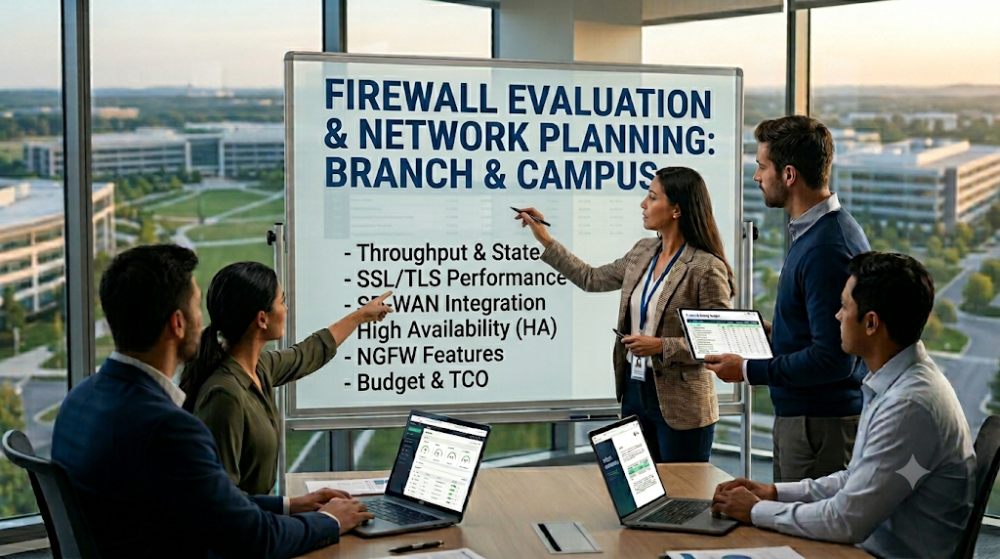
Choosing a firewall for a branch or campus deployment is rarely just a brand decision. In real projects, buyers and technical teams are balancing traffic growth, VPN needs, SSL inspection overhead, segmentation policy, uplink design, and hardware lead time at the same time. A firewall that looks fine on the datasheet can still become the wrong choice once real inspection load, remote users, and site expansion are added into the picture.
This is why branch and campus firewall selection should start with a checklist instead of a model shortlist. Before comparing Fortinet, Cisco, Juniper, or other options, buyers need to confirm what the site actually has to protect, how traffic flows across the site, and which performance figures really matter. That process reduces the risk of overspending on features that the site does not need, or undersizing a platform that will become a bottleneck in less than a year.
Do not size a firewall by raw throughput alone. Branch and campus projects are affected by SSL inspection, IPS, application control, and VPN load, not just headline firewall throughput.
Start from the site role. A 20-user branch, a high-traffic retail site, and a campus core edge do not have the same firewall requirements.
Check segmentation and access needs early. VLAN policy, guest access, IoT isolation, and east-west traffic control may matter more than brand preference.
Review licensing before approving the model. Some platforms look affordable until security subscriptions, centralized management, or HA licenses are added.
Treat deployment fit as a buying criterion. Power, rack space, WAN design, failover method, and lead time all affect whether a firewall is practical for the site.
Checklist area
Why it matters
What buyers often miss
Real inspected throughput
Prevents performance bottlenecks
Using headline firewall throughput only
SSL inspection and IPS load
Changes usable capacity sharply
Ignoring security-service performance figures
VPN and remote access
Affects branch connectivity and user experience
Not counting tunnels, users, or failover design
Segmentation and policy count
Matters for campus and mixed-device sites
Underestimating guest, IoT, and departmental policy needs
Licensing and support
Changes total cost and operations model
Comparing appliance price without recurring subscription cost
Part 2: Define branch vs campus requirements correctly
Branch deployments usually prioritize simplicity, VPN stability, and cost control
A branch firewall is often expected to handle WAN connectivity, site-to-site VPN, remote user access, segmentation for a small number of VLANs, and baseline threat prevention. In many branch projects, the correct buying decision depends less on advanced feature count and more on stable throughput under real security load, easy centralized management, and realistic licensing cost over three to five years.
Campus deployments usually add segmentation, policy scale, and internal traffic complexity
A campus firewall often sits closer to a more complex access environment. There may be student or guest traffic, staff and department separation, wireless integration, voice, surveillance, or lab environments that all require different policy treatment. The firewall may also need to support higher session counts, denser east-west traffic control, and tighter integration with existing switching and access infrastructure.
Do not treat branch and campus as the same sizing problem
If the site has hundreds of users, multiple security zones, and strong guest or IoT isolation needs, it should not be sized like a simple branch office. On the other hand, many small branch projects overspend by buying a larger campus-style platform that the site will never fully use. Getting the site role right at the start prevents both underbuying and overspending.
Part 3: Check the performance numbers that really matter
Use security-service performance, not only headline firewall throughput
Vendors often advertise high raw firewall throughput, but real enterprise deployments turn on IPS, anti-malware, application control, and SSL inspection. Once those features are enabled, usable throughput falls. Buyers should compare threat protection throughput, IPS throughput, and SSL inspection throughput, not just the largest number shown on the datasheet.
Look at concurrent sessions and new connection rates
Branch and campus sites with many users, cameras, guest devices, phones, and wireless clients can create large session tables even when total bandwidth is moderate. A site with many concurrent application sessions may stress the firewall differently from a site with fewer but heavier data flows. Session capacity and connection rates are especially important in campuses, retail sites, and mixed IoT environments.
Plan for growth, not just current load
If a site is expected to add users, new APs, cameras, or SaaS adoption in the next 12 to 24 months, the firewall should be sized for that future state. A model that barely fits today's traffic may force an upgrade long before the rest of the network reaches refresh cycle.
Part 4: Verify VPN, segmentation, and user access needs
Count site-to-site VPN and remote access requirements
Some branch deployments depend heavily on IPsec tunnels back to headquarters or regional hubs. Others also support remote staff through SSL VPN or client VPN. Buyers should confirm the expected tunnel count, redundancy design, remote user volume, and whether failover links must preserve access during an outage.
Map segmentation before comparing firewall models
Campus and distributed branch sites often need segmentation for staff, guests, printers, cameras, OT devices, phones, and wireless infrastructure. The firewall must support the policy scale and interface design required for that segmentation strategy. If segmentation is central to the project, interface density, subinterface support, VLAN handling, and policy management become key buying points.
Account for wireless and voice traffic correctly
Many buyers focus on internet bandwidth but overlook the mix of wireless devices, IP phones, and real-time traffic flows. If the firewall sits on a path that handles voice, video, or dense wireless traffic, latency and inspection impact should be reviewed carefully.
Part 5: Match security features to actual site risk
Not every site needs the same inspection depth
A small branch may need stable VPN, web filtering, and basic intrusion prevention. A campus site may require deeper application visibility, guest isolation, identity-aware policy, and stronger inspection for mixed user/device groups. The right decision depends on the site's exposure, compliance requirements, and management expectations.
SSL inspection can change the buying decision
SSL inspection is one of the most important checkpoints because it sharply changes real firewall performance. If the project requires broad SSL inspection, do not assume the appliance can handle it simply because headline throughput looks high. This is where many buyers discover too late that they sized the hardware for internet bandwidth, not for inspected traffic.
Centralized management matters in multi-site projects
If the project includes several branches or a campus plus remote offices, centralized visibility and policy management may matter more than one-time hardware price. The operational cost of managing inconsistent policy manually can exceed the difference between two appliance options.
For teams comparing branch and campus firewall platforms across different budget levels, Router-Switch's enterprise firewall sizing guide is useful as a planning reference because it frames selection around throughput, SSL inspection, and VPN load rather than only list price.
Part 6: Review hardware, licensing, and support fit
Check appliance form factor and deployment reality
Some branch firewalls are designed for compact remote environments, while campus models often assume rack deployment, stronger power availability, and higher airflow. Confirm rack size, power redundancy expectations, WAN handoff type, and whether LTE or secondary WAN failover is part of the design.
Compare licensing models honestly
License structure can change the business case dramatically. A lower appliance price can become a worse five-year decision if required subscriptions, management licensing, and security bundles raise operating cost above alternative platforms. Buyers should compare appliance plus recurring cost, not just the base hardware price.
Review support and replacement expectations
Branch and campus sites differ in their tolerance for downtime. Some branches can tolerate next-business-day replacement. Others need advanced replacement or spare-unit strategy. Campus or regional sites may require higher service expectations, especially if they aggregate several locations or support critical users.
Part 7: Common buying mistakes
Mistake 1: Choosing by raw throughput only
This is the most common mistake. Real deployments care about inspected traffic, session load, VPN use, and policy scale.
Mistake 2: Ignoring licensing until late in procurement
A model can look competitive until subscriptions, HA entitlements, and management costs are added. This changes TCO fast.
Mistake 3: Using a branch sizing model for a campus edge
Campus environments often have more segmentation, more client diversity, and more policy complexity than buyers expect.
Mistake 4: Forgetting future growth and feature expansion
If SSL inspection, SD-WAN, or stronger application control may be enabled later, size for that likely future rather than today's minimum feature set.
FAQ
What is the most important factor when choosing a branch firewall?
The most important factor is usable performance under real security load, especially when IPS, application control, and VPN are enabled. Branch firewalls should be sized by actual service use, not only headline throughput.
How is a campus firewall different from a branch firewall?
A campus firewall usually deals with more users, more segmentation, more policy objects, and more mixed traffic types. That means higher emphasis on session scale, policy management, and internal traffic design.
Should buyers compare firewall list price first?
No. Appliance cost alone can be misleading. Buyers should compare total deployment cost, including subscriptions, support, centralized management, and expected refresh cycle.
When does SSL inspection become a deal-breaker in firewall selection?
SSL inspection becomes critical when a site wants deeper visibility into encrypted traffic. It can reduce real throughput significantly, so buyers should confirm inspected throughput figures before approving a model.
What should branch or campus buyers ask a supplier before ordering?
They should ask for real security throughput, VPN capacity, session scale, license structure, lead time, support options, and whether the recommended model leaves enough headroom for growth.
Part 8: How to turn the checklist into a buying decision
The best branch or campus firewall choice is usually the one that matches the site's actual traffic, inspection depth, segmentation plan, and operational model, not the one with the biggest headline number. Buyers should start with role definition, security-service performance, VPN and policy needs, then compare licensing and deployment fit. That process turns firewall selection from a brand argument into a project decision.
If the project team already knows its branch size, campus role, remote access model, and inspection requirements, the next step is to validate which platform fits those conditions without overbuying. Router-Switch can help buyers align firewall options with real deployment needs, compare availability across major brands, and reduce the risk of choosing a model that looks good on paper but does not fit the project in practice.
Expertise Builds Trust
20+ Years • 200+ Countries • 21500+ Customers/Projects CCIE · JNCIE · NSE7 · ACDX · HPE Master ASE · Dell Server/AI Expert