Solving Warehouse WiFi Coverage and Uptime IssuesDesign reliable warehouse WiFi coverage and uptime with warehouse wifi 6 ap, industrial wireless access points, and warehouse poe switches for racks and docks.
OLT Capacity Planning for GPON Access NetworksPlan OLT capacity for GPON OLT systems and EA5800 capacity planning, optimizing GPON split ratio and OLT uplink design for scalable fiber access.
Enterprise OLT Platform Selection for Fiber AccessDesign enterprise OLT platform strategy for GPON OLT platform, modular OLT chassis, and OLT service boards to scale passive optical LAN and XG-PON evolution.
Scale Data Center Networking Under Long Lead TimesScale data center networking faster under long lead times with data center spine switches, leaf spine data center designs and Cisco UCS fabric interconnects.
Tunnel Video Surveillance VLAN Stability over FiberDesign stable tunnel video surveillance VLANs using optical transport backbone and Arista fiber aggregation for resilient Huawei OptiX OSN CCTV networks.
Fiber vs Copper in Industrial Networks Design GuideCompare fiber vs copper in industrial ethernet, plan hybrid industrial fiber network designs, and select rugged ethernet switches and industrial SFP transceivers.
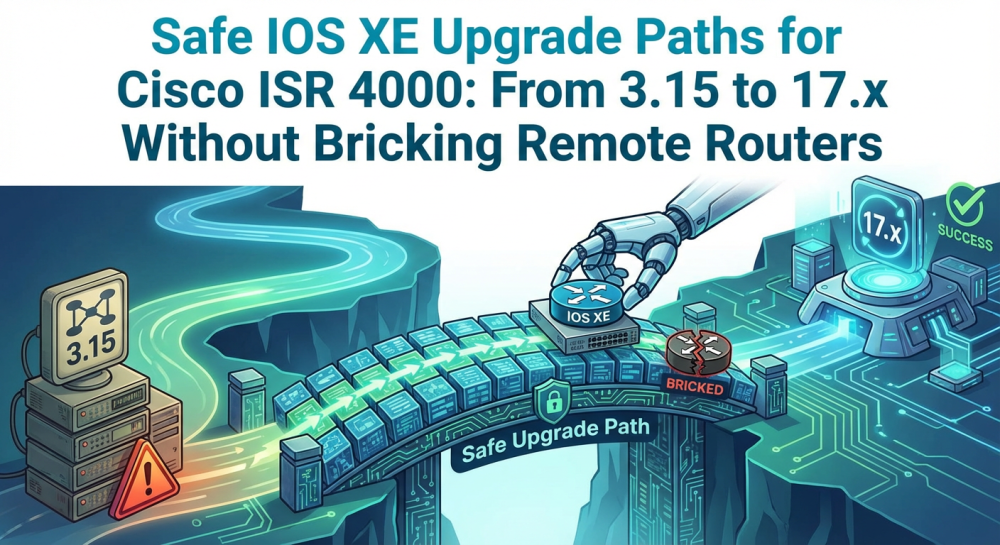
For enterprise network administrators, IT managers, and CIOs, managing the lifecycle of a large, distributed network can be a complex task. One of the most daunting challenges is upgrading network hardware and software while minimizing downtime and ensuring compatibility, especially when bridging the gap between legacy versions and modern architectures. This is particularly true when upgrading Cisco ISR 4000 routers from older versions of IOS XE (such as 3.15.x) to the latest 17.x releases. A failed upgrade in remote branches can result in a “bricked” router, service disruption, and costly downtime. In this blog, we’ll dive deep into the risks involved in these large upgrade leaps, provide a step-by-step guide for a safe upgrade path, and offer best practices for remote site upgrades to ensure your network transitions smoothly and securely.
Part 1: The Real Risks of a Long-Span IOS XE Upgrade
Upgrading directly from IOS XE 3.x to 17.x is not as simple as transferring a new file to your router. It involves fundamental shifts in both software and hardware, including changes to the operating system, licensing models, and device firmware. Several critical risks arise when attempting this upgrade path:
The Risk of "Bricking" Remote Routers
A failed upgrade sequence or an unexpected boot loop can render a remote router completely unresponsive. This is a particularly high-risk issue for remote locations, where physical access to the device is limited. If the device becomes unresponsive, restoring it may require costly site visits, downtime, and potential damage to business operations.
ROMMON and IOS XE Compatibility
ROMMON (ROM Monitor) is the router's bootstrap program, which initializes the hardware before the operating system loads. If the IOS XE upgrade is performed without first ensuring ROMMON compatibility, there’s a significant risk of the router failing to boot, essentially "bricking" the device.
Smart Licensing Management Complexity
The transition from legacy Right-to-Use (RTU) licensing to Cisco’s Smart Licensing model can be complex. For enterprises upgrading IOS XE, this shift may raise concerns about licensing compliance, especially when the Smart Licensing process is not properly handled in advance, resulting in licensing errors or service interruptions.
Cellular Module Disconnects
For branches that depend on LTE or 5G connectivity through cellular modules, upgrading the router’s IOS XE version can cause issues if the cellular firmware is not properly updated. The firmware for the cellular modules must be updated separately to avoid connectivity failures.
Part 2: Step-by-Step: The Safe IOS XE 3.x to 17.x Upgrade Path
The key to a successful upgrade lies in careful planning and adherence to best practices. Here’s the safest approach to upgrading from IOS XE 3.x to 17.x, based on Cisco’s expert recommendations.
1. Avoid the Password Recovery Trap
Before initiating an upgrade, verify that the no service password-recovery command is removed from your router’s running configuration. While this command is often seen as a security best practice, it is risky during upgrades. If a boot failure or loop occurs, this command can prevent you from accessing ROMMON via the console, ultimately bricking the device. Ensure this command is not present before proceeding.
2. Upgrade ROMMON First (With Caution)
ROMMON must be updated before upgrading IOS XE. However, there are known bugs with some IOS XE 16.x releases that cause ROMMON upgrades to fail. To avoid this, upgrade ROMMON first while the router is still running IOS XE 3.x. For example, upgrade to ROMMON version 16.12(2r) before attempting to load the new 17.x IOS XE image. This ensures a smooth transition and avoids compatibility issues.
3. Use Install Mode and Intermediate Hops
It’s recommended to use Install Mode instead of Bundle Mode for upgrading. Additionally, direct upgrades from 3.x or 16.x to the latest 17.x release are not typically supported. Instead, you should use an intermediate version to bridge the gap. For instance, upgrade first to 17.9.x, and once the router successfully boots, upgrade to 17.12.x or 17.15.x. This intermediate step helps avoid compatibility issues and ensures the upgrade proceeds smoothly.
4. Update Cellular Firmware Separately
If your ISR 4000 router uses cellular modules (LTE/5G), ensure that these modules are compatible with the new IOS XE version. If not, upgrade their firmware separately. Failure to do so could result in a loss of connectivity, impacting remote site communication.
5. Navigating Smart Licensing
As you move to IOS XE 17.x, Smart Licensing will be triggered. Before upgrading, verify that your Smart Account is set up and provisioned correctly. This will allow the router to automatically register upon reboot and prevent any disruptions in service. To minimize issues, make sure that all necessary licenses are aligned and ready for use post-upgrade.
Part 3: Best Practices for Remote Site Upgrades: Backup, Rollback, and Out-of-Band Strategies
Upgrading remote routers requires a well-thought-out plan to minimize downtime. The following playbook outlines essential strategies to manage remote site upgrades safely:
1. Backup Configuration First
Always back up the configuration before initiating the upgrade. A full configuration backup ensures you can restore your router to its previous state if needed. Use both local and cloud-based backup methods for redundancy. Cisco provides built-in tools to export and save configurations automatically.
2. Rollback Plan
Have a rollback strategy in place. If something goes wrong during the upgrade, the ability to revert to a stable state is critical. Ensure you have the previous IOS XE image and configuration backup in hand, so you can quickly restore the device if needed.
3. Out-of-Band Management
For remote upgrades, out-of-band management tools (such as KVM-over-IP or direct console connections) are essential. These tools allow you to maintain control over the router during the upgrade process, even if the primary network becomes unavailable.
Part 4: Special Considerations: Cellular Modules, DNS/IPv6, and Common Pitfalls
Several factors need special attention when upgrading, especially for remote sites:
1. Cellular Modules
Ensure your cellular modules are compatible with the new IOS XE version. If not, upgrade their firmware separately. Failure to do so could result in a loss of connectivity, impacting remote site communication.
2. DNS/IPv6 and Smart Licensing
Check if the new IOS XE version introduces changes to DNS, IPv6, or other networking protocols. Also, confirm that Smart Licensing is properly configured to avoid any licensing issues post-upgrade.
3. Common Pitfalls
Skipping Intermediate Versions: Don’t skip too many versions, as it can lead to instability. Always test intermediate releases.
Licensing Confusion: If Smart Licensing isn’t configured correctly, your router may not be licensed to run the features you need.
Hardware Compatibility: Ensure all hardware modules, especially cellular, VPN, and interface cards, are fully compatible with the new IOS XE version.
Part 5: Practical Takeaways
Successfully upgrading Cisco ISR 4000 routers from IOS XE 3.x to 17.x requires meticulous planning and execution. Key best practices include:
Upgrade ROMMON first to ensure compatibility.
Use an intermediate upgrade step before jumping to the latest version.
Always have a backup and rollback plan in place, especially for remote sites.
Pay attention to cellular module updates and Smart Licensing management.
These steps, when followed carefully, can ensure a smooth transition without network downtime or disruption.
For companies seeking a reliable partner to assist with Cisco hardware upgrades, Router-Switch offers comprehensive support, including free CCIE expert consultations and global delivery of Cisco devices to remote sites. With a wide selection of Cisco ISR 4000 series routers and affordable procurement options, Router-Switch.com is well-positioned to help streamline your network upgrades.
Part 6: FAQs
Q1.How do I upgrade Cisco IOS XE software?
To upgrade safely, ensure that the router’s ROMMON is compatible with the target IOS XE release. Use "Install Mode" for the upgrade, and back up the configuration before proceeding.
Q2.Is Cisco IOS XE End of Life (EOL)?
No, Cisco IOS XE remains the active operating system for many Cisco routers. However, specific older versions, such as the 3.x and early 16.x releases, have reached EOL and no longer receive support.
Q3.What is the latest Cisco IOS XE version?
The latest versions belong to the 17.x series, with regular patches and new features being added. Ensure you’re using the most up-to-date and supported release.
Q4.Which Cisco routers use IOS XE?
IOS XE is widely used across various Cisco platforms, including the ISR 1000 and 4000 series, ASR 1000, and Catalyst 8000 Edge Platforms.
Expertise Builds Trust
20+ Years • 200+ Countries • 21500+ Customers/Projects
CCIE · JNCIE · NSE7 · ACDX · HPE Master ASE · Dell Server/AI Expert