















































































































If you are evaluating NVIDIA RTX PRO 6000 Blackwell for AI, visual computing, simulation, or professional graphics work, the most important decision is not just GPU tier. It is deployment fit. The Server Edition and Workstation Edition are both powerful, but they are designed for different operating environments, access models, and buying paths.
If that distinction is not clear early, teams can waste time comparing the wrong products, building the wrong shortlist, or pushing a workstation-style requirement into a server-side project, or the other way around.
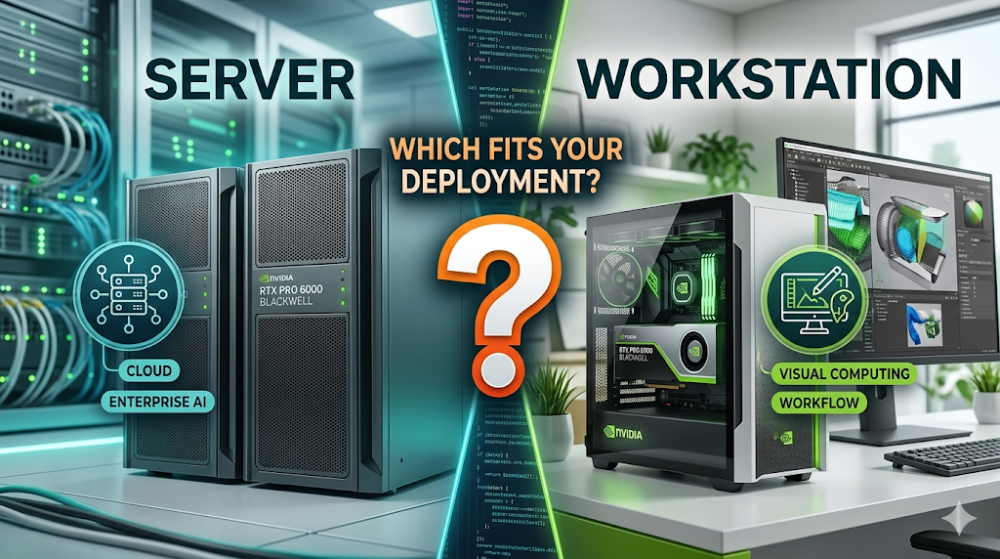

The RTX PRO 6000 Blackwell Server Edition is usually the better fit when the GPU will be deployed in a server or data center environment for centralized enterprise AI, visual computing, or shared infrastructure workflows. The Workstation Edition is usually the better fit when the GPU will sit inside a professional desktop workstation and support local user-driven workflows such as design, visualization, content creation, or advanced workstation-side AI tasks.
The safest way to make the decision is to start with deployment model first, then workload path, then buying route. If you reverse that order and start from raw product naming alone, the shortlist can go off track quickly.
Comparison
Below is a quick comparison of the main decision points between the two deployment paths.
| Item | Server Edition | Workstation Edition |
| Deployment environment | Server or data center environment | Professional desktop workstation environment |
| Access model | Centralized, remote, or managed infrastructure workflows | Direct local use on a workstation |
| Typical project context | Enterprise infrastructure planning, shared AI or visual computing resources | High-performance professional workstation deployment for specific users or teams |
| Best-fit decision question | Should this GPU be part of a centralized deployment plan? | Should this GPU power a high-end local workstation? |
| Shortlist risk | Choosing it before confirming deployment architecture | Choosing it before confirming whether workstation deployment is the right path |
This comparison matters because the two editions should not be treated as interchangeable versions of the same purchase. They usually belong to different deployment decisions.
Deployment Fit
When the Server Edition makes more sense
The Server Edition makes more sense when your GPU decision is part of broader enterprise infrastructure planning. That usually includes environments where AI, analytics, simulation, or visual computing workloads are organized around server-side delivery, shared resources, or coordinated IT management.
If your team is asking how to support enterprise AI or visual computing from a centralized environment, or how to align GPU procurement with a server-side rollout, the Server Edition is usually the stronger starting point.
When the Workstation Edition makes more sense
The Workstation Edition makes more sense when the GPU will be installed in a professional desktop system and used directly by engineers, designers, creators, visualization teams, or technical users running demanding local workflows.
If the real project is a workstation upgrade, a specialist desktop build, or a user-side performance decision, the Workstation Edition is usually the clearer fit.
What buyers often get wrong
Buyers often make the wrong call because they compare edition names before clarifying where the GPU will actually run.
They may also assume the strongest-sounding option automatically fits the project better, mix up centralized infrastructure planning with local workstation performance planning, or build a shortlist before aligning the deployment model with the buying path.
That is where comparison content like this becomes useful. It is not just about understanding the products. It is about eliminating the wrong path before pricing, quoting, or configuration discussion starts.
Buyer Checks
Below is a simple checklist buyers should confirm before ordering.
- Confirm whether the project is server-side or workstation-side first.
- Match the edition to the real workload environment, not just perceived product tier.
- Check whether the project is part of enterprise AI or visual computing infrastructure planning, or a workstation upgrade path.
- Make sure internal stakeholders agree on who will use the GPU, where it will run, and how the system will be managed.
- Use the matching Router-switch product page before moving into pricing, quote, or configuration discussion.
If these checks are still unclear, the best next step is not to rush the order. It is to tighten the shortlist first.
Next Step
If your project is moving toward centralized deployment, review the NVIDIA RTX PRO 6000 Blackwell Server page. If your project is focused on professional desktop deployment, review the NVIDIA RTX PRO 6000 Blackwell Workstation page.
If you are still narrowing the shortlist, use those two product pages to confirm which edition matches the intended deployment path first, then move into quote or configuration discussion on the correct route instead of evaluating both as if they solve the same problem.

Expertise Builds Trust
20+ Years • 200+ Countries • 21500+ Customers/Projects
CCIE · JNCIE · NSE7 · ACDX · HPE Master ASE · Dell Server/AI Expert