Solving Warehouse WiFi Coverage and Uptime IssuesDesign reliable warehouse WiFi coverage and uptime with warehouse wifi 6 ap, industrial wireless access points, and warehouse poe switches for racks and docks.
OLT Capacity Planning for GPON Access NetworksPlan OLT capacity for GPON OLT systems and EA5800 capacity planning, optimizing GPON split ratio and OLT uplink design for scalable fiber access.
Enterprise OLT Platform Selection for Fiber AccessDesign enterprise OLT platform strategy for GPON OLT platform, modular OLT chassis, and OLT service boards to scale passive optical LAN and XG-PON evolution.
Scale Data Center Networking Under Long Lead TimesScale data center networking faster under long lead times with data center spine switches, leaf spine data center designs and Cisco UCS fabric interconnects.
Tunnel Video Surveillance VLAN Stability over FiberDesign stable tunnel video surveillance VLANs using optical transport backbone and Arista fiber aggregation for resilient Huawei OptiX OSN CCTV networks.
Fiber vs Copper in Industrial Networks Design GuideCompare fiber vs copper in industrial ethernet, plan hybrid industrial fiber network designs, and select rugged ethernet switches and industrial SFP transceivers.
Server memory is one of the most commonly upgraded components in enterprise infrastructure, but it is also one of the easiest to get wrong. Procurement teams who compare modules only by capacity and speed often miss the differences that determine whether the memory will work, perform well, or create long-term compatibility problems.
The three most common types of server memory are RDIMM, LRDIMM, and ECC. Each serves a different purpose, fits different server platforms, and creates different cost and capacity outcomes. Understanding what actually separates them is the difference between a smooth upgrade and a project delay caused by incompatible or underperforming modules.
This article explains what RDIMM, LRDIMM, and ECC memory actually mean, which type fits which deployment, and what procurement teams should check before approving a server memory order.
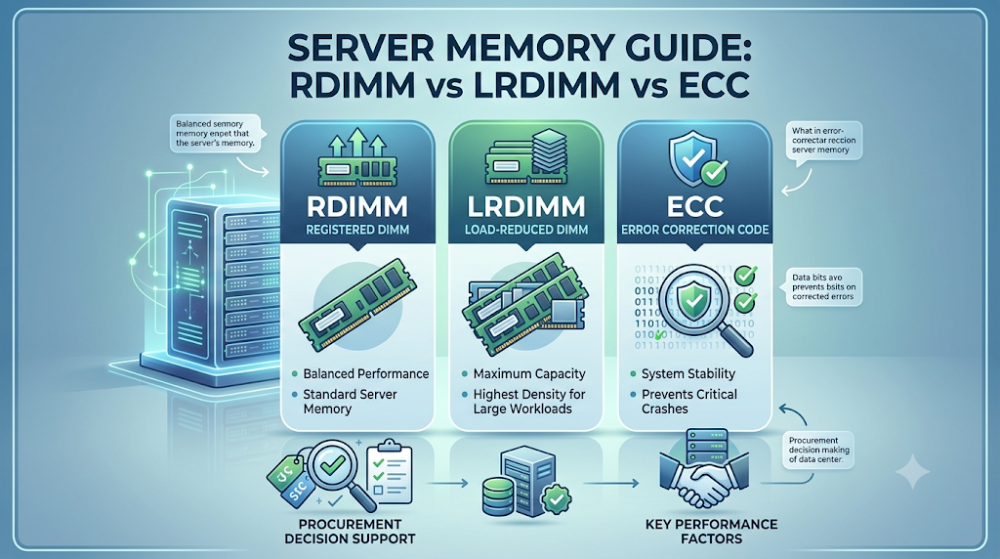
RDIMM is the standard for most enterprise servers. It uses a register to buffer address and command signals, allowing more modules per channel without overloading the memory controller.
LRDIMM is for maximum capacity per server. It adds a buffer that reduces the electrical load on the memory controller, enabling higher module counts and larger total memory.
ECC is not a module type but an error-correction feature. Most RDIMM and LRDIMM modules include ECC. The real question is whether the server requires ECC and whether the platform supports RDIMM, LRDIMM, or both.
Do not mix RDIMM and LRDIMM in the same server. Platforms usually support one or the other, not both simultaneously.
Check the server's memory qualification list before ordering. The fastest path to a failed memory order is buying modules that the platform does not support.
Type
Best for
Key trade-off
RDIMM
Standard enterprise servers, balanced capacity and performance
RDIMM modules include a register chip that buffers the address and command signals between the memory controller and the DRAM chips. This reduces the electrical load on the memory controller, allowing the server to support more modules per channel without signal degradation. RDIMM is the most common choice for mainstream enterprise servers because it offers a good balance of capacity, performance, and cost.
LRDIMM: Load-Reduced DIMM
LRDIMM goes a step further by adding a buffer that isolates the DRAM chips from the memory controller entirely. This further reduces electrical load, enabling even higher module counts and larger total memory capacity per server. LRDIMM is typically used in high-capacity environments like large virtualization hosts, in-memory databases, and analytics platforms. The trade-off is slightly higher latency and cost compared to RDIMM.
ECC: Error-Correcting Code
ECC is not a module format but a feature that detects and corrects single-bit memory errors. Most enterprise RDIMM and LRDIMM modules include ECC because data integrity is critical in server environments. The real procurement question is not whether to choose ECC, but whether the server platform requires ECC and whether it supports RDIMM, LRDIMM, or both.
Part 3: Which type fits which deployment
Standard business applications and virtualization
For typical enterprise workloads like file servers, web servers, and light virtualization, RDIMM is usually the right choice. It provides enough capacity for most deployments without the added cost and latency of LRDIMM.
High-capacity virtualization and databases
When a server needs to run many virtual machines, large databases, or in-memory analytics, LRDIMM becomes the better option. The ability to pack more memory into a single server reduces the need for additional hardware and simplifies management.
Mixed workloads and future growth
If the server is expected to scale significantly over its lifecycle, choosing a platform that supports LRDIMM from the start may be the safer long-term decision. Even if the initial deployment uses RDIMM, having the option to upgrade to LRDIMM later protects the investment.
Part 4: Compatibility checks that matter
Server platform support
The most important compatibility check is whether the server supports RDIMM, LRDIMM, or both. Some platforms support only RDIMM. Others support LRDIMM but require all modules to be LRDIMM if any are installed. Mixing RDIMM and LRDIMM in the same server usually causes boot failures or reduced performance.
Memory controller and generation
Different server generations have different memory controller capabilities. A platform designed for DDR4 RDIMM may not support DDR4 LRDIMM, even if the physical slots look the same. Always check the server's memory qualification list for the exact module types supported.
Speed and voltage consistency
Server platforms typically require all installed modules to run at the same speed and voltage. Mixing different speeds or voltages can force the entire memory subsystem to downclock or cause initialization failures. When upgrading, match the existing modules or replace all of them with a consistent set.
Part 5: Capacity and cost trade-offs
LRDIMM costs more per module but can reduce total server count
Individual LRDIMM modules are more expensive than RDIMM modules of the same capacity. However, because LRDIMM allows more memory per server, it can reduce the total number of servers needed for a given workload. In large deployments, this can lower total cost of ownership even though the per-module price is higher.
RDIMM offers lower latency for performance-sensitive workloads
Applications that are sensitive to memory latency, such as high-frequency trading or real-time analytics, may perform better on RDIMM than on LRDIMM. The buffer in LRDIMM adds a small latency penalty that matters in these environments.
ECC is standard and should not be treated as optional
In enterprise servers, ECC is effectively a requirement for data integrity. The cost difference between ECC and non-ECC modules is small compared to the risk of silent data corruption. Procurement teams should treat ECC as a baseline feature, not a negotiable option.
Part 6: Common buyer mistakes
Mistake 1: Buying by capacity alone
Capacity is only one variable. Module type, speed, voltage, and qualification status all determine whether the memory will work in the target server.
Mistake 2: Mixing RDIMM and LRDIMM
These module types are not interchangeable in the same server. Buyers who mix them often face boot failures or degraded performance.
Mistake 3: Ignoring the server's memory qualification list
The qualification list is the definitive source of compatibility. Modules that look correct on paper may still fail if they are not validated for the specific server generation.
Mistake 4: Overlooking latency sensitivity
For latency-critical workloads, LRDIMM's higher latency can offset the benefit of extra capacity. Match the module type to the workload characteristics.
FAQ
Can I use RDIMM and LRDIMM together in the same server?
No. Most server platforms do not support mixing RDIMM and LRDIMM. The memory controller requires all modules to be the same type.
Is ECC memory required for all servers?
ECC is strongly recommended for all enterprise servers because it protects against data corruption. Most server platforms require ECC and will not boot with non-ECC memory.
Which is better for virtualization: RDIMM or LRDIMM?
LRDIMM is usually better for heavy virtualization because it allows higher total memory capacity per server. RDIMM is sufficient for lighter virtualization workloads.
Does LRDIMM have higher latency than RDIMM?
Yes, LRDIMM has slightly higher latency due to the additional buffer. This is usually not noticeable in most workloads but can matter in latency-sensitive applications.
What should I check before ordering server memory?
Check the server vendor's memory qualification list for supported module types, speeds, and capacities. Confirm that all modules in the order match the platform requirements.
Part 7: How to turn this into a buying decision
The right server memory choice depends on the workload, the platform, and the growth plan. RDIMM is the safe default for most enterprise deployments. LRDIMM is the right choice when maximum capacity per server is the priority. ECC is a baseline requirement for data integrity.
Before approving any memory order, procurement teams should confirm the server platform's supported module types, match speed and voltage across all modules, and validate the full part numbers including suffixes against the vendor's qualification list. This prevents the most common memory ordering mistakes and ensures the upgrade works as expected.
If your project involves server memory procurement and you are comparing RDIMM, LRDIMM, or ECC options, Router-Switch can help validate compatibility and availability. The fastest path to a successful order is confirming the platform requirements first, then matching the modules to those requirements.
Expertise Builds Trust
20+ Years • 200+ Countries • 21500+ Customers/Projects CCIE · JNCIE · NSE7 · ACDX · HPE Master ASE · Dell Server/AI Expert