Solving Warehouse WiFi Coverage and Uptime IssuesDesign reliable warehouse WiFi coverage and uptime with warehouse wifi 6 ap, industrial wireless access points, and warehouse poe switches for racks and docks.
OLT Capacity Planning for GPON Access NetworksPlan OLT capacity for GPON OLT systems and EA5800 capacity planning, optimizing GPON split ratio and OLT uplink design for scalable fiber access.
Enterprise OLT Platform Selection for Fiber AccessDesign enterprise OLT platform strategy for GPON OLT platform, modular OLT chassis, and OLT service boards to scale passive optical LAN and XG-PON evolution.
Scale Data Center Networking Under Long Lead TimesScale data center networking faster under long lead times with data center spine switches, leaf spine data center designs and Cisco UCS fabric interconnects.
Tunnel Video Surveillance VLAN Stability over FiberDesign stable tunnel video surveillance VLANs using optical transport backbone and Arista fiber aggregation for resilient Huawei OptiX OSN CCTV networks.
Fiber vs Copper in Industrial Networks Design GuideCompare fiber vs copper in industrial ethernet, plan hybrid industrial fiber network designs, and select rugged ethernet switches and industrial SFP transceivers.
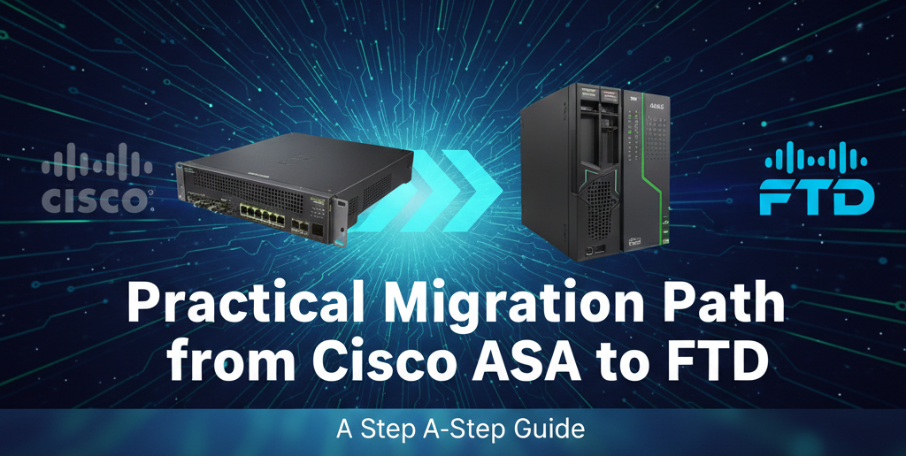
Moving your network security from traditional Cisco ASA to Cisco Firepower Threat Defense (FTD) is more than just a software upgrade; it represents a fundamental shift from legacy port-based access control to a modern, threat-centric NGFW architecture. For network engineers, this transition involves moving from a familiar CLI-driven approach to centralized policy management via the Firepower Management Center (FMC). While the learning curve can be steep, leveraging the official Cisco Firewall Migration Tool (FMT) makes the process significantly smoother by automating the conversion of complex rulebases.
Part 1: Pre-Migration Assessment — ASA vs. FTD Logic
Before touching any tools, engineers must understand the architectural differences between Cisco Firepower and traditional ASA configurations.
Rule Logic Differences: ASA relies heavily on Access Control Lists (ACLs) bound to specific interfaces, evaluated top-down. FTD utilizes unified Access Control Policies (ACP), combining L3/L4 rules with Layer 7 Application Visibility, URL filtering, and Intrusion Prevention Systems (IPS).
Multiple Contexts: If your ASA runs in multiple-context mode, you can use the migration tool to merge two or more contexts into a single FTD instance. The tool leverages Virtual Routing and Forwarding (VRF) to replicate segregated traffic flows inside the new FTD configuration.
Cisco AnyConnect on FTD: Migrating AnyConnect requires careful preparation. Unlike ASA, FTD handles certificates and profiles differently, requiring administrators to migrate ASA trustpoints to the FMC manually as PKI objects prior to using the migration tool.
Part 2: Preparing the Environment for Cisco Firewall Migration Tool (FMT)
The Firewall Migration Tool (FMT) outlines strict prerequisites to ensure data integrity during the conversion process.
Version Alignment: Ensure your source ASA is running version 8.4 or later. Your target FMC should ideally be on version 7.x or later for full feature support like dynamic routing and VRF.
Exporting the Configuration: Use the show running-config command to pull your ASA configuration.
Pro-Tip: Do not manually edit the exported text file in a standard text editor. Editors can inject hidden characters or whitespace that will break the FMT's parser. Ensure the file does not contain the --More-- prompt.
Part 3: Step-by-Step Migration Workflow and "Gotchas"
Using the FMT dramatically reduces manual data entry, but it requires oversight to resolve conflicts and handle unsupported features.
Import and Automatic Mapping: Upload your .cfg file to the FMT. The tool will parse ACLs, NAT rules, and Objects. You must map physical ASA interfaces to FTD Security Zones and Interface Groups.
Conflict Resolution: The tool identifies duplicate objects. If it finds an object with the same name but different IP values, it will flag a conflict, allowing you to append a unique suffix to resolve it safely.
The "Gotchas" (Manual Tasks):
Complex VPN Cryptography: While FMT translates basic Site-to-Site VPNs, specific IKEv2 parameters and Policy-Based VPNs often require manual tuning in the FMC.
AnyConnect Packages: You must manually retrieve AnyConnect packages (.pkg), dap.xml, and Hostscan files from the ASA's flash and upload them to the FMC.
Routing Protocols: Redistribution between different protocols (e.g., OSPF into EIGRP) and complex route-maps are not fully supported and require manual FMC configuration.
Example CLI command to verify interface status on FTD after migration:
show interface ip brief
Part 4: Post-Migration Validation and Performance Monitoring
Once the configuration is pushed to the FMC, validation is required before the final cutover.
Traffic Validation: Use FTD’s built-in Packet Tracer tool to simulate traffic paths. Ensure that NAT translations and Security Zones are routing packets as expected.
Performance Monitoring: Deep packet inspection requires more compute power than stateful inspection. Monitor the Snort engine impact on CPU and memory. If throughput drops, verify that large, trusted backup flows are bypassed using FTD Prefilter policies.
Part 5: Hardware Transition — From ASA 5500-X to Secure Firewall 1000/2100/3100
With the Cisco ASA 5500-X series reaching End of Life (EoL), selecting the correct Firepower hardware is crucial to support the overhead of Next-Gen features.
The following table summarizes the recommended hardware migration path based on model performance classes.
Legacy ASA Model
Recommended Firepower Replacement
Primary Benefit
ASA 5506-X / 5508-X
Firepower 1000 Series
Optimized for SMB and Branch
ASA 5516-X / 5525-X
Firepower 2100 Series
Enhanced Throughput for Mid-size
ASA 5545-X / 5555-X
Secure Firewall 3100 Series
High-performance for Data Centers
In the transition from ASA to FTD, hardware requirements increase significantly due to deep packet inspection. Sourcing verified Firepower units from Router-switch ensures your new NGFW deployment benefits from the RS Advantage Pool, guaranteeing genuine hardware with certified engineering support for a seamless cutover. Every unit undergoes strict secondary inspection and serial number verification to guarantee enterprise-grade reliability.
Part 6: Frequently Asked Questions (FAQ)
Q1.Is Cisco ASA outdated?
Yes, the traditional ASA software and the ASA 5500-X hardware series are considered legacy. The industry has shifted towards Next-Generation Firewalls (NGFW) like FTD that offer integrated application visibility and threat prevention.
Q2.What is the primary difference between Cisco ASA and FTD?
Cisco ASA is a stateful firewall focusing on L3/L4 port and IP rules, often managed via CLI. FTD combines ASA's firewall capabilities with Sourcefire's IPS, URL filtering, and Malware Protection, managed through a centralized graphical interface (FMC).
Q3.What is the vulnerability risk for ASA and FTD?
Both platforms face periodic CVEs targeting components like AnyConnect or Web UI. Maintaining a strict patching schedule and sourcing hardware from trusted providers to ensure genuine firmware integrity is essential for security. Consult the Cisco official site for the latest security advisories.
Practical Takeaways:
Architecture Matters: Treat migration as a redesign of security zones and policies, not a 1:1 copy.
Tool Limitations: Use the FMT for 80% of the work, but reserve time for manual VPN and certificate migration.
Hardware Sizing: Account for the performance impact of Snort DPI when selecting new Firepower hardware.
FMC is Central: Shift your operational mindset from individual CLI management to centralized FMC policy deployment.
Expertise Builds Trust
20+ Years • 200+ Countries • 21500+ Customers/Projects CCIE · JNCIE · NSE7 · ACDX · HPE Master ASE · Dell Server/AI Expert