Solving Warehouse WiFi Coverage and Uptime IssuesDesign reliable warehouse WiFi coverage and uptime with warehouse wifi 6 ap, industrial wireless access points, and warehouse poe switches for racks and docks.
OLT Capacity Planning for GPON Access NetworksPlan OLT capacity for GPON OLT systems and EA5800 capacity planning, optimizing GPON split ratio and OLT uplink design for scalable fiber access.
Enterprise OLT Platform Selection for Fiber AccessDesign enterprise OLT platform strategy for GPON OLT platform, modular OLT chassis, and OLT service boards to scale passive optical LAN and XG-PON evolution.
Scale Data Center Networking Under Long Lead TimesScale data center networking faster under long lead times with data center spine switches, leaf spine data center designs and Cisco UCS fabric interconnects.
Tunnel Video Surveillance VLAN Stability over FiberDesign stable tunnel video surveillance VLANs using optical transport backbone and Arista fiber aggregation for resilient Huawei OptiX OSN CCTV networks.
Fiber vs Copper in Industrial Networks Design GuideCompare fiber vs copper in industrial ethernet, plan hybrid industrial fiber network designs, and select rugged ethernet switches and industrial SFP transceivers.
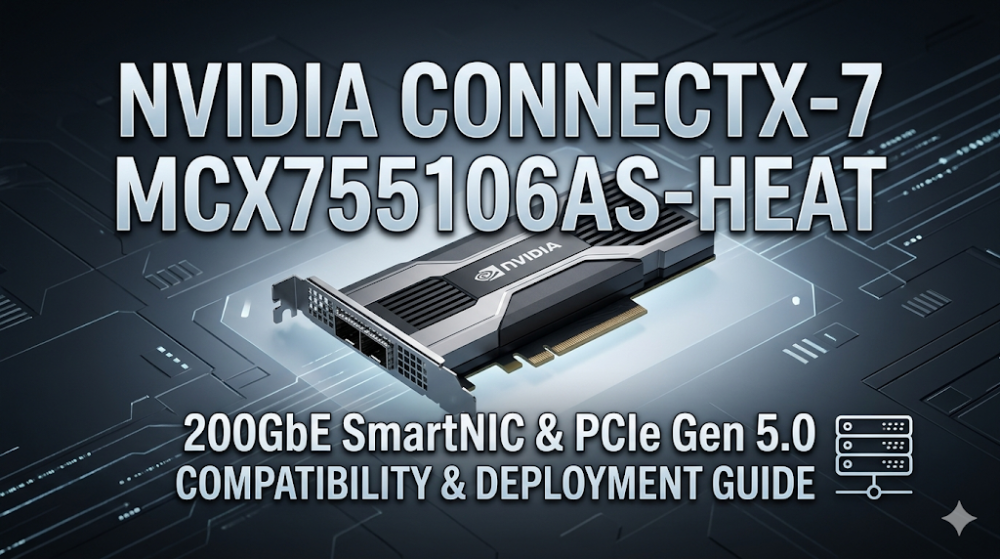
When you are orchestrating a multi-node GPU cluster for Large Language Model (LLM) training and notice sudden training epoch stalls or microburst packet drops during All-Reduce collective communication phases, the bottleneck is rarely the GPU itself—it is almost always the network interface card's inability to handle line-rate serialization at sub-microsecond latencies. In high-performance computing (HPC) and AI fabrics, packet loss is the ultimate performance killer. Standard network adapters lack the hardware-level offloads and thermal resilience required to sustain 200Gbps bidirectional throughput under continuous load. The NVIDIA ConnectX-7 MCX755106AS-HEAT is engineered specifically to solve these interconnect bottlenecks by combining ultra-low latency, advanced hardware offloads, and a robust thermal design.
This guide provides a deep technical analysis of the ConnectX-7 architecture, physical and logical compatibility requirements, step-by-step CLI configuration, and strategic sourcing methodologies to optimize your high-performance compute fabric.
At the core of the NVIDIA ConnectX-7 MCX755106AS-HEAT lies the 7th-generation ConnectX ASIC, a marvel of network processing engineering designed to offload transport layer protocols directly from the host CPU. For modern AI workloads, relying on the host operating system's TCP/IP stack introduces unacceptable latency and CPU overhead. The ConnectX-7 ASIC bypasses this bottleneck through hardware-implemented Remote Direct Memory Access (RDMA) over Converged Ethernet (RoCEv2) and InfiniBand transport protocols.
Hardware-Accelerated ASAP2 and GPUDirect RDMA
The ASIC features the Accelerated Switch and Packet Processing (ASAP2) technology, which offloads the virtual switch (e-switch) data path to the NIC hardware. This allows for line-rate packet forwarding, VXLAN encapsulation/decapsulation, and NAT operations without consuming host CPU cycles.
For AI and deep learning environments, GPUDirect RDMA configuration is the critical architectural pillar. GPUDirect RDMA allows GPUs in different servers to write directly to each other's memory spaces across the network, completely bypassing the host CPU, system memory, and extra buffer copies. This reduces end-to-end latency to the sub-microsecond range and maximizes the efficiency of collective communication libraries like NCCL (NVIDIA Collective Communications Library).
Crypto Offload Engines
Security in multi-tenant datacenters is maintained at line rate. The ConnectX-7 ASIC integrates inline hardware encryption and decryption engines for IPsec and TLS. By offloading cryptographic operations to the ConnectX-7 200GbE SmartNIC, enterprises can secure data-in-transit without suffering the typical 30-40% throughput penalty associated with software-based encryption.
To configure and verify these advanced ASIC features, system administrators utilize the NVIDIA Firmware Tools (MFT) suite. Below is a highly realistic CLI configuration block demonstrating how to initialize the card, enable SR-IOV, force PCIe Gen 5.0 link speeds, and verify the active link protocol.
# Step 1: Query the current configuration of the ConnectX-7 adapter
mst start
mst status -v
# Assuming the device is identified as mt4129_pciconf0

# Step 2: Enable SR-IOV and allocate 8 Virtual Functions (VFs)
mlxconfig -d mt4129_pciconf0 set SRIOV_EN=1 NUM_OF_VFS=8

# Step 3: Configure the link type to Ethernet (Force Ethernet mode)
mlxconfig -d mt4129_pciconf0 set LINK_TYPE_P1=2

# Step 4: Force PCIe Gen 5.0 link speed (Link Speed Generation 4 corresponds to Gen 5 in MFT)
mlxconfig -d mt4129_pciconf0 set FORCE_PCI_SPEED=4

# Step 5: Apply changes and reboot the host server
echo "Configuration updated. Please perform a cold reboot of the host server to apply PCIe changes."

# Step 6: Post-reboot verification of link status, speed, and FEC mode
mlxlink -d mt4129_pciconf0 -p 1 --show_fec
Part 2: Hardware Specifications and Performance Sizing Guide
Deploying the NVIDIA ConnectX-7 MCX755106AS-HEAT requires a precise understanding of its physical, electrical, and thermal characteristics. The "-HEAT" suffix denotes a specialized passive heatsink design optimized for high-density 1U and 2U servers where airflow direction and volume are strictly controlled. Without adequate linear airflow (typically a minimum of 350 LFM at 35°C ambient), the card will experience thermal throttling, leading to packet drops and link flapping.
PCIe Gen 5.0 and Bifurcation Compatibility
The card utilizes a physical PCIe Gen 5.0 x16 interface, providing a theoretical bidirectional bandwidth of up to 128 GB/s. To achieve full 200Gbps line-rate performance, the card must be installed in a native PCIe Gen 5.0 slot connected directly to the CPU root complex. Installing the card in a PCIe Gen 4.0 slot will limit the maximum throughput to approximately 128Gbps due to bus bandwidth limitations. Furthermore, ensure that the server BIOS is configured to support PCIe bifurcation if the slot is shared, though a standard x16 dedicated slot is highly recommended.
Physical Port and FEC Mismatches
The MCX755106AS-HEAT features a single QSFP112 port supporting 200Gb/s speeds using PAM4 (Pulse Amplitude Modulation 4-level) signaling. A common real-world deployment pain point is port flapping caused by Forward Error Correction (FEC) mismatches between the SmartNIC and the upstream switch. PAM4 signaling requires FEC to maintain an acceptable Bit Error Rate (BER). Engineers must ensure that both the ConnectX-7 port and the switch port are explicitly configured to use the same FEC mode (typically RS-FEC or Firecode, depending on the cable length and type).
The following table outlines the technical specifications of the MCX755106AS-HEAT compared to other common network adapters in its class:
Specification Parameter
NVIDIA ConnectX-7 MCX755106AS-HEAT
NVIDIA ConnectX-6 Dx (Comparison)
ASIC Generation
ConnectX-7
ConnectX-6 Dx
Max Port Speed
200 Gb/s (Single Port)
100 Gb/s (Dual Port) / 200 Gb/s
Interface Type
QSFP112
QSFP56
Host Interface
PCIe Gen 5.0 x16
PCIe Gen 4.0 x16
Thermal Solution
Tall Passive Heatsink (-HEAT)
Standard Passive Heatsink
GPUDirect RDMA Support
Native (Optimized for Hopper/Blackwell)
Native (Optimized for Ampere)
Typical Power Consumption
~19.3W
~17.5W
When planning your NVIDIA MCX755106AS-HEAT compatibility matrix, verify that your server chassis can supply the necessary airflow to the PCIe slots. In dense 1U GPU servers, standard low-profile slots may restrict airflow, necessitating the use of high-static-pressure fans or specific air shrouds to prevent the SmartNIC from exceeding its maximum operating junction temperature of 105°C.
Part 3: Sourcing, BOM Optimization, and Risk Mitigation
Sourcing high-end networking hardware like the NVIDIA ConnectX-7 MCX755106AS-HEAT presents significant supply chain challenges. Traditional distribution channels often quote lead times of 6 to 12 weeks, which can stall critical AI cluster deployments and result in severe project delay penalties. To mitigate these risks, system integrators and enterprise IT departments must partner with agile, well-stocked suppliers.
Overcoming Lead Times and Middleman Markups
Router-switch addresses these supply chain bottlenecks by maintaining over $20 million in multi-warehouse, on-shelf inventory. This extensive stock profile allows for same-week global dispatch, transforming a potential multi-month delay into a rapid, predictable deployment. Furthermore, by utilizing a flat, direct supply chain, Router-switch bypasses multiple layers of regional middleman markups. This enables small-to-medium enterprises (SMEs) and large-scale system integrators to secure direct bulk-purchase discounts, significantly optimizing the Bill of Materials (BOM) for large-scale cluster rollouts.
Deploying a PCIe Gen 5.0 network adapter into legacy or custom server architectures can introduce unforeseen integration challenges, such as BIOS incompatibilities or OS driver conflicts. Router-switch mitigates these post-purchase risks by offering:
Free 1-on-1 CCIE/CCDE-Level Technical Consultancy: Our elite engineering team assists in verifying server compatibility, transceiver interoperability, and OS driver alignment before the hardware ships.
Complimentary 3-Year RS Care Extended Warranty: This comprehensive warranty provides peace of mind, protecting your investment far beyond standard manufacturer warranties.
Rapid RMA Standby Replacement: In the rare event of a hardware failure, Router-switch minimizes your Mean Time to Repair (MTTR) by shipping a replacement unit first, ensuring your AI training runs experience minimal downtime.
100% Original Genuine Guarantee: Every SmartNIC shipped features a fully verifiable serial number (S/N) that can be authenticated directly in the vendor's official database, ensuring absolute hardware integrity.
Part 4: Frequently Asked Questions (FAQ)
Q1: What is the primary benefit of the "-HEAT" suffix on the MCX755106AS-HEAT model?
The "-HEAT" suffix indicates that the card is equipped with a specialized, tall passive heatsink. This design is engineered to maximize heat dissipation in high-density 1U and 2U rack servers that feature high-velocity, directional airflow. It prevents thermal throttling under sustained 200Gbps bidirectional workloads, which is critical for maintaining stable performance in AI training clusters.
Q2: Can the NVIDIA ConnectX-7 MCX755106AS-HEAT run on a PCIe Gen 4.0 slot?
Yes, the card is fully backward compatible with PCIe Gen 4.0 and Gen 3.0 slots. However, installing this PCIe Gen 5.0 network adapter in a PCIe Gen 4.0 x16 slot will cap the maximum physical bus bandwidth to approximately 128Gbps, preventing the card from achieving its full 200Gbps line-rate potential. For maximum performance, a native PCIe Gen 5.0 x16 slot is highly recommended.
Q3: How do I resolve port flapping issues caused by FEC mismatches?
PAM4 signaling at 200G speeds requires Forward Error Correction (FEC) to maintain link stability. If the upstream switch and the ConnectX-7 SmartNIC are set to different FEC modes (e.g., one is set to RS-FEC and the other to No-FEC), the link will fail to establish or will flap constantly. Use the NVIDIA mlxlink tool to query the FEC status and explicitly configure both ends of the link to match:
Q4: Does this card support both InfiniBand and Ethernet protocols?
The ConnectX-7 hardware is capable of supporting both protocols, but the specific capabilities depend on the firmware and OPN. The MCX755106AS-HEAT is primarily optimized as a ConnectX-7 200GbE SmartNIC for Ethernet environments. You can query and change the supported link protocols using the mlxconfig tool (LINK_TYPE_P1 parameter) to suit your specific fabric requirements.
Q5: How does GPUDirect RDMA improve LLM training efficiency?
In standard networking, data transferred from a remote GPU must be copied to host system memory, processed by the host CPU, and then copied to the local GPU. GPUDirect RDMA configuration bypasses the host CPU and system RAM entirely, allowing GPUs to read and write directly to remote GPU memory over the network. This slashes latency, eliminates CPU overhead, and prevents bottlenecks during critical synchronization phases in distributed AI training.
Expertise Builds Trust
20+ Years • 200+ Countries • 21500+ Customers/Projects CCIE · JNCIE · NSE7 · ACDX · HPE Master ASE · Dell Server/AI Expert