Solving Warehouse WiFi Coverage and Uptime IssuesDesign reliable warehouse WiFi coverage and uptime with warehouse wifi 6 ap, industrial wireless access points, and warehouse poe switches for racks and docks.
OLT Capacity Planning for GPON Access NetworksPlan OLT capacity for GPON OLT systems and EA5800 capacity planning, optimizing GPON split ratio and OLT uplink design for scalable fiber access.
Enterprise OLT Platform Selection for Fiber AccessDesign enterprise OLT platform strategy for GPON OLT platform, modular OLT chassis, and OLT service boards to scale passive optical LAN and XG-PON evolution.
Scale Data Center Networking Under Long Lead TimesScale data center networking faster under long lead times with data center spine switches, leaf spine data center designs and Cisco UCS fabric interconnects.
Tunnel Video Surveillance VLAN Stability over FiberDesign stable tunnel video surveillance VLANs using optical transport backbone and Arista fiber aggregation for resilient Huawei OptiX OSN CCTV networks.
Fiber vs Copper in Industrial Networks Design GuideCompare fiber vs copper in industrial ethernet, plan hybrid industrial fiber network designs, and select rugged ethernet switches and industrial SFP transceivers.
Enterprise procurement teams frequently face substitution requests. A supplier may propose a different memory module or SSD than the one originally specified, often citing better availability, lower cost, or an equivalent specification. But not every substitution is safe, and not every equivalent part is truly equivalent.
Memory and SSD substitutions are particularly risky because small differences in part numbers, firmware, or configuration can change whether the component works in the target server. A module that looks identical on the surface may fail to initialize, cause stability problems, or void the server's support coverage.
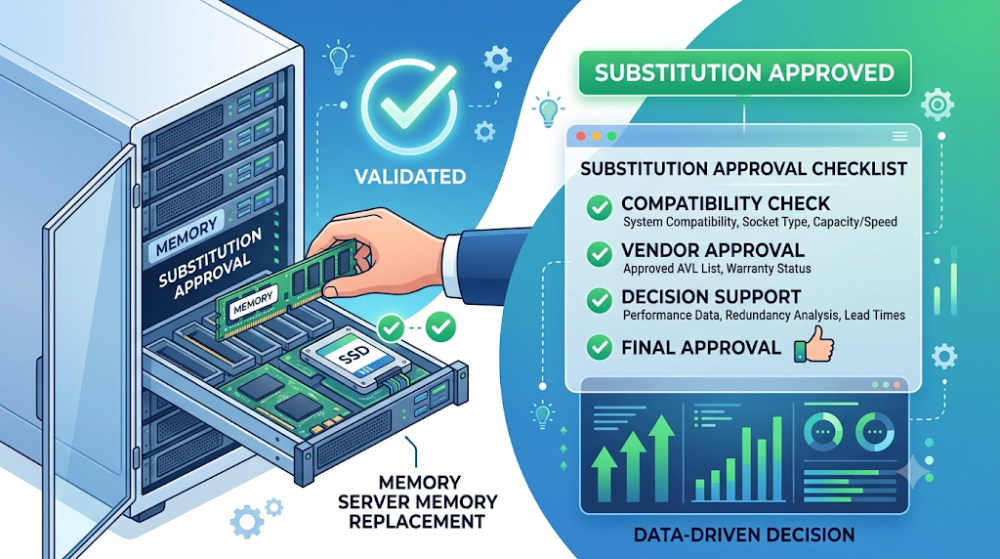
This article provides a checklist of what procurement teams should ask and verify before approving a memory or SSD substitution. It covers compatibility, qualification, performance, endurance, warranty, and the practical steps that reduce the risk of ordering the wrong part.
Never approve a substitution based on capacity and speed alone. Memory and SSD compatibility depends on firmware, revision, qualification status, voltage, and form factor.
Always check the server vendor's qualification list. If the substituted part is not listed, it may not be supported.
Verify that the supplier can confirm the exact part number including suffix. A base part number match does not guarantee compatibility.
Ask about endurance and write specifications for SSDs. Not all SSDs with the same capacity have the same endurance or performance under enterprise workloads.
Confirm warranty and support coverage before approving. Some substitutions may affect the server's support contract or the component's warranty terms.
Check item
Why it matters
What buyers often miss
Full part number match
Ensures exact compatibility
Comparing base part numbers only
Server vendor qualification
Validates platform support
Assuming generic parts work in all servers
SSD endurance spec
Affects replacement frequency and TCO
Comparing SSDs by capacity alone
Warranty and support
Protects investment and coverage
Assuming warranty transfers automatically
Documentation and traceability
Enables future validation and audit
Approving substitutions without written records
Part 2: Why substitutions happen
Availability and lead time
The most common reason for substitution is that the originally specified part is out of stock or has a long lead time. Suppliers may propose an alternative that is immediately available, but buyers should verify whether the alternative is truly equivalent or simply a different part with similar headline specs.
Cost pressure
Procurement teams are often under pressure to reduce cost. A supplier may propose a lower-priced alternative that appears to meet the same requirements. However, lower cost can sometimes indicate a different revision, lower endurance, or a non-qualified variant that introduces compatibility risk.
Product transitions and end-of-life
Manufacturers regularly transition product lines, discontinue older revisions, or introduce newer variants. When the original part reaches end-of-life, a substitution may be necessary. In these cases, buyers should confirm that the replacement is the current validated equivalent, not just a similar part from the same manufacturer.
Part 3: Compatibility checks
Validate the full part number including suffix
Memory and SSD part numbers often include suffixes that indicate revision, firmware, temperature grade, voltage, or OEM qualification. A substitution that matches the base part number but changes the suffix may fail to work in the target server. Buyers should require the supplier to provide the exact full part number and cross-reference it with the server vendor's qualification list.
Check server vendor qualification status
Major server vendors maintain qualification lists for memory and storage components. If the substituted part is not on the list, the server may not support it, or the support contract may be affected. This is especially important for servers with active support contracts that require qualified parts.
Confirm form factor and interface compatibility
For SSDs, confirm that the form factor, interface, and protocol match. A substitution from SATA to NVMe, or from 2.5-inch to M.2, may not fit the server's drive bays or backplane. For memory, confirm that the module type, speed, and voltage match the platform requirements.
Part 4: Performance and endurance verification
SSD endurance matters more than capacity
Enterprise SSDs with the same capacity can have very different endurance ratings. A substitution that reduces endurance from three drive writes per day to one may be acceptable for light workloads but insufficient for write-heavy applications. Buyers should ask for the endurance specification and compare it to the workload requirements.
Memory timing and latency
Memory modules with the same speed rating can have different timing parameters. In performance-sensitive environments, a substitution with looser timing may reduce application performance. Buyers should verify that the substituted module's timing matches or exceeds the original specification.
Thermal and power characteristics
Higher-performance components may draw more power or generate more heat. If the server's power and cooling design is tightly constrained, a substitution with higher power consumption may cause thermal issues or reduce reliability.
Part 5: Warranty and support implications
Server support coverage
Some server vendors require that all installed components be qualified parts to maintain full support coverage. A substitution with a non-qualified component may not cause immediate problems, but it can void support for memory or storage-related issues. Buyers should confirm whether the substitution affects the server's support contract.
Component warranty
The warranty terms for the substituted component may differ from the original. Some suppliers offer shorter warranties on substituted parts, or different replacement terms. Buyers should verify the warranty period, replacement process, and whether the warranty is backed by the manufacturer or the supplier.
Documentation for future reference
Substitution decisions should be documented with the full part numbers, justification, and approval. This documentation is valuable for future upgrades, troubleshooting, and audits. Buyers who approve substitutions informally may struggle to trace the decision later.
Part 6: Documentation and traceability
Require written confirmation from the supplier
The supplier should provide written confirmation that the substituted part is compatible with the target server, meets or exceeds the original specification, and is covered by the stated warranty. This confirmation should include the full part number and any relevant qualification references.
Update the BOM and asset records
Once a substitution is approved, the BOM should be updated to reflect the actual part number. Asset and inventory records should also be updated to ensure that future maintenance and upgrades reference the correct components.
Test before large-scale deployment
For large orders, testing one or a few substituted components in the target server before approving the full batch is the safest approach. This validates compatibility and performance without risking the entire order.
Part 7: Common buyer mistakes
Mistake 1: Approving substitutions based on capacity alone
Capacity is only one variable. Compatibility, qualification, endurance, and warranty all matter.
Mistake 2: Ignoring the full part number
Base part number matches can be misleading. The suffix often carries the most important compatibility information.
Mistake 3: Assuming all qualified parts are interchangeable
Even within a qualification list, different revisions or firmware versions may have different characteristics.
Mistake 4: Not documenting substitution decisions
Informal approvals create traceability problems later. Document the decision, the justification, and the approval.
FAQ
Can I substitute a generic memory module for an OEM-qualified module?
Sometimes, but not without validation. Some servers enforce qualified-part checks and will reject generic variants. Always check the platform's qualification list before substituting.
What should I check before approving an SSD substitution?
Check capacity, form factor, interface, endurance, performance, warranty, and server vendor qualification status. Do not approve based on capacity alone.
Does a substitution affect server support coverage?
It can. Some server vendors require qualified parts for full support. A non-qualified substitution may void support for related issues.
How do I verify that a substituted part is qualified?
Cross-reference the full part number with the server vendor's published qualification list. Ask the supplier for qualification confirmation in writing.
Should I test a substituted part before approving a large order?
Yes. Testing one or a few units in the target server is the safest way to validate compatibility before committing to a large batch.
Part 8: How to turn this into a buying decision
Approving a memory or SSD substitution is not just a paperwork step. It is a decision that affects compatibility, performance, endurance, warranty, and support coverage. The safest approach is to treat every substitution as a new validation exercise, not as an automatic approval.
Before signing off, confirm the full part number, check the server vendor's qualification list, verify endurance and performance for SSDs, confirm warranty terms, and document the decision. For large orders, test first. This reduces the risk of ordering a part that looks equivalent but creates problems in practice.
If your project involves memory or SSD procurement and you are evaluating substitution options, Router-Switch can help validate compatibility, check qualification status, and confirm availability. The fastest path to a safe substitution is confirming the platform requirements first, then matching the proposed alternative to those requirements.
Expertise Builds Trust
20+ Years • 200+ Countries • 21500+ Customers/Projects CCIE · JNCIE · NSE7 · ACDX · HPE Master ASE · Dell Server/AI Expert