Solving Warehouse WiFi Coverage and Uptime IssuesDesign reliable warehouse WiFi coverage and uptime with warehouse wifi 6 ap, industrial wireless access points, and warehouse poe switches for racks and docks.
OLT Capacity Planning for GPON Access NetworksPlan OLT capacity for GPON OLT systems and EA5800 capacity planning, optimizing GPON split ratio and OLT uplink design for scalable fiber access.
Enterprise OLT Platform Selection for Fiber AccessDesign enterprise OLT platform strategy for GPON OLT platform, modular OLT chassis, and OLT service boards to scale passive optical LAN and XG-PON evolution.
Scale Data Center Networking Under Long Lead TimesScale data center networking faster under long lead times with data center spine switches, leaf spine data center designs and Cisco UCS fabric interconnects.
Tunnel Video Surveillance VLAN Stability over FiberDesign stable tunnel video surveillance VLANs using optical transport backbone and Arista fiber aggregation for resilient Huawei OptiX OSN CCTV networks.
Fiber vs Copper in Industrial Networks Design GuideCompare fiber vs copper in industrial ethernet, plan hybrid industrial fiber network designs, and select rugged ethernet switches and industrial SFP transceivers.
When you are performing a midnight maintenance window in a US-based enterprise data center, migrating core uplinks to a newly racked Juniper EX4300, the last thing you need is a silent packet drop or a hard-down interface. You plug in a third-party 10G SFP+ or 40G QSFP+ transceiver, and the link light remains amber. The Junos OS CLI floods your syslog with NON-JNPR warnings, or worse, the interface flaps continuously due to a Forward Error Correction (FEC) mismatch or an unreadable EEPROM.
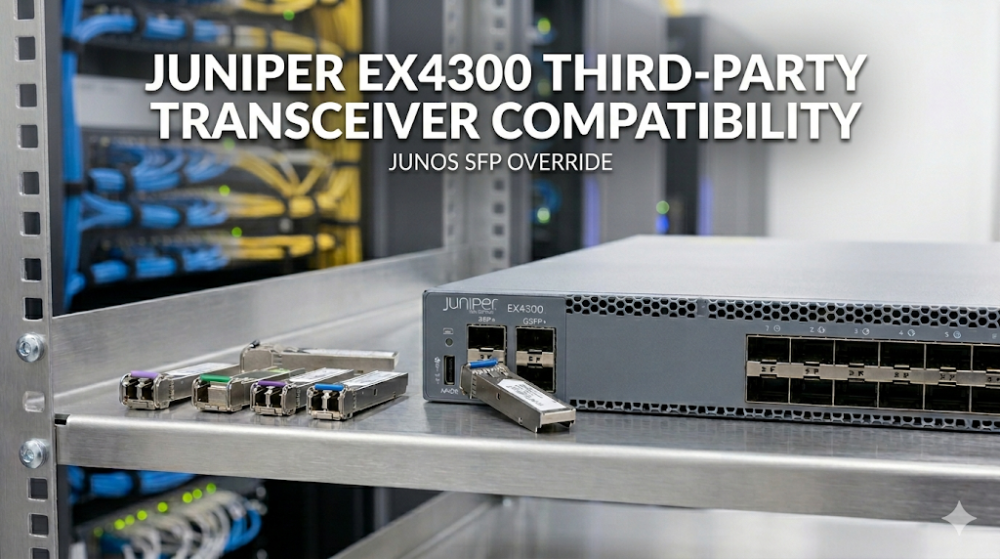
In high-density enterprise campus and top-of-rack (ToR) deployments, achieving seamless Juniper EX4300 third-party transceiver compatibility is a critical operational requirement. While OEM optics carry a massive price premium, third-party optics must be carefully validated at the hardware, ASIC, and Junos OS levels to ensure line-rate performance without compromising system stability.
The Juniper EX4300 Switch Series is engineered around a high-performance Packet Forwarding Engine (PFE) architecture, powered by custom ASICs that deliver line-rate L2/L3 switching. The EX4300 utilizes a built-in 1.5 GHz dual-core PowerPC CPU to manage the control plane, running the robust Junos OS.
The I2C Bus and EEPROM Validation Process
When an optical transceiver is inserted into an EX4300 port, the Junos OS chassisd (chassis daemon) initiates an I2C query to read the transceiver's internal EEPROM. This validation process adheres to the industry-standard SFF-8472 (for SFP/SFP+) and SFF-8436 (for QSFP+) multisource agreements (MSA).
The switch reads specific memory addresses to verify:
Vendor Name (Bytes 20-35): Must match "JUNIPER" for native recognition.
Part Number & Serial Number: Cross-referenced against Junos' internal hardware compatibility database.
Transceiver Codes (Bytes 3-10): Identifies the optical interface type (e.g., 10GBASE-SR, 10GBASE-LR, 1000BASE-SX).
If a non-Juniper coded transceiver is detected, Junos OS does not hard-disable the port by default (unlike some legacy enterprise platforms). Instead, it logs a chassisd syslog warning and marks the transceiver as NON-JNPR or Unsupported.
ASIC-Level Packet Processing and Signal Integrity
The physical layer (PHY) and serialization/deserialization (SerDes) channels on the EX4300 ASIC are highly sensitive to signal attenuation and jitter. Third-party transceivers with poor optical-to-electrical conversion efficiency can introduce bit errors.
To maintain line-rate packet forwarding, the EX4300 relies on Digital Diagnostics Monitoring (DDM), also known as Digital Optical Monitoring (DOM). DDM allows network engineers to monitor real-time parameters such as:
Transmit (Tx) optical power
Receive (Rx) optical power
Laser bias current
Transceiver temperature and supply voltage
If a third-party optic lacks robust DDM implementation, the EX4300 cannot monitor these metrics, leading to silent packet drops during microbursts or thermal fluctuations.
Part 2: Hardware Specifications and Performance Sizing Guide
When designing a high-availability network using the EX4300, understanding the physical port layout and transceiver power budgets is vital. The EX4300 supports various uplink modules, including the 4-port 10GbE SFP+ module and the 2-port 40GbE QSFP+ module.
Hardware Comparison and Optical Sizing Matrix
The table below outlines the key hardware specifications and optical transceiver support profiles across the primary EX4300 models.
Specification / Feature
Juniper EX4300-24T
Juniper EX4300-48T
Juniper EX4300-48MP
Primary Port Density
24 x 10/100/1000BASE-T
48 x 10/100/1000BASE-T
24x1G/2.5G/5G/10G + 24x1G PoE+
Uplink Module Support
4x10GbE SFP+ / 1x40GbE QSFP+
4x10GbE SFP+ / 1x40GbE QSFP+
4x10GbE SFP+ / 2x40GbE QSFP+
Virtual Chassis Bandwidth
320 Gbps (via rear QSFP+ ports)
320 Gbps (via rear QSFP+ ports)
320 Gbps (via rear QSFP+ ports)
Max Power Budget for Optics
1.5W per SFP+ slot (Class 3)
1.5W per SFP+ slot (Class 3)
2.5W per SFP+ slot (Class 4)
DDM/DOM Support
Yes (Standard SFF-8472)
Yes (Standard SFF-8472)
Yes (Standard SFF-8472)
CLI Diagnostics and Troubleshooting Commands
To verify Juniper EX4300 optics configuration and troubleshoot third-party transceiver issues, engineers must utilize the Junos CLI. If a port fails to link up, execute the following diagnostic sequence to isolate the root cause:
# Step 1: Verify physical hardware presence and EEPROM identification
show chassis pic fpc-slot 0 pic-slot 1

# Step 2: Inspect detailed optical diagnostics (Tx/Rx power levels)
show interfaces diagnostics optics xe-0/1/0

# Step 3: Check for physical layer errors, framing errors, and collisions
show interfaces xe-0/1/0 extensive

# Step 4: Monitor real-time interface transitions and flaps
monitor interface xe-0/1/0
When analyzing the output of show interfaces diagnostics optics, pay close attention to the Receiver signal average optical power. If the value is below the receiver sensitivity threshold (typically -15 dBm for 10GBASE-SR), it indicates high fiber attenuation, a dirty connector, or a degraded third-party transmitter.
Part 3: Sourcing, BOM Optimization, and Risk Mitigation
For network architects and procurement leads in the United States, balancing capital expenditure (CAPEX) with operational reliability is a constant challenge. Sourcing OEM optical transceivers directly from traditional channels often introduces massive markups and long lead times, which can stall critical infrastructure upgrades.
Bypassing Supply Chain Bottlenecks
Traditional hardware distribution channels frequently quote 6-to-8-week lead times for specialized optical modules and switches. To mitigate these delays, US enterprises can optimize their procurement by exploring the Juniper EX4300 Switch Series Pricing and Availability on Router-switch. With over $20 million in multi-warehouse, on-shelf inventory, Router-switch bypasses multi-layer distributor markups to offer same-week dispatch on critical networking hardware.
Mitigating Third-Party Optics Risks
While third-party transceivers offer substantial cost savings, they introduce potential compatibility risks during Junos OS upgrades. A transceiver that works perfectly on Junos OS 15.1 may fail or trigger continuous port flapping after an upgrade to Junos OS 18.2 or 21.4 due to stricter EEPROM signature checks.
To eliminate these risks, Router-switch provides:
100% Original Genuine Guarantee: All sourced Juniper switches and native optics feature fully verifiable serial numbers (S/N) in the official vendor database.
Pre-Shipment Compatibility Testing: Every batch of transceivers undergoes rigorous testing on physical EX4300 hardware in state-of-the-art staging labs.
Complimentary 3-Year RS Care Warranty: Bypassing the high costs of traditional SmartNet contracts, this warranty includes Rapid RMA standby replacement—shipping a replacement unit first to minimize your Mean Time to Repair (MTTR).
Expert Engineering Support: Access free, 1-on-1 CCIE/JNCIE-level consultancy to design, validate, and optimize your Juniper Enterprise Networking Portfolio deployments.
Part 4: Frequently Asked Questions (FAQ)
Q1: Does Junos OS on the EX4300 block third-party transceivers by default?
No. Unlike some networking vendors that administratively shut down ports containing non-OEM optics, Junos OS on the EX4300 allows third-party transceivers to operate. However, the switch will log a NON-JNPR warning in the syslog, and the transceiver will be flagged as unsupported. Physical layer troubleshooting for that specific port will not be covered under standard OEM TAC support.
Q2: How do I resolve a "NON-JNPR" or "Unsupported transceiver" syslog warning on my EX4300?
To ensure smooth operation and suppress unnecessary alarms, verify that your third-party optics vendor has correctly programmed the transceiver's EEPROM with the Juniper-specific vendor block (Vendor Name: JUNIPER, matching OUI, and correct checksums). High-quality compatible optics from Router-switch are pre-coded to match these specifications perfectly, preventing Junos OS warnings.
Q3: Can I use third-party DAC (Direct Attach Copper) cables for EX4300 Virtual Chassis stacking?
Yes, but with caution. The EX4300 uses the rear 40GbE QSFP+ ports for Virtual Chassis (VC) stacking. While third-party DACs can establish the VC link, timing jitter or impedance mismatches in low-quality cables can cause stacking member instability or split-brain scenarios. It is highly recommended to use high-quality, fully tested compatible DACs or original Juniper stacking cables to ensure control plane integrity.
Q4: Why is my third-party 10G SFP+ transceiver flapping when connected to an upstream switch?
Port flapping is often caused by a Forward Error Correction (FEC) mismatch or auto-negotiation issues. Some 10G and 40G interfaces require FEC to be explicitly configured. Use the Junos CLI command set interfaces xe-0/1/0 gigether-options fec to align the FEC settings (such as clause74 or clause91) on both ends of the link. Additionally, ensure that the port speed is locked and not set to auto-negotiate if the upstream device does not support it.
Expertise Builds Trust
20+ Years • 200+ Countries • 21500+ Customers/Projects CCIE · JNCIE · NSE7 · ACDX · HPE Master ASE · Dell Server/AI Expert