Solving Warehouse WiFi Coverage and Uptime IssuesDesign reliable warehouse WiFi coverage and uptime with warehouse wifi 6 ap, industrial wireless access points, and warehouse poe switches for racks and docks.
OLT Capacity Planning for GPON Access NetworksPlan OLT capacity for GPON OLT systems and EA5800 capacity planning, optimizing GPON split ratio and OLT uplink design for scalable fiber access.
Enterprise OLT Platform Selection for Fiber AccessDesign enterprise OLT platform strategy for GPON OLT platform, modular OLT chassis, and OLT service boards to scale passive optical LAN and XG-PON evolution.
Scale Data Center Networking Under Long Lead TimesScale data center networking faster under long lead times with data center spine switches, leaf spine data center designs and Cisco UCS fabric interconnects.
Tunnel Video Surveillance VLAN Stability over FiberDesign stable tunnel video surveillance VLANs using optical transport backbone and Arista fiber aggregation for resilient Huawei OptiX OSN CCTV networks.
Fiber vs Copper in Industrial Networks Design GuideCompare fiber vs copper in industrial ethernet, plan hybrid industrial fiber network designs, and select rugged ethernet switches and industrial SFP transceivers.
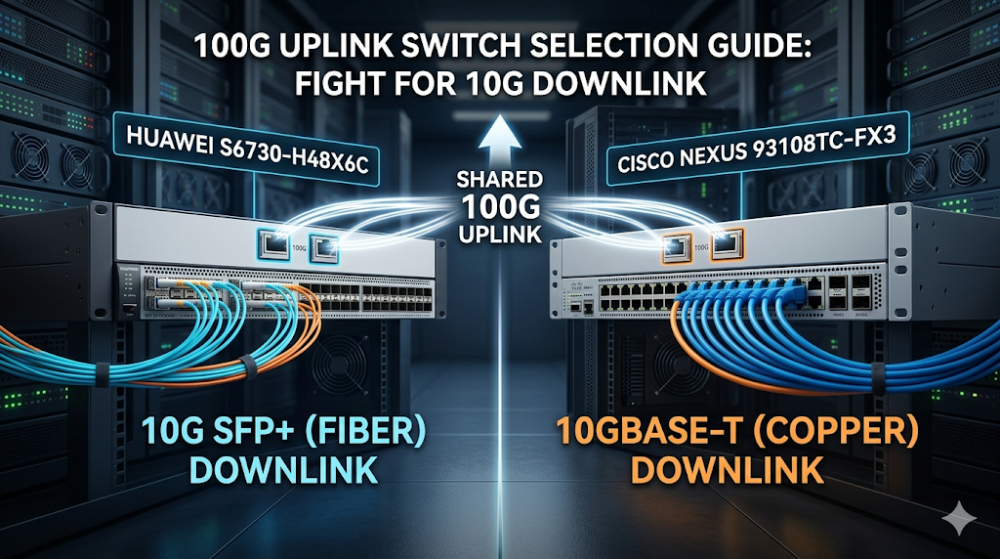
When a data center project reaches the stage of choosing core or aggregation switches with 100G uplinks, the shortlist often narrows to two port configurations: 48×10G downlinks plus 6×100G uplinks. The Huawei S6730-H48X6C and Cisco Nexus 93108TC-FX3 both fit this profile, but the downlink port type differs — and that difference affects server compatibility, cabling strategy, and long-term expansion. This guide explains the real-world implications of each choice so buyers can narrow the shortlist with confidence.
Both switches are 1RU fixed-configuration platforms positioned for data center aggregation or small-scale core roles. They share the same headline port count but serve slightly different design assumptions.
Huawei S6730-H48X6C
The S6730-H48X6C is part of Huawei's CloudEngine S6730-H series, positioned as a next-generation enterprise core and aggregation switch. It provides 48×10GE SFP+ downlink ports and 6×100GE QSFP28 uplink ports. Huawei emphasizes cloud management integration and intelligent O&M features alongside standard Layer 2/Layer 3 switching.
Cisco Nexus 93108TC-FX3
The Nexus 93108TC-FX3 belongs to Cisco's Nexus 9300-FX3 series, designed for data center environments running Cisco ACI or traditional NX-OS. It offers 48×10GBASE-T downlink ports and 6×100GE QSFP28 uplink ports. Cisco's pitch centers on ACI integration, policy-based automation, and a mature data center switching ecosystem.
Part 2: Port-by-Port Comparison — The Real Difference
Feature
Huawei S6730-H48X6C
Cisco Nexus 93108TC-FX3
Downlink ports
48×10GE SFP+
48×10GBASE-T
Uplink ports
6×100GE QSFP28
6×100GE QSFP28
Switching capacity
2.56 Tbps
2.16 Tbps
Packet forwarding
960 Mpps
1.2 Bpps
Downlink cable type
Fiber (SFP+ DAC or optics)
Copper (Cat6a/Cat7)
Typical use case
Aggregation for fiber-connected servers
Top-of-rack for copper-connected servers
The headline numbers are close enough that raw bandwidth rarely decides the choice. What actually drives the decision is the downlink port type and how it interacts with the existing server infrastructure.
Part 3: Server Access: SFP+ vs BASE-T
This is the decision point that matters most. The two switches force different cabling and NIC strategies.
When SFP+ (Huawei) Is the Better Fit
Your servers already have SFP+ NICs. If the server fleet uses fiber NICs or direct-attach copper (DAC), the S6730-H48X6C connects natively without adapters.
You are building a greenfield data center with structured fiber cabling. Fiber runs are cleaner for long-distance rack-to-rack connections and immune to electrical interference.
You need low-latency server-to-switch links. SFP+ DAC cables under 7 meters introduce less latency than BASE-T connections.
You plan to upgrade server NICs to 25G in the near future. SFP28 ports (not on this switch, but in the same family) share the same cabling strategy.
When BASE-T (Cisco) Is the Better Fit
Your servers have standard RJ45 NICs. Most commodity servers ship with 1G/10G BASE-T ports by default. The Nexus 93108TC-FX3 connects without requiring SFP+ adapters or transceivers.
You want to reuse existing copper cabling. If the data center already has Cat6a or Cat7 structured cabling, BASE-T avoids a costly recabling project.
Your operational team is more comfortable with copper troubleshooting. RJ45 testers and crimp tools are more common in general IT than fiber cleaning and inspection kits.
You need 1G/100M fallback support. The 93108TC-FX3 downlinks can auto-negotiate to 1G or 100M, which is useful for mixed environments with legacy gear.
The Hidden Cost Difference
Beyond the switch itself, the port type changes the per-port connection cost. SFP+ requires either DAC cables or optical transceivers, which add $20–$200 per port depending on distance and vendor. BASE-T uses standard Ethernet cables, which cost less per port but may require higher-grade Cat6a/Cat7 cabling if not already installed.
For a 48-port deployment, this can swing the total first-year cost by several thousand dollars — not enough to override the architectural choice, but enough that buyers should model it before finalizing the BOM.
Part 4: 100G Uplink and Expansion Path
Both switches offer six 100GE QSFP28 uplinks, which is typically enough for a two-tier spine-leaf design or for aggregation into a larger core. But the expansion path differs.
Huawei S6730-H48X6C: CloudEngine Family Expansion
The S6730-H series is part of Huawei's CloudEngine campus and data center portfolio. Expansion typically stays within the CloudEngine family, moving to higher-density S6730-H models or to the CloudEngine 6880/6881 series for core roles. Huawei's iMaster NCE provides unified management across the family, but third-party integration is more limited than Cisco's ecosystem.
Cisco Nexus 93108TC-FX3: Nexus 9000 Ecosystem
The Nexus 9300-FX3 series sits within the broader Nexus 9000 portfolio, which spans from 1G access to 400G core. Expansion can move to the Nexus 9364C-GX for higher-density 100G/400G core roles, or deeper into ACI fabric for software-defined networking. The ecosystem is mature but carries licensing implications that buyers should confirm early.
What to Check Before Committing
Whether the upstream core switch supports the same 100G breakout mode (QSFP28 to 4×25G or 2×50G)
Whether the project needs 400G uplinks in the next 3–5 years, and which family has a cleaner upgrade path
Whether management-tool consistency across access, aggregation, and core layers matters to the operational team
Part 5: Management, Automation, and Ecosystem
Huawei: iMaster NCE and Cloud Management
Huawei pushes iMaster NCE as the unified management plane for CloudEngine switches. It offers network automation, intent-based configuration, and telemetry. For teams already using Huawei for campus or WAN, adding data center switches under the same management layer is operationally attractive. For teams with no existing Huawei infrastructure, the learning curve and integration effort should be factored in.
Cisco: NX-OS, ACI, and DCNM
Cisco offers three management paths for the Nexus 9300: standalone NX-OS (CLI/SNMP), Cisco ACI (policy-based SDN), and DCNM (Data Center Network Manager). ACI is powerful but requires ACI-specific licensing and training. NX-OS is familiar to most data center engineers but lacks the automation depth of ACI. DCNM sits in between. Buyers should confirm which mode the project actually needs, because the licensing and operational models differ significantly.
Servers have RJ45 NICs; copper cabling already installed
Cisco Nexus 93108TC-FX3
No adapter cost, reuse existing cabling, simpler troubleshooting
Existing Huawei campus/WAN infrastructure
Huawei S6730-H48X6C
Unified iMaster NCE management, single-vendor support path
Existing Cisco ACI or Nexus core
Cisco Nexus 93108TC-FX3
Seamless ACI integration, consistent NX-OS operational model
Budget-sensitive; lowest per-port cost matters
Evaluate both
Factor in cable/transceiver cost, not just switch list price
Need 400G upgrade path within 3 years
Cisco Nexus 93108TC-FX3
Nexus 9000 ecosystem has clearer 400G core options today
FAQ
Can I use 25G or 40G modules in the 100G uplink ports?
Both switches support QSFP28 ports that can accept 100G, 40G, or breakout cables (4×25G or 2×50G). Check the specific breakout mode supported by your upstream switch, because not all QSFP28 ports support all breakout configurations.
Does the S6730-H48X6C support stacking?
Yes, Huawei S6730-H series switches support stacking through service ports or dedicated stack ports, depending on the software version. Stacking allows multiple switches to be managed as a single logical unit, which simplifies management for top-of-rack deployments.
Is ACI mandatory for the Nexus 93108TC-FX3?
No. The switch runs NX-OS out of the box and can operate as a standalone switch. ACI is an optional mode that requires ACI-specific licensing and an APIC controller. Many deployments use NX-OS only.
Which switch has lower power consumption?
Both are roughly comparable in typical operation, but the exact power draw depends on the number and type of optics installed. SFP+ optics generally consume less power per port than active BASE-T connections, but the difference is marginal at the switch level.
Can I mix Huawei and Cisco switches in the same data center?
Technically yes, but operationally it adds complexity. Each vendor has its own management platform, CLI syntax, and troubleshooting tools. Multi-vendor data centers are common at large scale, but for smaller deployments, standardizing on one vendor usually reduces operational overhead.
What should I prepare before requesting quotes for either switch?
Prepare the server NIC types, planned cabling strategy, quantity of switches, timeline, and whether the project needs core expansion within three years. Also confirm whether the management team prefers a specific vendor's operational model, because that often overrides raw port specifications.
Choosing between the Huawei S6730-H48X6C and Cisco Nexus 93108TC-FX3 usually comes down to one question: which downlink port type fits the servers and cabling already in place? If your team has confirmed the port profile but needs help validating the full BOM — including transceivers, cables, and upstream compatibility — send your requirements to Router-Switch for a project-fit shortlist review before you lock the quote.
Expertise Builds Trust
20+ Years • 200+ Countries • 21500+ Customers/Projects CCIE · JNCIE · NSE7 · ACDX · HPE Master ASE · Dell Server/AI Expert