Solving Warehouse WiFi Coverage and Uptime IssuesDesign reliable warehouse WiFi coverage and uptime with warehouse wifi 6 ap, industrial wireless access points, and warehouse poe switches for racks and docks.
OLT Capacity Planning for GPON Access NetworksPlan OLT capacity for GPON OLT systems and EA5800 capacity planning, optimizing GPON split ratio and OLT uplink design for scalable fiber access.
Enterprise OLT Platform Selection for Fiber AccessDesign enterprise OLT platform strategy for GPON OLT platform, modular OLT chassis, and OLT service boards to scale passive optical LAN and XG-PON evolution.
Scale Data Center Networking Under Long Lead TimesScale data center networking faster under long lead times with data center spine switches, leaf spine data center designs and Cisco UCS fabric interconnects.
Tunnel Video Surveillance VLAN Stability over FiberDesign stable tunnel video surveillance VLANs using optical transport backbone and Arista fiber aggregation for resilient Huawei OptiX OSN CCTV networks.
Fiber vs Copper in Industrial Networks Design GuideCompare fiber vs copper in industrial ethernet, plan hybrid industrial fiber network designs, and select rugged ethernet switches and industrial SFP transceivers.
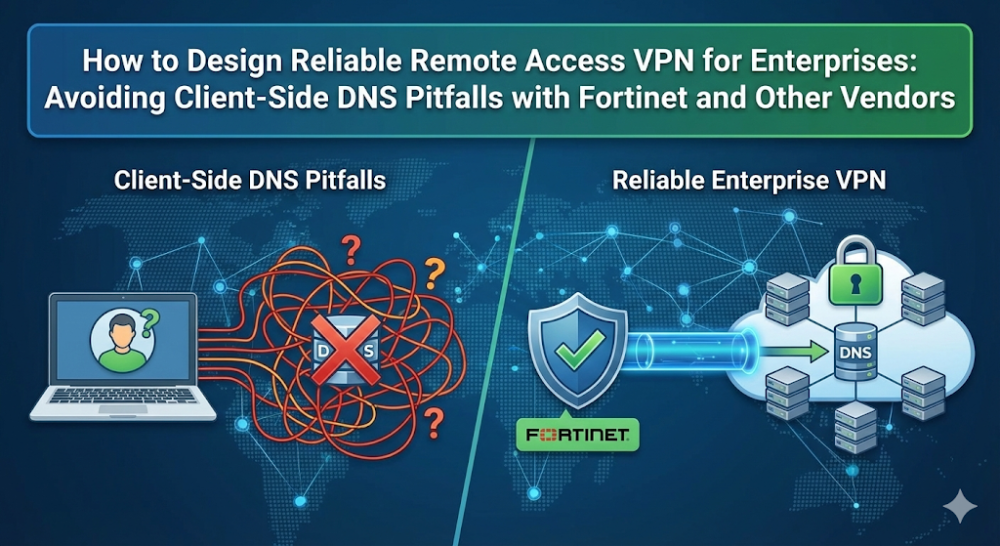
For enterprises embracing remote work and hybrid environments, ensuring seamless remote access is crucial for business continuity. However, many organizations face ongoing DNS issues caused by VPN clients that interfere with proper DNS resolution. These problems, particularly with Fortinet FortiClient, Cisco, Aruba, and Juniper solutions, can lead to frustrating disruptions, especially when DNS queries are improperly routed or overridden.
In this guide, we’ll explore common pitfalls of client-side DNS handling in remote access VPNs and provide practical, vendor-agnostic solutions to help you stabilize your network, improve connectivity for remote workers, and avoid costly service interruptions.
Part 1: Typical Enterprise Remote Access VPN Architectures
A reliable remote access VPN solution is essential for maintaining secure connections to enterprise resources. Here's how various vendors approach this:
Fortinet: FortiGate firewalls paired with FortiClient SSL VPN provide strong security and centralized management for large networks.
Cisco: Cisco AnyConnect is a robust VPN solution, well-regarded for its security and compatibility with enterprise network systems.
Aruba: Aruba ClearPass excels in integration with wireless networks, offering a secure and seamless VPN experience, particularly in mobile-first environments.
Juniper: Pulse Secure VPN is highly flexible and scalable, making it ideal for enterprises with large-scale remote access needs.
While these solutions offer solid security and scalability, they can still fall short when it comes to DNS resolution, especially in split tunneling environments. Ensuring DNS reliability requires careful configuration and attention to detail, particularly for remote users.
Part 2: Why VPN Clients Break DNS
One of the most common and frustrating issues encountered in remote access VPNs is DNS mismanagement, particularly in split tunneling configurations. Here’s why VPN clients struggle with DNS:
Split Tunneling and DNS Failures
In a split tunnel setup, only corporate traffic is routed through the VPN tunnel, while general internet traffic uses the local ISP. While this reduces bandwidth usage and latency, it can cause problems when DNS queries are sent outside the VPN tunnel, leading to failed resolution for internal resources.
Common DNS Issues in VPN Environments:
Windows 10/11 "Smart Multi-Homed Name Resolution" Conflicts By default, Windows sends DNS queries through all active network adapters. This can result in DNS queries being answered by the local adapter, rather than the VPN adapter, leading to DNS resolution failures. Solution: Disable this feature via Group Policy or Windows Registry to ensure DNS queries are sent through the VPN tunnel.
Fortinet SSL VPN Overriding System DNS FortiClient can override DNS settings when configured with FortiGate SSL VPN, which causes DNS resolution issues for internal resources. Solution: Configure DNS assignments on the FortiGate to ensure proper routing of DNS queries.
Short Hostnames vs. FQDN Issues Many users try to access internal servers using short hostnames (e.g., SERVER01) instead of fully qualified domain names (FQDNs), which can break DNS resolution. Solution: Ensure VPN configurations prioritize the correct DNS suffix order for reliable hostname resolution.
iOS Device Limitations iOS devices often have trouble resolving DNS over split tunneling VPNs, even if DNS settings are properly configured. Solution: Provide DNS suffixes in the VPN configuration to ensure DNS queries are resolved through the VPN.
Part 3: Case Study: FortiClient DNS Issues and How to Mitigate Them
The Problem: DNS Stuck on LAN Adapters
Many users face issues with FortiClient, where DNS settings on the system get stuck on the LAN adapter, causing failures in resolving internal resources. This happens because the DNS queries are sent to the FortiGate server rather than the local DNS servers.
The Solution: Enforcing DNS Over VPN and Using Split DNS
To solve this issue, enterprises should:
DNS over VPN: Configure FortiClient to route all DNS queries through the VPN tunnel to ensure internal resources are always accessible.
Split DNS: Use split DNS to direct internal domain queries to corporate DNS servers while routing external queries to local DNS servers. This configuration ensures smooth, reliable DNS resolution for remote users.
Part 4: Designing a Vendor-Agnostic DNS Strategy for Remote Users
Designing a vendor-agnostic DNS strategy ensures that all remote users, regardless of VPN client, can access both internal and external resources without disruptions. Here’s how:
DNS Over VPN: Force all DNS queries to go through the VPN tunnel to ensure internal resources are accessible, regardless of VPN client.
Split DNS: Use split DNS to route internal domains to corporate DNS servers and external domains to local DNS servers.
DNS Suffix Configuration: Ensure that DNS suffixes are properly ordered in VPN configurations to avoid issues with hostname resolution.
These strategies help ensure a stable and consistent DNS experience for remote users, no matter the VPN client or vendor.
Part 5: Comparison of Enterprise VPN Client Options
Here’s how popular VPN clients from Fortinet, Cisco, Aruba, and Juniper stack up when it comes to handling DNS for remote access:
Fortinet FortiClient: A strong security solution, but can cause DNS issues if not configured correctly, particularly with DNS suffix handling.
Cisco AnyConnect: Offers strong DNS management and split tunneling support, though it can be more complex to configure for multi-cloud environments.
Aruba ClearPass: Seamlessly integrates with Aruba’s wireless infrastructure, but may require additional setup for DNS management in large-scale environments.
Juniper Pulse Secure: Provides robust DNS handling, although it may require additional configuration for split DNS functionality.
Migration Considerations
If DNS management becomes a significant burden with your current VPN solution, you might consider migrating to a more flexible option. Look for solutions that offer native split DNS, DNS over VPN support, and easy integration with existing IT infrastructure.
Conclusion
Designing a stable, reliable remote access VPN is essential to support a growing remote workforce. By addressing common DNS issues and implementing robust, vendor-agnostic DNS strategies, businesses can ensure smooth remote access for their employees and minimize costly disruptions.
If your organization is facing DNS-related challenges or considering a VPN upgrade, it’s worth exploring how Router-Switch can help. With a broad selection of VPN solutions from Fortinet, Cisco, Aruba, and Juniper, we’re here to support your IT needs—whether you're optimizing your existing VPN infrastructure or planning for a migration to a more reliable, scalable solution.
Expertise Builds Trust
20+ Years • 200+ Countries • 21500+ Customers/Projects CCIE · JNCIE · NSE7 · ACDX · HPE Master ASE · Dell Server/AI Expert