Solving Warehouse WiFi Coverage and Uptime IssuesDesign reliable warehouse WiFi coverage and uptime with warehouse wifi 6 ap, industrial wireless access points, and warehouse poe switches for racks and docks.
OLT Capacity Planning for GPON Access NetworksPlan OLT capacity for GPON OLT systems and EA5800 capacity planning, optimizing GPON split ratio and OLT uplink design for scalable fiber access.
Enterprise OLT Platform Selection for Fiber AccessDesign enterprise OLT platform strategy for GPON OLT platform, modular OLT chassis, and OLT service boards to scale passive optical LAN and XG-PON evolution.
Scale Data Center Networking Under Long Lead TimesScale data center networking faster under long lead times with data center spine switches, leaf spine data center designs and Cisco UCS fabric interconnects.
Tunnel Video Surveillance VLAN Stability over FiberDesign stable tunnel video surveillance VLANs using optical transport backbone and Arista fiber aggregation for resilient Huawei OptiX OSN CCTV networks.
Fiber vs Copper in Industrial Networks Design GuideCompare fiber vs copper in industrial ethernet, plan hybrid industrial fiber network designs, and select rugged ethernet switches and industrial SFP transceivers.
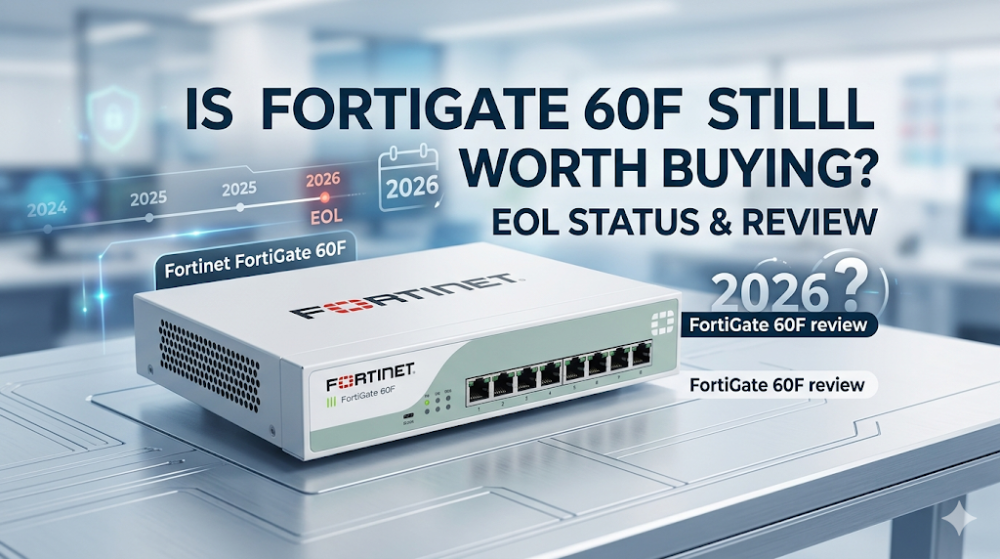
You are auditing a distributed retail network at 2 AM, and three branch offices suddenly drop offline because their edge firewalls have entered memory conserve mode during a scheduled vulnerability scan. The culprit? A fleet of legacy security appliances struggling under the weight of modern, encrypted traffic profiles. In 2026, network architects face a critical decision regarding one of the most widely deployed branch firewalls in history: the Fortinet FortiGate 60F. Powered by the aging SOC4 ASIC and constrained by a hard limit of 2GB RAM, this workhorse is reaching a pivotal moment in its lifecycle.
This deep-dive technical review evaluates whether the FortiGate 60F remains a viable deployment option for SME SD-WAN firewall 2026 designs, or if memory constraints and upcoming End-of-Life (EOL) milestones make it a liability.
The SOC4 ASIC Architecture: Hardware-Accelerated Security in a 2GB Footprint
At the heart of the FortiGate 60F lies the FortiGate SOC4 ASIC architecture (System on a Chip 4). Unlike traditional branch firewalls that rely entirely on general-purpose x86 or ARM CPUs to process security policies, the SOC4 offloads packet processing to dedicated, proprietary silicon. This chip integrates a quad-core ARM Cortex-A53 CPU with specialized coprocessors:
NP6lite (Network Processor): Handles wire-speed IPv4/IPv6 unicast routing, NAT, IPsec VPN encryption/decryption, and CAPWAP tunnel offloading. By bypassing the main CPU for established sessions (fast-path processing), the NP6lite keeps port-to-port latency exceptionally low.
CP9lite (Content Processor): Accelerates cryptographic operations and content inspection, including SSL/TLS decryption, IPS pattern matching, and antivirus scanning.
While this architecture delivered industry-leading price-to-performance ratios at its launch, the physical limitation of 2GB system RAM has become a severe bottleneck in 2026. As FortiOS has evolved through versions 7.0, 7.2, and 7.4, the memory footprint of the control plane and security daemons (such as wad for web filtering/SSL proxy and ipsmonitor for intrusion prevention) has grown significantly. When running a full security stack—including deep packet SSL inspection, application control, and intrusion prevention—the 2GB RAM capacity leaves almost no headroom. Under heavy concurrent session loads or microbursts, the device is highly susceptible to entering FortiOS memory conserve mode, a state where the firewall begins dropping new sessions or disabling security profiles to prevent a kernel panic.
FortiGate 60F Performance Sizing and EOL Lifecycle Status in 2026
When sizing a branch office deployment in 2026, you must look past the raw "firewall throughput" marketing numbers (which reflect stateless packet forwarding) and focus on real-world threat protection and SSL inspection metrics. The table below compares the FortiGate 60F performance profiles against its direct successor, the FortiGate 60G (powered by the newer SP5 ASIC with 4GB RAM), highlighting the performance degradation that occurs when security features are fully enabled.
Specification / Metric
FortiGate 60F (SOC4 ASIC)
FortiGate 60G (SP5 ASIC)
Architectural Impact in 2026
System Memory
2 GB DDR4
4 GB DDR4
60F is highly prone to conserve mode under FortiOS 7.4+.
Firewall Throughput
10 Gbps
28 Gbps
Stateless L4 traffic; both exceed standard branch WAN links.
IPS Throughput
1.4 Gbps
4.5 Gbps
60F struggles with high-density VLAN-to-VLAN IPS inspection.
Threat Protection
700 Mbps
2.2 Gbps
Real-world limit for 60F with AV, IPS, and App Control active.
SSL Inspection
750 Mbps
2.5 Gbps
60F CP9lite chip is outpaced by modern TLS 1.3 cipher suites.
Interfaces
10x GE RJ45
2x 10GE SFP+, 2x 2.5GE, 6x GE
60F lacks multi-gigabit and fiber uplink capabilities.
The FortiGate 60F EOL Timeline
From a lifecycle perspective, the FortiGate 60F EOL status is a critical variable for compliance and support planning. Fortinet typically follows a structured hardware lifecycle: End of Sale (EOS), Last Order Date (LOD), and End of Support (EOPS), which is generally 5 years after the EOS date.
As we move through 2026, the FortiGate 60F is firmly in its late-lifecycle phase. While it remains supported under active FortiCare contracts, it is no longer the primary target for cutting-edge FortiOS feature development. Future major releases (such as FortiOS 7.6 and beyond) will either drop support for 2GB devices entirely or run in a highly stripped-down state. For organizations requiring strict regulatory compliance (PCI-DSS, HIPAA) and guaranteed software support patches beyond the next 2-3 years, investing in new 60F hardware is a high-risk strategy compared to adopting the SP5-based 60G platform.
If you are currently managing an existing fleet of FortiGate 60F units and must keep them operational in 2026 without triggering memory conserve mode, you must optimize the FortiOS resource allocation. The following production-ready CLI script is designed to reduce the memory footprint of a FortiGate 60F running FortiOS 7.2 or 7.4. It reduces the number of worker daemons, optimizes the SSL session cache, disables disk logging (which consumes memory buffers), and tunes the IPS engine to run in a low-memory profile.
# Connect to the FortiGate 60F CLI and execute the following commands:

# 1. Reduce the number of WAD (Web Application Daemon) workers
config system global
    set wad-worker-count 2
end

# 2. Reduce the IPS engine count to conserve memory
config ips global
    set engine-count 2
    set socket-size 262144
end

# 3. Adjust memory conserve mode thresholds to prevent premature triggers
config system global
    set memory-use-threshold-extreme 90
    set memory-use-threshold-red 85
    set memory-use-threshold-green 75
end

# 4. Disable local disk logging and memory-heavy packet logging
config log disk setting
    set status disable
end
config log memory setting
    set status enable
    set max-size 16384
end

# 5. Optimize SSL/TLS session cache and timeout values
config firewall ssl-ssh-profile
    edit "deep-inspection"
        set ssl-client-session-state-max-size 500
        set ssl-client-session-state-timeout 30
    next
end

# 6. Disable unused administrative features
config system fortiguard
    set source-ip 0.0.0.0
end

# Verify memory status and process utilization
diagnose sys top-summary
Note: Applying these changes will reduce the maximum concurrent proxy-based sessions the firewall can handle, but it will significantly stabilize the control plane and prevent the device from locking up or dropping traffic due to memory exhaustion.
Strategic Procurement: Balancing CapEx, Lead Times, and Lifecycle Risks
For network administrators and procurement officers, managing a firewall estate in 2026 is as much a commercial challenge as a technical one. If you are operating a large-scale distributed enterprise with hundreds of branch offices, a complete rip-and-replace of functional FortiGate 60F units to 60G models may not be financially viable or necessary—especially if those branches run basic SD-WAN and flow-based security policies without deep SSL decryption.
However, maintaining this legacy estate requires a reliable supply chain for cold-standby spares and targeted upgrades. Traditional distribution channels often impose 6-to-8 week lead times for legacy hardware or force customers into expensive, multi-year support renewals that exceed the remaining lifecycle of the hardware. To optimize your procurement and avoid project delays, you can explore competitive pricing and availability on Fortinet FortiGate Next-Generation Firewalls. Sourcing through an agile partner allows you to bypass regional distributor markups and secure direct bulk-purchase discounts on both legacy spares and next-generation upgrades.
By leveraging a global inventory with over $20M in on-shelf stock, organizations can secure same-week dispatch for critical replacement units, minimizing the Mean Time to Repair (MTTR) when a branch firewall suffers a hardware failure. Furthermore, instead of relying solely on costly vendor contracts for aging hardware, smart operators utilize alternative support structures—such as complimentary 1-on-1 CCIE/CCDE engineering consultancy and extended warranties like 3-Year RS Care with Rapid RMA standby replacement. This ensures that your existing FortiGate 60F deployments remain secure, compliant, and operational until a planned migration phase, with every serial number (S/N) fully verifiable in the vendor's official database to guarantee 100% genuine hardware.
Troubleshooting & Community Pain Q&As
How do I verify if my FortiGate 60F is currently in memory conserve mode?
To check the memory status of your FortiGate 60F, log into the CLI and run the command diagnose hardware sys info memory. Look at the total, free, and used memory fields. To check if the system has triggered conserve mode, run:
If the system is in conserve mode, you will see a kernel message stating Kernel enters conserve mode. You can also run diagnose sys top-summary to identify which specific daemon (such as wad or ipsmonitor) is consuming the largest percentage of system RAM.
What is the official End of Support (EOS) date for the FortiGate 60F?
As of 2026, Fortinet has not announced the final End of Support (EOPS) date for the FortiGate 60F, as the End of Sale (EOS) milestone was rolled out gradually across different regions. Typically, Fortinet supports hardware for exactly 5 years following the official EOS announcement. For planning purposes, the 60F is expected to reach its EOPS phase around 2028–2029. This makes it highly suitable for short-term deployments or as a low-cost cold spare, but less ideal for greenfield 5-year lifecycle rollouts.
Can the FortiGate 60F run FortiOS 7.4 or 7.6 safely in production?
While the FortiGate 60F is technically compatible with FortiOS 7.4, running it in a production environment with full security profiles enabled is highly discouraged due to the 2GB RAM limitation. FortiOS 7.4 introduces additional telemetry, security daemons, and containerized microservices that increase baseline memory usage to roughly 65-70% before any user traffic is processed. If you must run FortiOS 7.4 on a 60F, you must use flow-based inspection rather than proxy-based inspection, and apply the CLI memory optimization scripts detailed in this guide. For stable, long-term production on the 60F, FortiOS 7.2.x remains the recommended, more conservative release train.
How does the SOC4 ASIC differ from the newer SP5 ASIC in the 60G?
The SOC4 ASIC utilizes separate, smaller versions of the Network Processor (NP6lite) and Content Processor (CP9lite) on a single die alongside a quad-core CPU. The newer SP5 (Security Processing Unit 5) ASIC found in the FortiGate 60G is built on a much smaller nanometer process, consolidating network, content, and control plane acceleration into a single, highly efficient multi-core processor. The SP5 provides up to 4x the SSL inspection throughput, significantly lower power consumption, and native hardware acceleration for modern cryptographic algorithms like TLS 1.3, which the SOC4 must partially process in software.
What is the best practice for SSL inspection on the 60F without crashing the WAD process?
To prevent the Web Application Daemon (WAD) from exhausting the 2GB system memory on a FortiGate 60F, you should implement SSL Certificate Inspection instead of Deep Packet SSL Inspection wherever possible. Certificate inspection only analyzes the SNI (Server Name Indication) in the client hello handshake, which requires minimal cryptographic overhead and memory allocation. If Deep SSL Inspection is mandatory for compliance, restrict the policy scope to high-risk source IPs or specific destination categories, bypass trusted categories (like financial and medical institutions), and reduce the SSL client session state cache size using the CLI commands provided in the optimization section of this article.
Expertise Builds Trust
20+ Years • 200+ Countries • 21500+ Customers/Projects CCIE · JNCIE · NSE7 · ACDX · HPE Master ASE · Dell Server/AI Expert