Solving Warehouse WiFi Coverage and Uptime IssuesDesign reliable warehouse WiFi coverage and uptime with warehouse wifi 6 ap, industrial wireless access points, and warehouse poe switches for racks and docks.
OLT Capacity Planning for GPON Access NetworksPlan OLT capacity for GPON OLT systems and EA5800 capacity planning, optimizing GPON split ratio and OLT uplink design for scalable fiber access.
Enterprise OLT Platform Selection for Fiber AccessDesign enterprise OLT platform strategy for GPON OLT platform, modular OLT chassis, and OLT service boards to scale passive optical LAN and XG-PON evolution.
Scale Data Center Networking Under Long Lead TimesScale data center networking faster under long lead times with data center spine switches, leaf spine data center designs and Cisco UCS fabric interconnects.
Tunnel Video Surveillance VLAN Stability over FiberDesign stable tunnel video surveillance VLANs using optical transport backbone and Arista fiber aggregation for resilient Huawei OptiX OSN CCTV networks.
Fiber vs Copper in Industrial Networks Design GuideCompare fiber vs copper in industrial ethernet, plan hybrid industrial fiber network designs, and select rugged ethernet switches and industrial SFP transceivers.
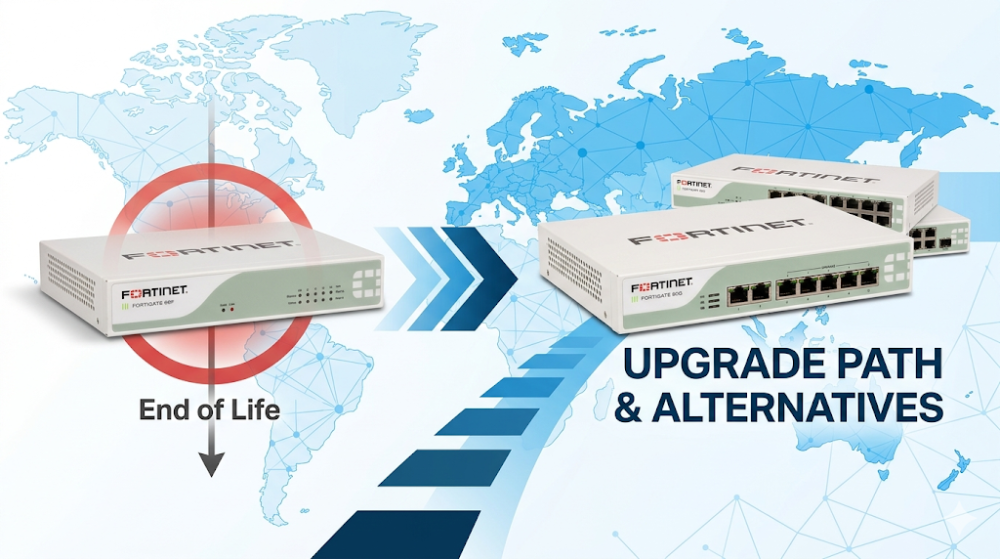
When you are performing a midnight configuration sync across a distributed SD-WAN network in Germany and suddenly notice your primary security gateways hitting 85% memory utilization, you are likely experiencing the physical limitations of the SOC4 ASIC architecture. For years, the FortiGate 60F has been the workhorse of decentralized enterprise branches, retail outlets, and mid-sized German offices (Mittelstand). However, as encrypted traffic profiles transition to TLS 1.3 and deep packet inspection (DPI) becomes mandatory for compliance under DSGVO (GDPR) regulations, the 2GB RAM limitation of the 60F platform frequently triggers FortiOS "conserve mode." With the lifecycle transition of the FortiGate 60F EOL approaching, network architects must proactively design a high-performance FortiGate 60F upgrade path to prevent security bottlenecks and unplanned downtime.
Part 1: Architectural and ASIC Overview of FortiGate 60F and Next-Gen SOC5
To understand why a hardware upgrade is necessary, we must analyze the underlying silicon. The FortiGate 60F is powered by Fortinet's System-on-a-Chip 4 (SOC4) architecture. The SOC4 integrates a RISC-based CPU with a dedicated Content Processor 9 (CP9) and a Network Processor 6 Lite (NP6XLite) onto a single die.
While the CP9 accelerates cryptographic operations (such as IPSec VPN and SSL inspection) and the NP6XLite handles IPv4/IPv6 routing, NAT, and multicast traffic at wire speed, the entire system is bound by a hard 2GB RAM limit. When running modern FortiOS 7.0, 7.2, or 7.4 releases with multiple security profiles enabled (AV, IPS, Application Control, and Web Filtering), the control plane and data plane compete for this limited memory space.
In contrast, the next-generation FortiGate 60G vs 60F comparison highlights a massive architectural leap. The FortiGate 60G introduces the System-on-a-Chip 5 (SOC5) ASIC. The SOC5 architecture features:
Dedicated TLS 1.3 Hardware Acceleration: Unlike the SOC4, which requires software-assisted handshakes for certain TLS 1.3 cipher suites, the SOC5 processes TLS 1.3 natively in the hardware pipeline, reducing CPU overhead during deep packet inspection.
Expanded Memory Footprint: The SOC5 platform is paired with 4GB (or more, depending on the specific hardware revision) of high-speed RAM, effectively doubling the memory headroom and eliminating the frequent "conserve mode" issues that plague the 60F under heavy enterprise traffic mixes.
Multi-Gigabit Interface Pipelines: The SOC5 architecture supports 10GE/5GE/2.5GE/1GE multi-gigabit interfaces, bypassing the 1GbP physical port bottlenecks of the older SOC4 platform.
For engineers managing legacy deployments, diagnosing these hardware limitations is the first step. You can verify if your legacy unit is hitting memory thresholds or failing to offload sessions to the NP6XLite using the following FortiOS CLI commands:
# Check system memory status and verify if the unit has entered conserve mode
diagnose hardware sysinfo memory
diagnose sys conserve-mode status

# Monitor real-time process memory consumption to identify memory leaks or high-overhead daemons
diagnose sys top-summary

# Verify NP6XLite hardware acceleration offload statistics on the FortiGate 60F
diagnose npu np6xlite port
diagnose npu np6xlite session-stats
If your diagnostic outputs show frequent conserve mode flags or low NP6XLite offload ratios due to unsupported cipher suites, it is time to evaluate the FortiGate 60F alternatives available in the market.
Part 2: Hardware Specifications and Performance Sizing Guide
When planning a migration, network architects must match the performance requirements of modern fiber-optic connections (such as German FTTH/FTTB business lines from Telekom or Vodafone) with the processing capabilities of the new security gateways.
To assist in your sizing decisions, the table below compares the technical specifications of the legacy FortiGate 60F against its primary upgrade candidates: the FortiGate 70F (which utilizes the SOC4 but with doubled RAM) and the next-generation FortiGate 60G (powered by the SOC5).
The FortiGate 70F Option: If your primary pain point on the FortiGate 60F is memory exhaustion (conserve mode) but your WAN bandwidth remains under 1 Gbps, the FortiGate 70F serves as an excellent, cost-effective step in your FortiGate 60F upgrade path. It retains the familiar SOC4 architecture but doubles the RAM to 4GB, allowing you to run advanced security profiles without memory bottlenecks.
The FortiGate 60G Option: If you are upgrading your WAN links to multi-gigabit speeds (e.g., 2.5Gbps or 5Gbps business fiber) or require extensive SSL/TLS 1.3 deep packet inspection, the FortiGate 60G vs 60F comparison shows that the 60G is the definitive future-proof choice. With a 3x increase in Threat Protection throughput and dedicated multi-gigabit ports, it easily handles high-density branch traffic.
To explore how these models fit into your broader security architecture, you can explore the broader Fortinet Next-Generation Firewalls Portfolio to compare enterprise-grade chassis options.
Part 3: Sourcing, BOM Optimization, and Risk Mitigation
In the German market, project delays can result in severe contractual penalties, especially when upgrading critical security infrastructure for financial, healthcare, or public sector clients. Traditional IT distribution channels often suffer from 6-to-8-week lead times for newly released hardware like the FortiGate 60G or 70F, leaving networks vulnerable as the FortiGate 60F EOL milestones draw closer.
Router-switch mitigates these deployment risks through its robust global supply chain and extensive inventory management:
Immediate Availability: With over $20 million in multi-warehouse on-shelf stock, Router-switch bypasses traditional distributor delays, offering same-week dispatch to Germany and across Europe. This ensures your migration project stays on schedule.
BOM Optimization: By maintaining a flat supply chain that bypasses multiple layers of regional middlemen, Router-switch passes direct bulk-purchase discounts to system integrators and SMEs, optimizing your total cost of ownership (TCO).
Risk Mitigation & RS Care: Hardware transitions can introduce unexpected configuration mismatches. Router-switch provides free 1-on-1 CCIE-level technical consultancy to assist with your FortiOS configuration translation. Furthermore, all qualifying hardware is backed by a complimentary 3-Year RS Care extended warranty, featuring a Rapid RMA standby replacement service that ships replacement units first to minimize your Mean Time to Repair (MTTR).
Guaranteed Genuineness: Every firewall shipped features a fully verifiable serial number (S/N) that can be registered directly in the vendor's official support portal, ensuring 100% genuine hardware with full access to official security subscription updates.
Part 4: Frequently Asked Questions (FAQ)
Q1: What is the official FortiGate 60F EOL timeline, and how long will my unit remain secure?
A: Fortinet typically follows a structured lifecycle policy. Once an End-of-Life (EOL) announcement is made, the hardware enters an End-of-Sale (EOS) phase, followed by several years of engineering support (software patches) and finally an End-of-Support (EOPS) date. For the FortiGate 60F, while it remains supported for software patches currently, planning your FortiGate 60F upgrade path now prevents a scenario where your unit can no longer run the latest FortiOS security definitions or firmware releases.
Q2: Can I directly restore a FortiGate 60F configuration backup onto a FortiGate 60G or 70F?
A: You cannot directly restore a raw configuration file across different hardware models due to differences in port mapping and ASIC architectures. However, you can use the Fortinet FortiConverter service, or manually edit the configuration XML file to align the interface names (e.g., mapping the 60F's physical ports to the 60G's multi-gigabit ports) before restoring it. Router-switch's CCIE consultants can assist you with this configuration translation process.
Q3: Why does the FortiGate 60F frequently enter "conserve mode" compared to newer FortiGate 60F alternatives?
A: The FortiGate 60F has 2GB of system RAM. When running FortiOS 7.x with multiple memory-intensive features enabled—such as deep SSL inspection, local logging, and large routing tables—the system memory usage can exceed 80%, triggering conserve mode to protect the kernel. Newer FortiGate 60F alternatives like the FortiGate 70F and 60G feature 4GB or more of RAM, providing the necessary headroom to run advanced security profiles smoothly.
Q4: In a FortiGate 60G vs 60F comparison, does the 60G support high-availability (HA) clustering with older 60F units?
A: No. FortiOS clustering (FGCP) requires identical hardware models and identical firmware versions to form a High Availability pair. You cannot mix a FortiGate 60F and a FortiGate 60G in the same HA cluster. If you are upgrading, you must replace both units in an HA pair.
Expertise Builds Trust
20+ Years • 200+ Countries • 21500+ Customers/Projects CCIE · JNCIE · NSE7 · ACDX · HPE Master ASE · Dell Server/AI Expert