Solving Warehouse WiFi Coverage and Uptime IssuesDesign reliable warehouse WiFi coverage and uptime with warehouse wifi 6 ap, industrial wireless access points, and warehouse poe switches for racks and docks.
OLT Capacity Planning for GPON Access NetworksPlan OLT capacity for GPON OLT systems and EA5800 capacity planning, optimizing GPON split ratio and OLT uplink design for scalable fiber access.
Enterprise OLT Platform Selection for Fiber AccessDesign enterprise OLT platform strategy for GPON OLT platform, modular OLT chassis, and OLT service boards to scale passive optical LAN and XG-PON evolution.
Scale Data Center Networking Under Long Lead TimesScale data center networking faster under long lead times with data center spine switches, leaf spine data center designs and Cisco UCS fabric interconnects.
Tunnel Video Surveillance VLAN Stability over FiberDesign stable tunnel video surveillance VLANs using optical transport backbone and Arista fiber aggregation for resilient Huawei OptiX OSN CCTV networks.
Fiber vs Copper in Industrial Networks Design GuideCompare fiber vs copper in industrial ethernet, plan hybrid industrial fiber network designs, and select rugged ethernet switches and industrial SFP transceivers.
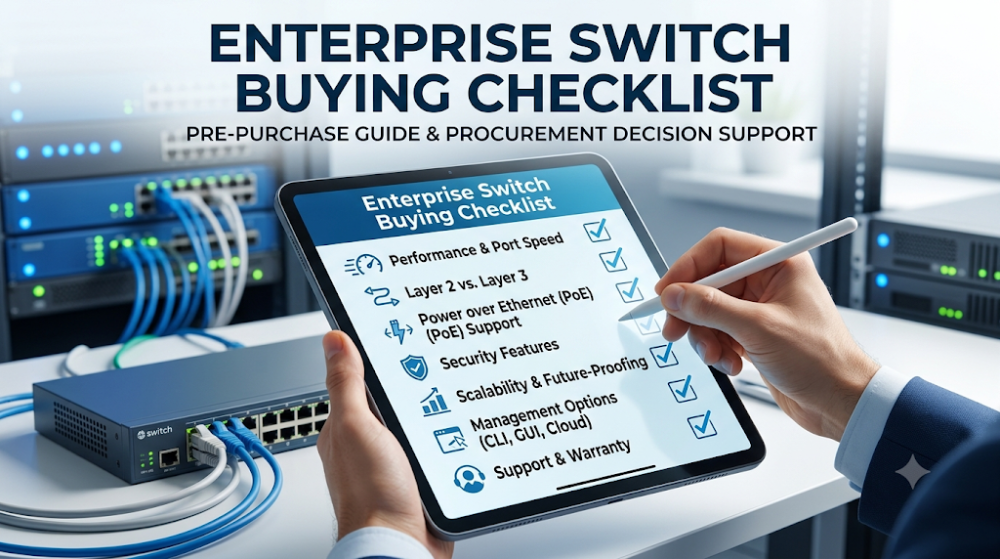
Buying an enterprise network switch seems straightforward until you realize how many details can go wrong. The wrong port count, missing PoE support, incompatible uplink speed, or an overlooked management requirement can turn a simple purchase into a project delay. Procurement teams and IT managers who skip the pre-purchase checklist often end up with switches that do not fit the rack, do not power the endpoints, or do not integrate with the existing network.
This guide is a practical checklist for anyone preparing to buy enterprise switches. It covers the technical, operational, and logistical checks that should happen before the purchase order is signed. The goal is not to teach networking theory. It is to prevent the common mistakes that waste budget and create deployment problems.
Confirm port count including growth margin. Count current endpoints, add 20 to 30 percent for expansion, and choose a switch that fits.
Verify PoE requirements before selecting a model. Not all ports on a PoE switch deliver the same power. IP cameras, access points, and phones have different power needs.
Match uplink speed to your backbone. A gigabit access switch with a 1 Gbps uplink will bottleneck if the aggregation layer is 10 Gbps.
Choose the right management model. Cloud-managed, on-premises, or unmanaged each fits different operational styles.
Check physical fit, power, and environmental limits. Rack depth, power consumption, and operating temperature matter in real deployments.
Check item
Why it matters
Common mistake
Port count + growth
Avoids immediate capacity shortage
Buying exactly what is needed today
PoE power budget
Ensures all endpoints receive power
Assuming all PoE ports deliver full power
Uplink speed
Prevents backbone bottleneck
Matching access speed but not uplink
Management model
Fits operational workflow
Buying cloud-managed without internet
Physical fit
Ensures rack and power compatibility
Overlooking depth or power cord type
Part 2: Port count and type
Count endpoints and add growth margin
The most basic check is also the most commonly miscalculated. Count every device that will connect to the switch: computers, phones, cameras, access points, printers, and any other networked equipment. Then add at least 20 to 30 percent for future expansion. Buying a 24-port switch for 22 devices leaves no room for growth. Buying a 48-port switch for 30 devices may seem wasteful but is often the better choice if expansion is likely within the next two years.
Check port speed requirements
Not all ports need to be gigabit. Some endpoints, like IP phones or basic workstations, may be fine with 100 Mbps. However, modern deployments increasingly standardize on gigabit for all access ports. If you have high-performance workstations, video editing stations, or Wi-Fi 6 access points, consider multigigabit ports (2.5 Gbps or 5 Gbps) or dedicated 10 Gbps ports for specific devices.
Most enterprise switches include a small number of SFP or SFP+ ports for fiber uplinks. Verify how many you need and what speed they must support. A switch with two SFP+ ports may be sufficient for a simple dual-uplink design, but a more complex topology may require four or more.
Part 3: PoE requirements
Not all PoE is equal
PoE (Power over Ethernet) comes in several standards: PoE (802.3af, up to 15.4W), PoE+ (802.3at, up to 30W), and PoE++ (802.3bt, up to 60W or 90W). Different devices require different power levels. A standard IP phone may need only 7W, while a Wi-Fi 6 access point or pan-tilt-zoom camera may need 25W or more.
Calculate total power budget
A 48-port PoE+ switch may support PoE+ on all ports, but the total power budget is usually less than 48 times 30W. If you plan to power 30 access points that each need 25W, the total draw is 750W. Verify that the switch's power budget, not just its port count, can handle this load. Some switches require additional power supplies to reach their maximum PoE budget.
Check endpoint compatibility
Some devices are picky about PoE implementation. Cisco access points may work best with Cisco switches. Third-party cameras may have compatibility issues with certain PoE implementations. Verify compatibility before assuming that any PoE switch will power any PoE device.
Part 4: Uplink and speed
Match uplink to aggregation layer speed
The uplink ports connect the access switch to the distribution or core layer. If your aggregation switches run at 10 Gbps, your access switch uplinks should be 10 Gbps as well. A 1 Gbps uplink from a 48-port gigabit switch creates a bottleneck because 48 gigabit ports can theoretically generate 48 Gbps of traffic that must squeeze through a 1 Gbps pipe.
Consider link aggregation for redundancy
Many enterprise deployments use link aggregation (LACP) to bundle multiple uplinks for increased bandwidth and redundancy. If your design calls for link aggregation, verify that the switch supports it and that you have enough SFP+ or copper ports to create the bundle.
Part 5: Management and control
Cloud-managed vs on-premises
Cloud-managed switches, like Cisco Meraki or Aruba Instant On, are configured through a web portal and are ideal for teams that want simplified management. On-premises managed switches, like Cisco Catalyst or Aruba CX, offer deeper control and are preferred by organizations with dedicated network engineering teams. Unmanaged switches have no configuration interface and are only suitable for the simplest deployments.
CLI vs GUI preference
Some network engineers prefer command-line interface (CLI) configuration for its precision and scriptability. Others prefer graphical user interfaces (GUI) for their visual clarity. Verify which management style your team prefers and choose a switch that supports it.
Part 6: Physical and environmental fit
Rack depth and mounting
Enterprise switches are usually rack-mounted, but rack depths vary. A deep switch may not fit in a shallow wall-mount rack. Verify the switch's dimensions against your rack specifications before ordering.
Power requirements
Check the switch's power consumption and whether your rack has sufficient power capacity. High-PoE switches can draw significant power, and some may require 240V instead of standard 120V. Verify power outlet types, voltage, and available amperage.
Operating temperature and noise
Some switches run hot and require adequate ventilation. Others have loud fans that are unsuitable for quiet office environments. If the switch will be installed in a closet near workstations, noise level may be a deciding factor.
Part 7: Compatibility with existing infrastructure
Stacking compatibility
If you plan to stack the new switch with existing switches, verify that they are the same model family and running compatible firmware. Different switch families often cannot stack together, and firmware mismatches can prevent stacking even within the same family.
VLAN and routing compatibility
Verify that the new switch supports the VLAN configuration, routing protocols, and security policies already in use on your network. A switch that does not support your existing routing protocol or VLAN tagging scheme will create integration problems.
Part 8: Lifecycle and support
End-of-life status
Before buying, verify that the switch model is not approaching end-of-life or end-of-sale. Buying a switch that will be discontinued within a year creates support and replacement risks. Check the manufacturer's EOL announcements or ask your supplier for the product roadmap.
Warranty and support contracts
Verify what warranty and support options are available. Some switches come with limited lifetime warranties, while others require separate support contracts. Understand what is included and what costs extra before finalizing the purchase.
Part 9: Common buyer mistakes
Mistake 1: Buying for today's needs only
Networks grow. Buying a switch with exactly enough ports for current devices guarantees a replacement project within a year or two.
Mistake 2: Ignoring the uplink bottleneck
A 48-port gigabit switch with a 1 Gbps uplink will bottleneck under heavy load. Match uplink capacity to the expected aggregate traffic.
Mistake 3: Assuming all PoE ports deliver full power
The power budget, not the port count, determines how many PoE devices you can actually power. Calculate total draw before buying.
Mistake 4: Overlooking physical constraints
Rack depth, power type, ventilation, and noise level are often overlooked until the switch arrives and does not fit the installation environment.
FAQ
How many ports should an enterprise switch have?
Count current endpoints and add 20 to 30 percent for growth. A 48-port switch is the standard choice for most enterprise access-layer deployments.
What PoE standard do I need?
PoE+ (802.3at, 30W) is the minimum for modern deployments with Wi-Fi 6 access points. PoE++ (802.3bt, 60W or 90W) is needed for high-power devices like pan-tilt-zoom cameras or multiradio APs.
Should I choose cloud-managed or on-premises managed switches?
Cloud-managed is simpler and ideal for small teams or distributed sites. On-premises managed offers deeper control and is preferred by organizations with dedicated network engineers.
What is the most commonly overlooked switch specification?
Uplink speed and PoE power budget are the most commonly overlooked. Buyers often focus on access port count and speed while neglecting the backbone connection and total power capacity.
What is the best next step before ordering?
Create a requirements document that lists endpoints, power needs, uplink speed, management preference, physical constraints, and compatibility requirements. Use this as a checklist when comparing models.
Part 10: The next practical step
If you are preparing to buy enterprise switches, the next useful step is to document your actual requirements before comparing models. That means counting endpoints, calculating PoE power needs, confirming uplink speed, verifying rack space, and checking compatibility with your existing network. Once this checklist is complete, the comparison between models becomes a matter of matching specifications to requirements rather than guessing.
Router-Switch can help validate switch configurations, check availability, and ensure the model you choose fits your environment. If you are unsure whether a specific switch meets your needs, the fastest path is to define your requirement checklist first and then compare options against it.
Expertise Builds Trust
20+ Years • 200+ Countries • 21500+ Customers/Projects CCIE · JNCIE · NSE7 · ACDX · HPE Master ASE · Dell Server/AI Expert