Solving Warehouse WiFi Coverage and Uptime IssuesDesign reliable warehouse WiFi coverage and uptime with warehouse wifi 6 ap, industrial wireless access points, and warehouse poe switches for racks and docks.
OLT Capacity Planning for GPON Access NetworksPlan OLT capacity for GPON OLT systems and EA5800 capacity planning, optimizing GPON split ratio and OLT uplink design for scalable fiber access.
Enterprise OLT Platform Selection for Fiber AccessDesign enterprise OLT platform strategy for GPON OLT platform, modular OLT chassis, and OLT service boards to scale passive optical LAN and XG-PON evolution.
Scale Data Center Networking Under Long Lead TimesScale data center networking faster under long lead times with data center spine switches, leaf spine data center designs and Cisco UCS fabric interconnects.
Tunnel Video Surveillance VLAN Stability over FiberDesign stable tunnel video surveillance VLANs using optical transport backbone and Arista fiber aggregation for resilient Huawei OptiX OSN CCTV networks.
Fiber vs Copper in Industrial Networks Design GuideCompare fiber vs copper in industrial ethernet, plan hybrid industrial fiber network designs, and select rugged ethernet switches and industrial SFP transceivers.
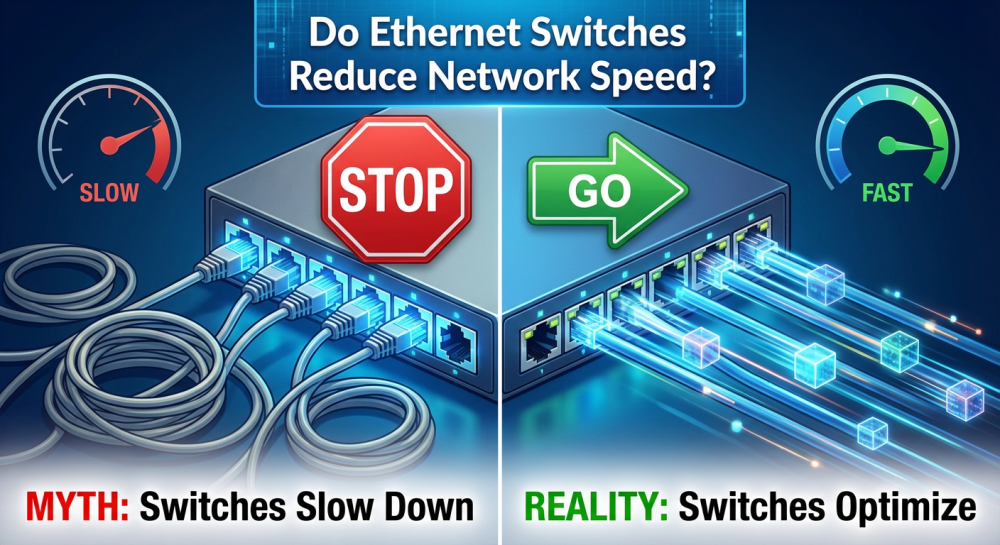
For network administrators and IT teams, one of the most common questions when experiencing slow network performance is: do Ethernet switches reduce speed? Misdiagnosing this issue can lead to unnecessary hardware upgrades, extra costs, and persistent productivity loss.
In reality, a properly functioning Ethernet switch usually does not reduce speed, as long as its specifications match network demands and it is configured correctly. However, physical factors and logical misconfigurations can create significant performance bottlenecks.
Physical Layer Limitations: Port Speed and Cabling Hardware bottlenecks often occur when using outdated Fast Ethernet (10/100 Mbps) switches with modern Gigabit devices. Cable quality also matters: Cat5, Cat5e, or Cat6 cables must be fully intact to achieve full speed, and damaged cables can fallback to lower speeds (e.g., 100 Mbps).
Logical Configuration: Duplex Mode and Switching Type Duplex mismatch between devices and switches can cause severe performance degradation. Full-duplex allows simultaneous inbound and outbound traffic for maximum theoretical bandwidth. Switching type also matters: cut-through vs. store-and-forward affects latency depending on input/output speeds.
L2 vs. L3 Switches Managed switches provide stronger control with VLANs, QoS, and traffic monitoring, which can reduce overhead and prioritize critical data. Unmanaged switches may be sufficient for basic setups but lack optimization options.
RS Advantage: Optimizing your network requires more than just proper configuration; it requires the right hardware. Router-Switch provides rigorously tested enterprise-grade switches and CCIE consultation services to ensure your hardware choices don’t inadvertently limit network speed.
Part 2: Actionable Steps to Address Switch Speed Issues
If you suspect a switch is causing performance limitations, follow these steps:
Check Port Speed and Duplex: Use CLI commands such as show interfaces on Cisco IOS to verify port status. Look for "Full-duplex" and correct speed indicators (e.g., 1000Mb/s).
Verify Stacking and Link Aggregation: For large networks, check stackable switch backplane bandwidth and use LACP (Link Aggregation Control Protocol) to increase bandwidth and redundancy.
Monitor Throughput via CLI/NMS: Use show system resources to check CPU/memory usage, or network management software to monitor real-time traffic and detect congestion from too many connected devices.
Mini Case Study: An RS client experienced delays on critical applications due to an unmanaged switch. After upgrading to RS-recommended L2/L3 managed switches and optimizing QoS, total network throughput increased by 30%.
Part 3: Frequently Asked Questions (FAQ)
Q1.Do Ethernet switches split speed?
No, Ethernet switches “share” bandwidth but are typically wire-speed and non-blocking, meaning each port can run at maximum speed without interfering with others.
Q2.What are the cons of Ethernet switches?
Potential drawbacks include power consumption and performance degradation if hardware is outdated or network expansion occurs without timely upgrades.
Q3.Is a 10GB switch overkill for home use?
For most home users, yes. Unless you have multiple devices supporting 10 Gbps and frequently transfer massive data (e.g., 4K video editing), a standard Gigabit switch suffices.
Q4.Why am I limited to 100Mbps on a Gigabit switch?
This is often due to damaged cables (e.g., one broken wire causing fallback), old cables below Cat5, or misconfigured ports (manual 100 Mbps instead of auto-negotiation).
Q5.How to check if my switch configuration is optimal?
Use CLI commands or a network management tool to verify duplex, speed, and link aggregation settings. RS experts can audit configurations for maximum throughput.
Part 4: Next Steps
If you are unsure whether your switch is properly configured, consult the RS expert team for a network audit. They will confirm your device status and recommend upgrades only if truly necessary.
Expertise Builds Trust
20+ Years • 200+ Countries • 21500+ Customers/Projects CCIE · JNCIE · NSE7 · ACDX · HPE Master ASE · Dell Server/AI Expert