Solving Warehouse WiFi Coverage and Uptime IssuesDesign reliable warehouse WiFi coverage and uptime with warehouse wifi 6 ap, industrial wireless access points, and warehouse poe switches for racks and docks.
OLT Capacity Planning for GPON Access NetworksPlan OLT capacity for GPON OLT systems and EA5800 capacity planning, optimizing GPON split ratio and OLT uplink design for scalable fiber access.
Enterprise OLT Platform Selection for Fiber AccessDesign enterprise OLT platform strategy for GPON OLT platform, modular OLT chassis, and OLT service boards to scale passive optical LAN and XG-PON evolution.
Scale Data Center Networking Under Long Lead TimesScale data center networking faster under long lead times with data center spine switches, leaf spine data center designs and Cisco UCS fabric interconnects.
Tunnel Video Surveillance VLAN Stability over FiberDesign stable tunnel video surveillance VLANs using optical transport backbone and Arista fiber aggregation for resilient Huawei OptiX OSN CCTV networks.
Fiber vs Copper in Industrial Networks Design GuideCompare fiber vs copper in industrial ethernet, plan hybrid industrial fiber network designs, and select rugged ethernet switches and industrial SFP transceivers.
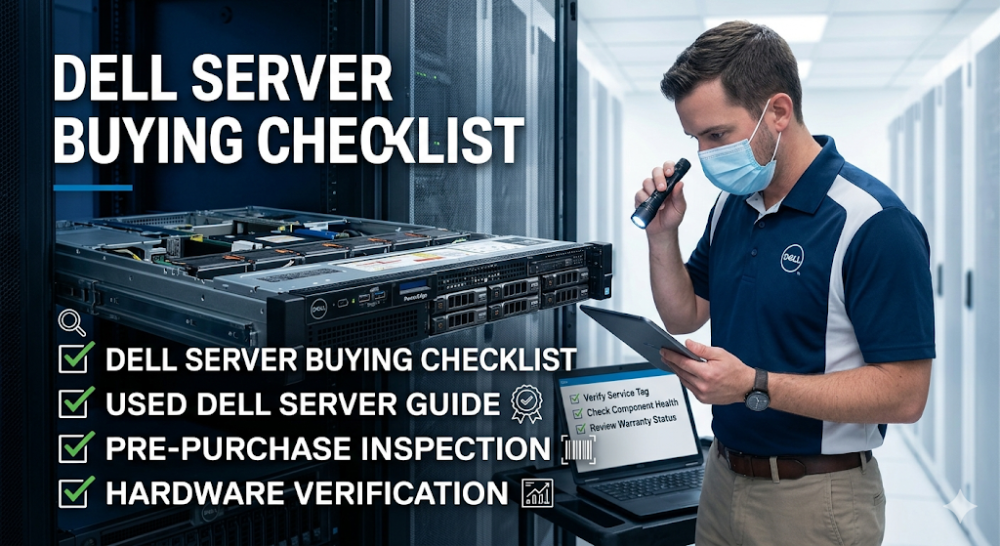
Buying a Dell server is not just about finding the lowest price. Whether you are looking at new, refurbished, or pre-owned hardware, the real risk is buying a unit that looks correct on the outside but carries hidden problems with configuration, warranty, wear, or seller credibility. Many buyers focus too much on the specification sheet and too little on whether the server has been properly tested, whether the warranty is transferable, and whether the seller will still be reachable if something arrives damaged or misconfigured. That is why a pre-purchase checklist matters more than a simple price comparison.
This guide is written for procurement teams, IT managers, integrators, and technical leads who are evaluating Dell servers for sale and want to reduce the risk of buying the wrong unit. The goal is not to teach server engineering. It is to help buyers ask the right questions before purchase, especially around hardware condition, configuration accuracy, warranty status, seller reliability, and whether the quoted unit really matches the workload it is supposed to run.
Always verify hardware condition before buying, especially for refurbished or pre-owned units. Photos and descriptions are not enough.
Confirm the exact configuration matches your workload needs. CPU generation, memory type, drive bays, and RAID controller can all change compatibility and performance.
Check warranty status and transferability. A server without transferable warranty or support can become expensive to maintain if a critical component fails early.
Validate seller credibility. Price alone is a poor filter. Return policy, testing procedures, and post-sale support matter more for used hardware.
Watch for hidden costs. Rails, bezels, power cables, drive trays, and licensing can add unexpectedly to the total cost if they are not included in the quote.
Check area
What to verify
Why it matters
Hardware condition
Physical wear, fan noise, RAID battery, drive health
Avoids buying worn or failing components
Configuration
CPU, memory, storage, NIC, RAID, PSU
Ensures the unit matches workload requirements
Warranty
Remaining coverage, transferability, support tier
Reduces long-term maintenance risk
Seller
Return policy, testing standards, post-sale support
Protects against misrepresentation and DOA
Hidden costs
Rails, trays, cables, licenses, shipping
Prevents budget overruns after purchase
Part 2: Hardware condition and configuration
Verify the exact CPU, memory, and storage configuration
Not all Dell servers with the same model number ship with the same internals. A PowerEdge R740 can be configured with different CPU generations, memory speeds, drive types, and RAID controllers. Buyers should request the exact service tag or configuration sheet and cross-check it against Dell's support site. If the seller cannot provide this, that is a warning sign. Mismatched memory types, non-Dell drives, or missing RAID controllers are common issues that change whether the server is usable for your workload.
Check for physical wear and component age
For refurbished or pre-owned units, physical inspection matters. Ask about fan noise, power supply health, RAID battery condition, and whether the unit has been tested under load. A server that boots is not the same as a server that runs stable under production conditions. If you are buying remotely, request video evidence of POST, BIOS version, and component detection before committing.
Confirm network and expansion options
Network interface cards, PCIe slots, and drive bay availability can all limit how the server is used in practice. A server that looks powerful on paper can still be wrong if it lacks the right NIC speed, enough drive bays for your storage plan, or the PCIe lanes needed for future expansion. Buyers should confirm these details before assuming the model will fit.
Part 3: Warranty, support, and lifecycle
Warranty status is not always obvious
Some Dell servers for sale still carry transferable warranty. Others have expired coverage or carry restrictions that make transfer difficult. Buyers should verify the exact warranty end date, whether ProSupport or basic warranty applies, and whether the seller will assist with any transfer paperwork. A server without warranty is not automatically a bad buy, but it changes the risk calculation and should be priced accordingly.
Lifecycle stage affects replacement parts availability
Dell servers move through active, limited, and end-of-life stages. Buying a server near end-of-life can mean difficulty finding replacement parts, higher maintenance costs, and shorter useful lifespan. Buyers should check where the model sits in Dell's lifecycle before deciding whether the price justifies the remaining useful life.
Support expectations should match operational needs
If the environment depends on rapid vendor support, buying a server without Dell direct support or a reliable third-party maintenance contract can create unacceptable downtime risk. Buyers should confirm whether support is available, at what cost, and through which channel before finalizing the purchase.
Part 4: Seller credibility and return terms
Price alone is a poor filter for used hardware
The lowest-priced Dell server is often the lowest-priced for a reason. It may have hidden wear, missing components, expired warranty, or a seller who disappears after the transaction. Buyers should evaluate the seller's return policy, testing standards, and post-sale support before making price the primary decision factor.
Return policy and DOA protection matter more for remote purchases
When buying a server without physical inspection, a clear return policy and DOA protection are essential. Reputable sellers offer tested hardware with a defined return window. Sellers who refuse returns, offer only final-sale terms, or provide vague testing claims should be treated with caution.
Where Router-Switch can help
If you are evaluating Dell servers and need help confirming configuration accuracy, warranty status, or whether the quoted unit matches your real requirements, Router-Switch can validate the shortlist, check current availability, and reduce the risk of buying a server that is technically acceptable but strategically wrong for the project.
Part 5: Price, availability, and hidden costs
Factor in rails, trays, cables, and licensing
The server chassis is not the full cost. Rails, drive trays, power cables, bezel, and software licenses can add significantly to the total if they are not included in the initial quote. Buyers should confirm what is included and what must be purchased separately before comparing prices across sellers.
Shipping and import considerations
For international buyers, shipping cost, customs duties, and import documentation can materially affect the final landed cost. These should be estimated before purchase, not discovered after the invoice arrives.
Availability and lead time
Even for used servers, availability can be limited. If the project has a hard deadline, confirming that the unit is in stock and ready to ship is as important as confirming the price. Some sellers list units they do not physically hold, which can lead to unexpected delays.
Part 6: Common buyer mistakes
Mistake 1: Buying on specification alone
A server with the right CPU and memory count is not automatically the right server. Component generation, compatibility, and condition matter just as much.
Mistake 2: Ignoring warranty and support
A server without warranty or support path can become expensive to maintain. Buyers should verify this before purchase, not after a failure.
Mistake 3: Choosing the lowest price without checking seller credibility
The cheapest option often carries the highest hidden risk. Return policy, testing, and post-sale support are worth paying more for.
Mistake 4: Forgetting hidden costs
Rails, trays, cables, licenses, and shipping can turn a good price into a bad deal if they are not included in the initial comparison.
FAQ
What should I check before buying a used Dell server?
Check hardware condition, exact configuration, warranty status, seller credibility, and whether all necessary accessories are included in the price.
Are refurbished Dell servers reliable?
Refurbished Dell servers can be reliable if they come from a reputable seller with proper testing, clear warranty terms, and a return policy. The key is seller credibility, not just the refurbishment label.
How do I verify a Dell server's warranty?
Use the service tag on Dell's support website to check remaining warranty coverage, support tier, and transfer eligibility.
What hidden costs should I watch for?
Rails, drive trays, power cables, bezel, software licenses, shipping, and import duties are commonly excluded from the base price.
What is the best next step before buying?
Define your exact configuration requirements, verify warranty status, confirm seller credibility and return terms, and request a complete quote including all accessories and shipping costs.
Part 7: The next practical step
If you are evaluating Dell servers for sale, the next useful step is to define your exact configuration requirements and verify them against the specific unit being quoted. That means confirming CPU, memory, storage, NIC, RAID, PSU, and physical condition, plus warranty status, seller credibility, and total landed cost including all accessories and shipping.
Once that is clear, the comparison becomes meaningful instead of just price-shopping. Router-Switch can help validate Dell server configurations, check availability, confirm warranty and support options, and reduce the risk of buying a unit that looks right on paper but creates problems after delivery.
Expertise Builds Trust
20+ Years • 200+ Countries • 21500+ Customers/Projects CCIE · JNCIE · NSE7 · ACDX · HPE Master ASE · Dell Server/AI Expert