Solving Warehouse WiFi Coverage and Uptime IssuesDesign reliable warehouse WiFi coverage and uptime with warehouse wifi 6 ap, industrial wireless access points, and warehouse poe switches for racks and docks.
OLT Capacity Planning for GPON Access NetworksPlan OLT capacity for GPON OLT systems and EA5800 capacity planning, optimizing GPON split ratio and OLT uplink design for scalable fiber access.
Enterprise OLT Platform Selection for Fiber AccessDesign enterprise OLT platform strategy for GPON OLT platform, modular OLT chassis, and OLT service boards to scale passive optical LAN and XG-PON evolution.
Scale Data Center Networking Under Long Lead TimesScale data center networking faster under long lead times with data center spine switches, leaf spine data center designs and Cisco UCS fabric interconnects.
Tunnel Video Surveillance VLAN Stability over FiberDesign stable tunnel video surveillance VLANs using optical transport backbone and Arista fiber aggregation for resilient Huawei OptiX OSN CCTV networks.
Fiber vs Copper in Industrial Networks Design GuideCompare fiber vs copper in industrial ethernet, plan hybrid industrial fiber network designs, and select rugged ethernet switches and industrial SFP transceivers.
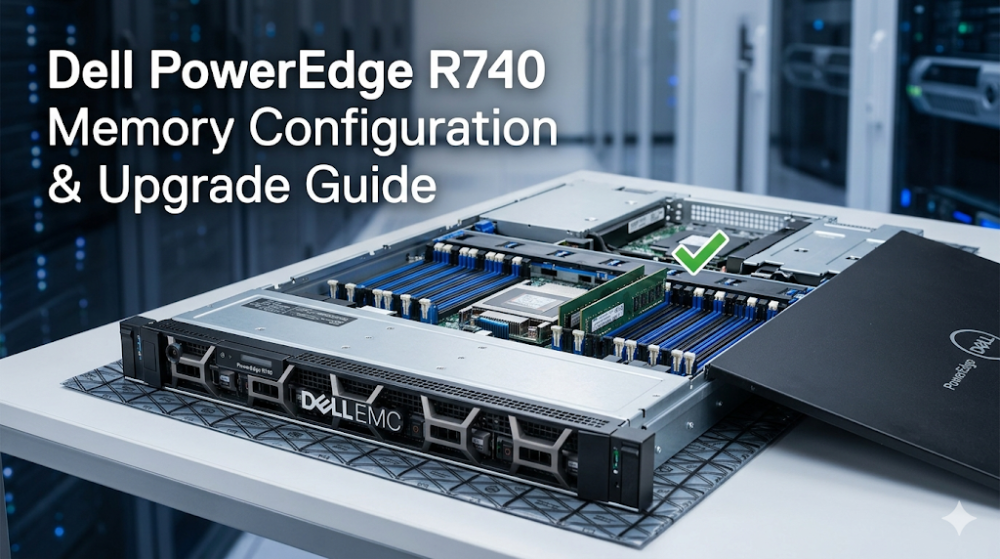
When you are performing a midnight vSphere cluster migration and suddenly notice virtual machines experiencing massive latency spikes, or worse, an ESXi host throwing a Purple Screen of Death (PSOD) due to uncorrectable memory errors, the root cause is almost always an unbalanced or misconfigured memory subsystem. In dual-socket enterprise platforms like the Dell PowerEdge R740, memory configuration is not merely a matter of plugging DIMMs into empty slots until the desired capacity is reached. It is a highly precise architectural exercise. Failing to adhere to strict memory channel layouts directly results in severe memory bandwidth degradation—sometimes up to 33%—and introduces significant Non-Uniform Memory Access (NUMA) penalties that cripple application performance.
This guide provides a deep technical breakdown of the Dell PowerEdge R740 memory configuration, details the strict Dell R740 memory population rules, and outlines how to execute a seamless PowerEdge R740 RAM upgrade to maximize compute density and throughput.
Part 1: Architectural Memory Controller and UPI Link Overview
The Dell PowerEdge R740 is built upon the 1st and 2nd Generation Intel Xeon Scalable Processor families (Skylake and Cascade Lake). To design an optimal Dell PowerEdge R740 memory configuration, one must first understand the underlying silicon architecture.
Each Intel Xeon Scalable processor features up to two Integrated Memory Controllers (IMCs). Each IMC manages three discrete memory channels, resulting in a total of six memory channels per processor socket. With a dual-socket R740 configuration, you have a total of 12 memory channels and 24 DIMM slots (12 DIMMs per CPU, or 2 DIMMs per channel - 2DPC).
The Impact of Memory Interleaving
Memory interleaving distributes memory accesses across multiple channels to maximize bandwidth. When all six memory channels per CPU are populated identically, the memory controller performs 6-way interleaving. This allows the system to read and write to all six channels simultaneously, achieving the maximum theoretical throughput (e.g., up to 282 GB/s on a dual-socket system running at 2933 MT/s).
If you violate the Dell R740 memory population rules by populating an unbalanced configuration—such as installing 4 or 8 DIMMs per CPU—the memory controller is forced to drop down to 4-way or 2-way interleaving, or even non-interleaved operation for certain memory regions. This creates a severe bandwidth bottleneck, starving high-core-count CPUs of the data they require and increasing port-to-port latency across the Ultra Path Interconnect (UPI) links.
NUMA Topology and UPI Latency
In a dual-socket PowerEdge R740, memory is local to the CPU socket hosting its respective memory controllers. When a core on CPU 1 needs to access data residing in memory controlled by CPU 2, it must traverse the UPI links. This cross-socket access introduces a latency penalty of approximately 60-80 nanoseconds compared to local memory access.
To prevent severe NUMA imbalance:
Symmetric Population: Ensure that CPU 1 and CPU 2 have identical memory configurations.
Balanced Channels: Populate all six channels per CPU identically to ensure uniform local memory bandwidth.
Avoid Mixing Speeds: Operating DIMMs of different speeds forces the entire memory bus to downclock to the lowest common denominator, increasing latency and reducing overall throughput.
Part 2: Hardware Specifications and Performance Sizing Guide
When planning a PowerEdge R740 RAM upgrade, you must select between Registered DIMMs (RDIMMs) and Load-Reduced DIMMs (LRDIMMs).
RDIMMs (Registered DIMMs): Feature an onboard register that buffers the address and command signals. This reduces electrical loading on the memory controller, allowing for stable operation at higher speeds, but limits maximum capacity per DIMM (typically up to 64GB or 128GB).
LRDIMMs (Load-Reduced DIMMs): Buffer both the control lines and the data lines using a memory buffer chip. This significantly reduces the electrical load on the memory bus, allowing for much higher density DIMMs (up to 128GB or 256GB) and enabling maximum system capacities of up to 3TB.
Note: Mixing RDIMMs and LRDIMMs within the same system is strictly unsupported and will prevent the server from POSTing.
Dell PowerEdge R740 Memory Population Rules
To ensure system stability and maximum performance, adhere to the following physical population sequence:
Slot Priority: Always populate the slots with white release tabs first (the first slot of each channel: A1-A6, B1-B6), followed by the black release tabs (A7-A12, B7-B12).
Rank Ordering: Populate DIMMs with the highest rank count first (e.g., Quad-Rank LRDIMMs before Dual-Rank RDIMMs).
Capacity Ordering: Populate the highest capacity DIMMs first (e.g., 64GB DIMMs in the first slot of each channel, followed by 32GB DIMMs in the second slot).
Memory Configuration and Performance Matrix
The following table outlines the recommended memory configurations for the Dell PowerEdge R740 to maintain optimal channel interleaving and performance:
Target Capacity (Dual CPU)
DIMM Qty & Type
Population Layout (Per CPU)
Interleaving Mode
Max Speed (2nd Gen Xeon)
192 GB
12x 16GB RDIMM
6x DIMMs (Slots A1-A6 / B1-B6)
6-Way (Optimal)
2933 MT/s
384 GB
12x 32GB RDIMM
6x DIMMs (Slots A1-A6 / B1-B6)
6-Way (Optimal)
2933 MT/s
768 GB
24x 32GB RDIMM
12x DIMMs (Slots A1-A12 / B1-B12)
6-Way (Optimal)
2933 MT/s (2DPC)
1.5 TB
24x 64GB RDIMM
12x DIMMs (Slots A1-A12 / B1-B12)
6-Way (Optimal)
2933 MT/s (2DPC)
3.0 TB
24x 128GB LRDIMM
12x DIMMs (Slots A1-A12 / B1-B12)
6-Way (Optimal)
2666 MT/s (2DPC)
Diagnostic CLI Commands via RACADM
To verify your current memory topology, operating speed, and health status without interrupting production workloads, utilize the Dell RACADM (Remote Access Controller Admin) CLI utility. Run the following commands to audit your memory subsystem:
# Retrieve detailed hardware inventory for all installed DIMMs
racadm hwinventory Bios.Setup.1 | grep -i "Mem"

# Check the current system memory operating speed and voltage
racadm get BIOS.MemSettings.SysMemSpeed

# Verify if Advanced ECC or Adaptive Double Device Data Correction (ADDDC) is enabled
racadm get BIOS.MemSettings.MemMode

# Query the System Event Log (SEL) specifically for memory-related ECC or multi-bit errors
racadm getsel -i | grep -E "MEM|Memory"
Part 3: Sourcing, BOM Optimization, and Risk Mitigation
Scaling out virtualization clusters or upgrading memory footprints on legacy bare-metal database servers often introduces significant procurement friction. Traditional OEM distribution channels frequently impose lead times of 6 to 8 weeks for enterprise-grade memory upgrades. In fast-paced enterprise environments, such delays can stall critical application rollouts, resulting in project delay penalties and missed business opportunities.
To mitigate these risks and optimize your Bill of Materials (BOM), you can leverage Router-switch's robust physical supply chain and engineering expertise. By bypassing 2 to 3 layers of traditional regional middleman markups, Router-switch provides direct bulk-purchase discounts that significantly lower the Total Cost of Ownership (TCO) for system integrators and enterprise IT departments.
Before finalizing your hardware procurement, you can optimize your server deployments by checking the Dell PowerEdge R740 Server Specifications and Inventory to ensure your chassis configuration matches your target memory density. Additionally, you can explore our comprehensive Dell Enterprise Servers Portfolio to find the perfect compute nodes for your data center expansion.
Why Source from Router-switch?
Rapid Dispatch & Availability: With over $20M+ in multi-warehouse on-shelf stock, Router-switch bypasses standard OEM lead times, offering same-week dispatch to minimize project downtime.
100% Genuine Guarantee: Every memory module and server component shipped is guaranteed 100% original and genuine, with serial numbers (S/N) fully verifiable in official vendor databases prior to shipment.
Complimentary Expert Consultancy: Access free 1-on-1 CCIE and Server Architect consultancy to validate your BOM, ensuring your proposed memory population strictly adheres to Intel's channel interleaving rules.
Enterprise-Grade Warranty & RMA: All hardware is backed by a complimentary 3-Year RS Care extended warranty. In the rare event of a component failure, our Rapid RMA standby replacement service ships replacement hardware first, minimizing your Mean Time to Repair (MTTR).
Part 4: Frequently Asked Questions (FAQ)
1. Can I mix RDIMMs and LRDIMMs in a Dell PowerEdge R740 memory configuration?
No, mixing RDIMMs and LRDIMMs within the same system is strictly unsupported. If you attempt to mix these memory types, the server will fail to complete the Power-On Self-Test (POST) and will log a memory configuration error in the Integrated Dell Remote Access Controller (iDRAC). Always ensure all installed DIMMs are of the same type.
2. What happens to memory speed if I populate 2 DIMMs per channel (2DPC)?
On the PowerEdge R740 with 2nd Generation Intel Xeon Scalable Processors, populating 2 DIMMs per channel (2DPC) using standard RDIMMs allows the memory bus to continue running at its maximum rated speed of 2933 MT/s (assuming the processor and DIMMs support it). However, if you use high-density LRDIMMs or 1st Gen Xeon Scalable Processors, populating the second slot of a channel may cause the memory speed to automatically downclock from 2666 MT/s to 2400 MT/s or 2133 MT/s to maintain signal integrity.
3. How does unbalanced memory population affect NUMA performance on the R740?
An unbalanced memory configuration (e.g., populating 8 DIMMs on CPU 1 and only 4 DIMMs on CPU 2) breaks symmetric NUMA boundaries. The operating system or hypervisor will be forced to allocate memory across the UPI links for workloads running on CPU 2, introducing a 60-80ns latency penalty. Furthermore, unbalanced configurations disable multi-channel interleaving, reducing local memory bandwidth by up to 33%.
4. What is the maximum memory capacity of the PowerEdge R740, and what are the processor requirements?
The PowerEdge R740 supports a maximum memory capacity of 1.5TB using 24x 64GB RDIMMs, or up to 3.0TB using 24x 128GB LRDIMMs. To achieve the maximum 3.0TB capacity, you must install 2nd Generation Intel Xeon Scalable Processors that support large memory footprints (processors with an "M" or "L" suffix, such as the Gold 6240L, which support up to 4.5TB per socket). Standard processors without these suffixes are limited to 1.5TB of addressable memory per socket.
5. How do I resolve a "MEM0001" or "MEM0002" multi-bit ECC error on the R740?
A "MEM0001" or "MEM0002" error indicates that the system has detected an uncorrectable multi-bit memory error, which typically causes a system crash or PSOD to prevent data corruption. To resolve this:
Identify the failing DIMM slot indicated in the iDRAC System Event Log (SEL).
Power down the server, perform ESD precautions, and reseat the identified DIMM.
If the error persists, swap the suspect DIMM with an identical DIMM in a different channel to determine if the failure follows the DIMM (defective RAM) or stays with the slot (defective motherboard/CPU memory controller).
If the DIMM is defective, leverage Router-switch's Rapid RMA standby replacement under your 3-Year RS Care warranty to secure a replacement module immediately.
Expertise Builds Trust
20+ Years • 200+ Countries • 21500+ Customers/Projects
CCIE · JNCIE · NSE7 · ACDX · HPE Master ASE · Dell Server/AI Expert