Solving Warehouse WiFi Coverage and Uptime IssuesDesign reliable warehouse WiFi coverage and uptime with warehouse wifi 6 ap, industrial wireless access points, and warehouse poe switches for racks and docks.
OLT Capacity Planning for GPON Access NetworksPlan OLT capacity for GPON OLT systems and EA5800 capacity planning, optimizing GPON split ratio and OLT uplink design for scalable fiber access.
Enterprise OLT Platform Selection for Fiber AccessDesign enterprise OLT platform strategy for GPON OLT platform, modular OLT chassis, and OLT service boards to scale passive optical LAN and XG-PON evolution.
Scale Data Center Networking Under Long Lead TimesScale data center networking faster under long lead times with data center spine switches, leaf spine data center designs and Cisco UCS fabric interconnects.
Tunnel Video Surveillance VLAN Stability over FiberDesign stable tunnel video surveillance VLANs using optical transport backbone and Arista fiber aggregation for resilient Huawei OptiX OSN CCTV networks.
Fiber vs Copper in Industrial Networks Design GuideCompare fiber vs copper in industrial ethernet, plan hybrid industrial fiber network designs, and select rugged ethernet switches and industrial SFP transceivers.
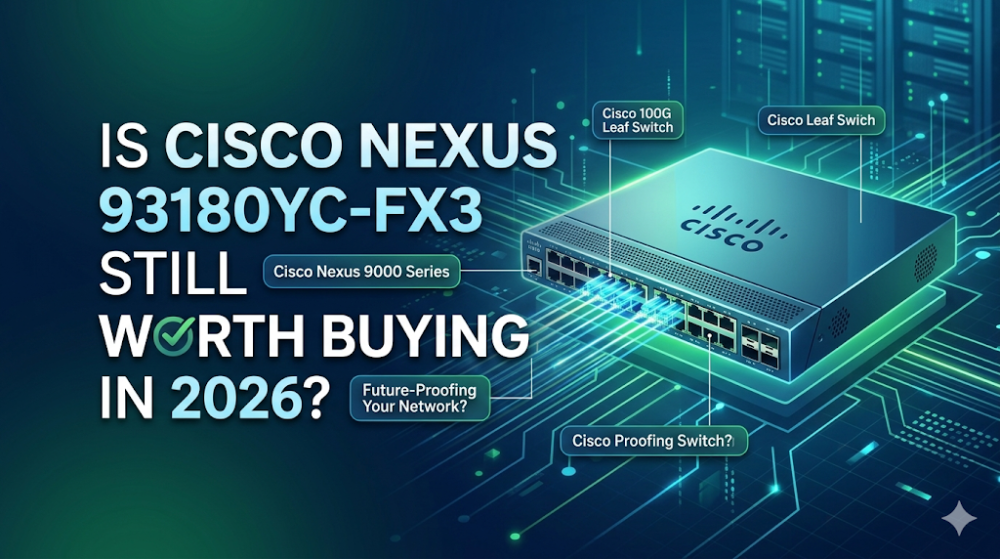
Imagine a midnight vSAN storage migration across your enterprise cluster where suddenly, random storage nodes report latency spikes and silent packet drops. You trace the issue back to your legacy leaf switches struggling with microbursts. As you plan a critical 25GbE switch upgrade to modernize your infrastructure, a key question arises: In 2026, with 400G/800G dominating the spine and 100G/200G pushing into the leaf, is the 25GbE-focused Cisco Nexus 93180YC-FX3 still a viable, cost-effective choice for enterprise data center leaf switch deployments? Or has it been relegated to legacy status by newer silicon?
This deep-dive architectural analysis evaluates the hardware capabilities, real-world deployment performance, and strategic procurement viability of the Cisco Nexus 93180YC-FX3 in 2026.
Silicon Architecture: Inside the Cloud Scale ASIC Pipeline
At the core of the Cisco Nexus 93180YC-FX3 is Cisco’s proprietary Cloud Scale ASIC (specifically the Spectra-lite generation), engineered to handle high-density, low-latency switching. While newer 400G-native switches rely on massive, power-hungry ASICs, the FX3's silicon is highly optimized for 1/10/25GbE downlinks and 40/100GbE uplinks.
Unlike older switch architectures that utilize static, rigid buffer allocations per port, the Cisco Nexus 9000 Series FX3 platform utilizes a smart, fully dynamic packet buffer allocation scheme. The switch features a 40MB shared packet buffer that dynamically allocates memory to ports experiencing heavy congestion. This is critical for preventing packet drops during microbursts—sudden, sub-millisecond spikes in traffic common in high-performance computing (HPC) and clustered storage environments.
The ASIC pipeline also features hardware-rate MACsec encryption on all ports, allowing secure, wire-speed data encryption without adding latency. For an EVPN-VXLAN deployment, the FX3's ASIC processes VXLAN encapsulation and decapsulation directly in the hardware pipeline. This ensures that routing packets across virtual overlays does not introduce the software-processing bottlenecks common in older-generation hardware.
Resolving the Flapping Port: FEC Modes and Transceiver Compatibility
A frequent pain point reported by network engineers during a 25GbE switch upgrade is port flapping or complete link failure when connecting the Cisco Nexus 93180YC-FX3 to third-party network interface cards (NICs) or transceivers. This is almost always caused by a Forward Error Correction (FEC) mismatch.
By default, 25GbE standards allow for multiple FEC modes: CL91 (RS-FEC), CL74 (FC-FEC), or No-FEC. If the switch port and the host NIC do not negotiate the same FEC mode, the physical link will fail to establish.
To diagnose and resolve these compatibility issues, engineers can use the following NX-OS CLI commands to manually override FEC settings and check for buffer drops:
# Verify the physical transceiver details and DOM (Digital Optical Monitoring)
show interface ethernet 1/1 transceiver details

# Check for FEC configuration and operational status
show interface ethernet 1/1 fec

# Manually configure the FEC mode to resolve mismatches with third-party NICs
configure terminal
interface ethernet 1/1
  # Options: rs (CL91), fc (CL74), or off (No-FEC)
  fec rs
  exit

# Verify if the port is experiencing buffer drops or microbursts
show queuing interface ethernet 1/1
Additionally, when deploying third-party transceivers, NX-OS may flag them as unsupported and disable the port. To bypass this restriction and ensure seamless integration with your existing optical fiber plant, use the following configuration:
configure terminal
  service unsupported-transceiver
  no errdisable detect cause tx-fault
Performance Sizing: 93180YC-FX3 vs. Next-Gen Alternatives
When designing a modern data center fabric, selecting the right hardware requires balancing throughput, buffer capacity, and routing scale. The table below compares the Cisco Nexus 93180YC-FX3 against its predecessor (FX2) and the next-generation 100G-native leaf (GX) to help you size your deployment correctly.
Specification
Nexus 93180YC-FX2
Nexus 93180YC-FX3
Nexus 93600CD-GX
ASIC Generation
Cloud Scale (Tahoe)
Cloud Scale (Spectra-lite)
Cloud Scale (Falcon)
Downlink Ports
48 x 1/10/25G SFP28
48 x 1/10/25G SFP28
28 x 10/25/50G SFP28
Uplink Ports
6 x 40/100G QSFP28
6 x 40/100G QSFP28
8 x 40/100G QSFP28
Packet Buffer
40 MB (Shared)
40 MB (Smart Buffer)
80 MB (Shared)
MACsec Support
Supported on select ports
Supported on all ports
Supported on all ports
L3 Routing Scale (LPM)
Up to 896,000 routes
Up to 1,000,000 routes
Up to 1,500,000 routes
While the GX series offers higher raw bandwidth, the FX3 remains the sweet spot for enterprises that require high-density 10/25G host connectivity without the steep price premium and power consumption of 100G-native leaf switches.
Strategic Procurement: Mitigating Lead Times and OEM Lock-in
In 2026, sourcing enterprise hardware through traditional distribution channels can still present significant hurdles. Long lead times of 6 to 8 weeks are common, which can delay critical infrastructure rollouts and lead to project delay penalties. Furthermore, rigid OEM licensing and hardware lock-ins can inflate your Bill of Materials (BOM) unnecessarily.
To optimize your procurement strategy, you can explore the Cisco Nexus 93180YC-FX3 Price and Inventory Status. By leveraging Router-switch’s physical supply chain strengths, enterprises and system integrators can bypass traditional bottlenecks:
Immediate Availability: Router-switch maintains over $20M+ in multi-warehouse on-shelf stock, enabling same-week dispatch to keep your projects on schedule.
BOM Optimization: A flat supply chain bypasses multiple layers of regional middleman markups, allowing you to secure direct bulk-purchase discounts.
Risk Mitigation: Every switch comes with a 100% original genuine guarantee, with serial numbers (S/N) fully verifiable in the vendor's official database prior to shipping.
Post-Deployment Support: To minimize MTTR (Mean Time to Repair), Router-switch offers free 1-on-1 CCIE technical consultancy and a complimentary 3-Year RS Care extended warranty, backed by a Rapid RMA standby replacement program that ships replacement hardware first.
Expert Troubleshooting & Community FAQ
How do I resolve silent packet drops on the 93180YC-FX3 during microbursts?
Silent packet drops are typically caused by egress buffer exhaustion. To resolve this, configure the switch to use dynamic buffer allocation profiles rather than static allocations. You can also enable Priority Flow Control (PFC) or Explicit Congestion Notification (ECN) to signal the sending hosts to throttle traffic before the buffer overflows.
Does the 93180YC-FX3 support full EVPN-VXLAN Multi-Site without performance degradation?
Yes. The Spectra-lite ASIC inside the FX3 supports hardware-based VXLAN routing and Multi-Site Border Gateway (BGW) functions. Because encapsulation and decapsulation occur in the ASIC pipeline, there is no performance degradation or latency penalty when routing traffic between different data center sites.
What is the exact command to force RS-FEC (CL91) on a 25GbE port?
To force RS-FEC on a 25G interface, enter configuration mode and apply the fec rs command:
configure terminal
interface ethernet 1/1
  fec rs
Ensure that the connecting NIC on the server side is also configured for RS-FEC (sometimes referred to as CL91).
Can I mix third-party optics with Cisco-branded transceivers on this switch?
Yes, you can mix them. However, to prevent NX-OS from disabling ports containing third-party optics, you must enable the service unsupported-transceiver command in the global configuration. It is also recommended to use high-quality, fully coded transceivers to ensure accurate DOM readings.
Expertise Builds Trust
20+ Years • 200+ Countries • 21500+ Customers/Projects CCIE · JNCIE · NSE7 · ACDX · HPE Master ASE · Dell Server/AI Expert