Solving Warehouse WiFi Coverage and Uptime IssuesDesign reliable warehouse WiFi coverage and uptime with warehouse wifi 6 ap, industrial wireless access points, and warehouse poe switches for racks and docks.
OLT Capacity Planning for GPON Access NetworksPlan OLT capacity for GPON OLT systems and EA5800 capacity planning, optimizing GPON split ratio and OLT uplink design for scalable fiber access.
Enterprise OLT Platform Selection for Fiber AccessDesign enterprise OLT platform strategy for GPON OLT platform, modular OLT chassis, and OLT service boards to scale passive optical LAN and XG-PON evolution.
Scale Data Center Networking Under Long Lead TimesScale data center networking faster under long lead times with data center spine switches, leaf spine data center designs and Cisco UCS fabric interconnects.
Tunnel Video Surveillance VLAN Stability over FiberDesign stable tunnel video surveillance VLANs using optical transport backbone and Arista fiber aggregation for resilient Huawei OptiX OSN CCTV networks.
Fiber vs Copper in Industrial Networks Design GuideCompare fiber vs copper in industrial ethernet, plan hybrid industrial fiber network designs, and select rugged ethernet switches and industrial SFP transceivers.
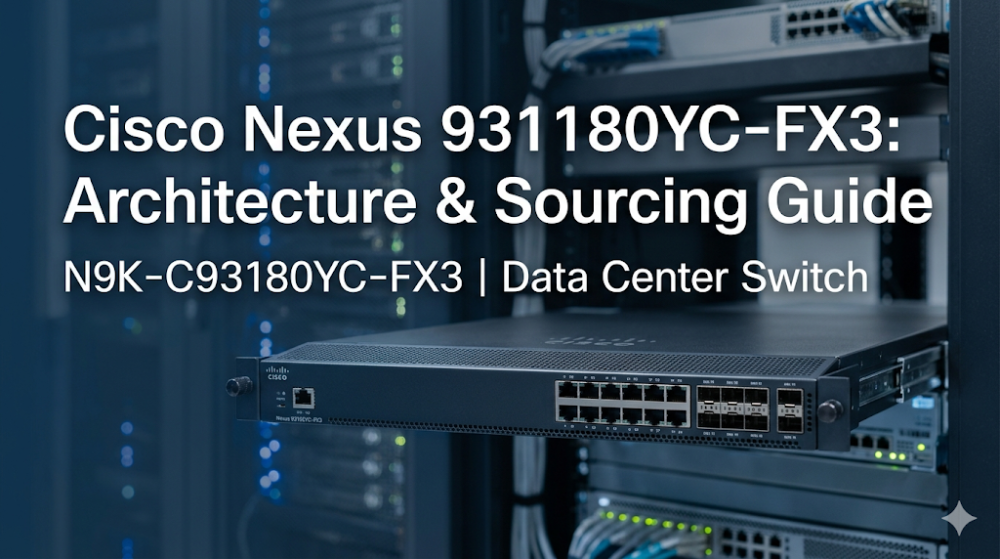
When you are performing a midnight vSAN migration or scaling out an EVPN-VXLAN fabric, the last thing you want to see is silent packet drops across your leaf switches due to microbursts or port flapping caused by Forward Error Correction (FEC) mismatches. In high-density virtualized environments, selecting a top-of-rack (ToR) switch that balances high-speed port density, deep packet buffers, and predictable latency is critical. The Cisco Nexus 93180YC-FX3 has emerged as a premier choice for modern enterprise networks, but understanding its underlying ASIC pipeline, hardware limitations, and real-world deployment nuances is essential before committing capital.
This guide provides a deep technical analysis of the N9K-C93180YC-FX3, comparing it to its predecessors, addressing common community engineering struggles, and outlining optimized sourcing strategies to keep your deployments on schedule and within budget.
The Cisco Nexus 93180YC-FX3 is built on Cisco's proprietary Cloud Scale ASIC technology, specifically designed for the Cisco Nexus 9300-FX3 series. Unlike generic merchant silicon, this custom ASIC architecture optimizes packet buffer serialization and lookup pipelines, delivering sub-microsecond port-to-port latency. This makes it highly suitable for latency-sensitive applications like high-frequency trading (HFT) and NVMe-over-Fabrics (NVMe-oF) storage networks.
Packet Buffer Allocation and Microburst Mitigation
A common pain point in legacy data center switches is packet loss during microbursts—sudden, intense spikes in traffic that overwhelm egress port buffers. The N9K-C93180YC-FX3 features a 40MB intelligent shared buffer space. Rather than statically partitioning buffers per port, the Cloud Scale ASIC dynamically allocates buffer memory to ports experiencing congestion. This dynamic allocation prevents packet drops during heavy multi-cast video streams or storage replication tasks.
Real-World Engineering Struggles: FEC Mismatches and Fan Noise
Network engineers migrating from older EX models to the FX3 platform frequently encounter two distinct issues on community forums like Reddit:
FEC Mismatches on 25G Ports: When connecting 25G NICs (Network Interface Cards) to the SFP28 ports of the FX3, ports may flap or fail to link up. This is typically caused by a mismatch in Forward Error Correction (FEC) modes (e.g., CL91 RS-FEC vs. CL74 Firecode vs. No-FEC). The FX3 requires manual FEC configuration depending on the transceiver and cable length used.
100% Fan Speed Duty Cycle: Some operators report that their Nexus 9300 switches run their fans at 100% continuously, creating extreme noise. This is often triggered by a mismatch between the power supply airflow direction (Port-side Intake vs. Port-side Exhaust) and the fan tray airflow direction, or by inserting unapproved third-party transceivers that trigger thermal protection algorithms in NX-OS.
To diagnose and resolve these issues, engineers can utilize the following NX-OS CLI diagnostic and configuration commands:
# Verify fan status, airflow direction, and thermal sensor readings
show environment fan
show system internal thermal-mgr sensor

# Check transceiver details and Digital Optical Monitoring (DOM) to identify unapproved optics
show interface Ethernet 1/1 transceiver details

# Manually configure FEC on a 25G interface to resolve port flapping
interface Ethernet 1/1
  speed 25000
  fec rs
  no shutdown

# Verify the operational FEC status on the interface
show interface Ethernet 1/1 status
Part 2: Hardware Specifications and Performance Sizing Guide
When designing high-density leaf-spine architectures, integrating robust Cisco Switches Solutions is critical to ensuring non-blocking fabric performance. The Cisco Nexus 93180YC-FX3 serves as a highly versatile leaf switch, supporting 48 fixed 1/10/25/50-Gbps SFP28 downlink ports and 6 fixed 40/100-Gbps QSFP28 uplink ports.
To understand where the FX3 fits in your network evolution, it is helpful to compare it directly with the older N9K-C93180YC-FX and the entry-level N9K-C93180YC-EX.
The following table outlines the key hardware differences based on the official N9K-C93180YC-FX3 datasheet:
Specification / Feature
N9K-C93180YC-EX
N9K-C93180YC-FX
N9K-C93180YC-FX3
Downlink Ports
48 x 1/10/25-Gbps SFP28
48 x 1/10/25-Gbps SFP28
48 x 10/25/50-Gbps SFP28
Uplink Ports
6 x 40/100-Gbps QSFP28
6 x 40/100-Gbps QSFP28
6 x 40/100-Gbps QSFP28
Switching Capacity
3.6 Tbps / 1.4 Bpps
3.6 Tbps / 1.2 Bpps
3.6 Tbps / 1.2 Bpps
System Buffer
40 MB (Shared)
40 MB (Shared)
40 MB (Shared)
Fibre Channel Support
No
Yes (16/32G FC)
No (Ethernet/IP Only)
Typical Power Consumption
210W
260W
375W
MACsec Support
No
Yes (On all ports)
Yes (On select ports)
Key Sizing Takeaways:
50G Downlink Capability: The FX3 stands out by supporting 50-Gbps downlinks, allowing you to future-proof your server connections as next-generation NICs enter your compute cluster.
Power Sizing: The FX3 has a higher typical power draw (375W) compared to the FX (260W). Ensure your rack's power distribution units (PDUs) and cooling systems are sized to handle this thermal load, especially when deploying multiple units in a vPC pair.
Fibre Channel Storage Convergence: If your data center relies on native Fibre Channel (FC) storage, the older FX model supports 16/32G FC, whereas the FX3 is optimized purely for high-speed Ethernet and IP-based storage (such as iSCSI or RoCEv2).
Part 3: Sourcing, BOM Optimization, and Risk Mitigation
Sourcing enterprise-grade hardware like the Cisco Nexus 93180YC-FX3 involves navigating complex supply chains. Traditional distribution channels often quote lead times of 6 to 8 weeks or longer, which can stall critical data center expansions and result in project delay penalties.
Router-switch addresses these challenges by maintaining a $20M+ multi-warehouse on-shelf stock, enabling same-week dispatch to minimize project downtime. By utilizing a flat supply chain that bypasses multiple layers of regional middleman markups, Router-switch allows systems integrators and SMEs to secure direct bulk-purchase discounts, optimizing the overall Bill of Materials (BOM).
Mitigating Post-Deployment Risks
Hardware procurement is only the first step; long-term operational stability is equally critical. While traditional Cisco SmartNet contracts provide peace of mind, they often come with high recurring costs. Router-switch mitigates post-deployment risks through a comprehensive support structure:
Free 1-on-1 CCIE Consultancy: Access expert guidance during the design and configuration phases to prevent common deployment errors, such as FEC mismatches or vPC peer-link misconfigurations.
Complimentary 3-Year RS Care Extended Warranty: Provides long-term hardware protection without the premium price tag of traditional service contracts.
Rapid RMA Standby Replacement: In the event of a hardware failure, Router-switch ships a replacement unit first, minimizing your Mean Time to Repair (MTTR) and keeping your operations running smoothly.
100% Original Genuine Guarantee: Every switch shipped features fully verifiable serial numbers (S/N) in official vendor databases, ensuring authenticity and compliance.
Part 4: Frequently Asked Questions (FAQ)
Q1: What is the main difference in the Nexus 93180YC-FX3 vs FX3S?
The primary difference lies in hardware-based security and storage capabilities. The "S" variant (FX3S) typically includes enhanced MACsec encryption capabilities across all ports and specialized hardware telemetry features. For standard high-density 10/25/50G leaf deployments where line-rate MACsec on every single port is not a strict requirement, the standard N9K-C93180YC-FX3 offers a more cost-effective solution.
Q2: Why are my Cisco Nexus 93180YC-FX3 fans running at 100% continuously?
This is usually caused by one of two issues:
Airflow Mismatch: The switch detects a mismatch between the airflow direction of the power supplies (e.g., Port-side Intake / Blue) and the fan modules (e.g., Port-side Exhaust / Red). NX-OS will run the fans at maximum speed to prevent thermal damage.
Third-Party Optics: Inserting unsupported or unapproved transceivers can cause the switch to lose temperature monitoring capabilities on that port, triggering a fail-safe 100% fan speed. Ensure your optics are compatible and that the airflow directions of your fans and power supplies match.
Q3: Does the N9K-C93180YC-FX3 support native Fibre Channel (FC)?
No. Unlike the older N9K-C93180YC-FX, which supports 16/32G native Fibre Channel ports, the N9K-C93180YC-FX3 is an Ethernet-only switch. It is designed for high-performance IP-based storage protocols such as RoCEv2 (RDMA over Converged Ethernet), iSCSI, and NVMe-oF.
Q4: How do I resolve port flapping when connecting a 25G NIC to the FX3?
Port flapping on 25G connections is almost always a Forward Error Correction (FEC) mismatch. By default, some NICs expect RS-FEC (CL91), while the switch may default to Base-R FEC (CL74) or No-FEC. You must log into the NX-OS CLI and manually configure the FEC mode on the switch port to match the NIC's capabilities using the fec rs or fec cl74 command.
Q5: Can I migrate seamlessly from an older EX switch to the FX3?
Yes. The Cisco Nexus 93180YC-FX3 runs the same NX-OS software binary image structure as the EX and FX series. You can migrate your configuration files (including vPC, EVPN-VXLAN, and L3 routing protocols) with minimal modifications. However, you must verify that any physical port mappings and power/cooling requirements are updated to accommodate the FX3's higher typical power draw of 375W.
Expertise Builds Trust
20+ Years • 200+ Countries • 21500+ Customers/Projects CCIE · JNCIE · NSE7 · ACDX · HPE Master ASE · Dell Server/AI Expert