Solving Warehouse WiFi Coverage and Uptime IssuesDesign reliable warehouse WiFi coverage and uptime with warehouse wifi 6 ap, industrial wireless access points, and warehouse poe switches for racks and docks.
OLT Capacity Planning for GPON Access NetworksPlan OLT capacity for GPON OLT systems and EA5800 capacity planning, optimizing GPON split ratio and OLT uplink design for scalable fiber access.
Enterprise OLT Platform Selection for Fiber AccessDesign enterprise OLT platform strategy for GPON OLT platform, modular OLT chassis, and OLT service boards to scale passive optical LAN and XG-PON evolution.
Scale Data Center Networking Under Long Lead TimesScale data center networking faster under long lead times with data center spine switches, leaf spine data center designs and Cisco UCS fabric interconnects.
Tunnel Video Surveillance VLAN Stability over FiberDesign stable tunnel video surveillance VLANs using optical transport backbone and Arista fiber aggregation for resilient Huawei OptiX OSN CCTV networks.
Fiber vs Copper in Industrial Networks Design GuideCompare fiber vs copper in industrial ethernet, plan hybrid industrial fiber network designs, and select rugged ethernet switches and industrial SFP transceivers.
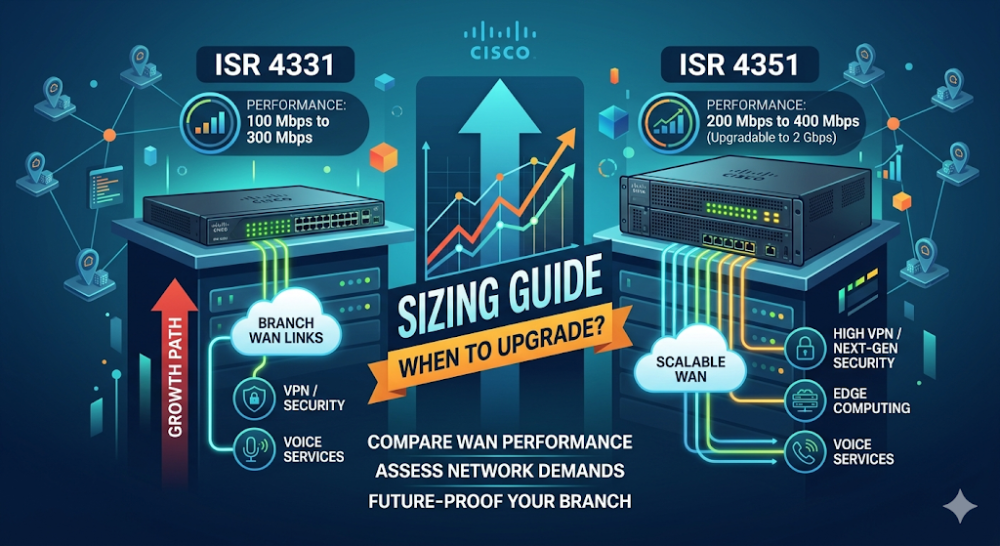
When a branch office WAN project reaches the router selection stage, the Cisco ISR 4000 series is usually the starting point. Within that series, the ISR 4331 and ISR 4351 sit next to each other in the product stack — close enough in price that buyers often pause to ask whether the smaller model is sufficient or whether the upgrade to the 4351 is justified. This guide explains the real performance difference, the business triggers that push buyers toward the 4351, and how to avoid the common mistake of sizing for today's bandwidth while ignoring tomorrow's services.
Both the ISR 4331 and ISR 4351 are fixed-configuration branch routers in Cisco's ISR 4000 family. They share the same software foundation (IOS-XE), the same security feature set, and the same modular architecture using Network Interface Modules (NIMs) and Service Modules (SM-X). The difference is in throughput capacity and slot density.
Cisco ISR 4331
The ISR 4331 is positioned as the entry-level model in the 4300 sub-series. It targets small to medium branch offices with moderate WAN bandwidth needs and a limited set of concurrent services. Cisco rates its aggregate throughput at roughly 100–150 Mbps with typical security services enabled — enough for a branch with a few dozen users and standard cloud applications.
Cisco ISR 4351
The ISR 4351 sits one tier above, targeting medium to large branches or regional offices where WAN bandwidth, user count, or service density is higher. With roughly double the throughput headroom of the 4331 when services are active, it is the safer choice when branch traffic includes real-time voice or video, heavy VPN use, or plans to add security inspection in the future.
Part 2: Performance Reality — Throughput with Services
Raw throughput numbers on a datasheet rarely match what buyers see in production. The gap comes from the services running on the router. A router rated for 300 Mbps of plain IP forwarding may deliver only a third of that once firewall inspection, NAT, VPN encryption, and traffic shaping are enabled.
Here is how the two models compare under load:
d>
Metric
ISR 4331
ISR 4351
Base IP throughput (no services)
~300 Mbps
~500 Mbps
Throughput with firewall + NAT
~100–150 Mbps
~200–300 Mbps
Throughput with IPsec VPN
~75–100 Mbps
~150–200 Mbps
Throughput with full security stack
~50–75 Mbps
~100–150 Mbps
Typical user count supported
25–75 users
75–150 users
These numbers are approximations based on Cisco's published performance guidance and field observations. The exact throughput any given deployment achieves depends on packet size, traffic mix, and which specific features are enabled. But the relative gap is consistent: the 4351 provides roughly 1.5–2× the headroom of the 4331 under the same service load.
Why the Service Penalty Matters
Many buyers size routers based on their WAN circuit speed. A branch with a 100 Mbps MPLS or broadband link might assume the ISR 4331 is sufficient because its base throughput exceeds 100 Mbps. But once firewall inspection, site-to-site VPN, and application-aware QoS are enabled, the effective throughput can drop below the line rate — creating a bottleneck that is hard to diagnose because the WAN circuit itself is not saturated.
The safer sizing approach is to estimate the services-adjusted throughput needed, not just the raw WAN speed. For a 100 Mbps branch running VPN and firewall, the 4351's headroom provides margin for traffic spikes and future service additions without requiring a hardware swap.
Part 3: Port and Module Flexibility
Beyond throughput, the two models differ in how many interfaces and modules they can accept. This matters when a branch needs redundant WAN links, multiple LAN segments, or specialized connectivity such as LTE backup or T1/E1 legacy circuits.
Feature
ISR 4331
ISR 4351
Built-in GE ports
2
3
NIM slots
2
3
SM-X service module slots
1
1
Max WAN/LAN interfaces
Limited by 2 NIMs
More flexible with 3 NIMs
Typical use case
Single or dual WAN
Dual WAN + LTE/legacy backup
The extra NIM slot on the 4351 is often the deciding factor for branches that need more than two WAN connections. A common configuration is: primary MPLS in NIM 1, secondary broadband in NIM 2, and LTE backup in NIM 3. The ISR 4331 cannot support this three-link topology without external devices.
Part 4: Sizing Scenarios — When to Choose Which
Use this table to match your branch profile to the right model. This is designed to be shared with your technical team or procurement approver.
If your branch looks like this...
Choose
Why
25–50 users, single WAN, basic VPN
ISR 4331
Sufficient headroom, lower cost
50–100 users, dual WAN, VoIP traffic
ISR 4351
Need throughput margin for real-time traffic
100+ users, heavy cloud/SaaS use
ISR 4351
Base load already near 4331 ceiling
Needs LTE or T1/E1 backup
ISR 4351
Third NIM slot required
Plans to add NGFW or IDS in next 2 years
ISR 4351
Security services consume significant throughput
Budget-constrained, known static load
ISR 4331
Acceptable if growth is not expected
SD-WAN deployment with multiple overlays
ISR 4351
SD-WAN encryption and path selection add overhead
The "Future-Proofing" Calculation
A common mistake is sizing for today's user count and application mix while ignoring that branch traffic grows 20–30% year over year in most organizations. A router that is 60% utilized today will be at capacity in two years if that growth holds.
For branches on a 3–5 year refresh cycle, the 4351's extra headroom often pays for itself by avoiding an early replacement. The incremental cost between the 4331 and 4351 is typically smaller than the cost of swapping out an undersized router 18 months into its life.
Part 5: EoS Considerations and Migration Path
Cisco has announced the end-of-sale for select ISR 4000 models as part of the transition to the Catalyst 8000 series. While the ISR 4331 and 4351 remain available today, buyers planning long deployments should understand the migration landscape.
According to Cisco's EoL bulletins, the ISR 4000 family is being succeeded by the Catalyst 8300 and 8200 series for branch roles. The migration mapping is roughly:
ISR 4331 → Catalyst 8300 (C8300-1N1S-4T2X or similar)
ISR 4351 → Catalyst 8300 higher-density models
For buyers who prefer to stay within the ISR 4000 family for operational consistency, the window to purchase is narrowing. For new deployments, evaluating the Catalyst 8000 series alongside the ISR 4000 may be prudent, especially if the organization plans to adopt Cisco SD-WAN or cloud-managed branch solutions.
Router-Switch maintains current stock and lead-time visibility for both ISR 4000 and Catalyst 8000 models, which helps buyers avoid choosing between an available but EoS-bound platform and a newer platform with longer lead times.
FAQ
Can I upgrade an ISR 4331 to an ISR 4351 by adding modules?
No. The throughput difference is built into the chassis and cannot be changed by adding NIMs or licenses. If you discover that the 4331 is undersized, the only remedy is to replace the chassis.
Does the ISR 4351 require different licensing than the 4331?
Both use the same Cisco IOS-XE licensing structure (DNA Essentials, DNA Advantage, etc.). The 4351 may require a higher-tier license to unlock its full feature set, but the licensing model is consistent across the ISR 4000 family.
Is the ISR 4331 being discontinued?
Cisco has announced EoS dates for some ISR 4000 models, but specific EoL timelines vary by SKU and region. Check Cisco's EoL bulletins or consult with your supplier for the current status of the exact model you are considering. Router-Switch's Cisco router EOL list tracks the latest announcements for ISR and ASR families.
Can I run SD-WAN on both models?
Yes, both the ISR 4331 and ISR 4351 support Cisco SD-WAN (Viptela) when running the appropriate IOS-XE SD-WAN image. However, SD-WAN adds encryption and control-plane overhead, which makes the 4351's extra throughput more valuable in practice.
What is the typical price difference between the 4331 and 4351?
The list price gap varies by configuration and region, but the 4351 typically costs 20–40% more than the 4331 for the base chassis. When factoring in modules and licenses, the total project cost difference is often narrower. For organizations with Cisco EAs or volume agreements, the incremental cost may be even smaller.
Should I buy the 4351 even if my branch is small today?
If the branch is part of a standardized fleet and you want to use one router model everywhere, the 4351 is a safer standard. If the branch is an outlier with genuinely low and static needs, the 4331 is a reasonable cost saving. The key is being honest about whether "static needs" is a realistic assumption.
If you have confirmed your branch's user count, WAN bandwidth, and service requirements but need help validating which ISR model fits your 3-year growth plan, send your requirements to Router-Switch for a branch router sizing review. We will confirm model fit, check stock and lead times for both ISR 4000 and Catalyst 8000 alternatives, and flag any EoS risks before you lock the quote.
Expertise Builds Trust
20+ Years • 200+ Countries • 21500+ Customers/Projects CCIE · JNCIE · NSE7 · ACDX · HPE Master ASE · Dell Server/AI Expert