Solving Warehouse WiFi Coverage and Uptime IssuesDesign reliable warehouse WiFi coverage and uptime with warehouse wifi 6 ap, industrial wireless access points, and warehouse poe switches for racks and docks.
OLT Capacity Planning for GPON Access NetworksPlan OLT capacity for GPON OLT systems and EA5800 capacity planning, optimizing GPON split ratio and OLT uplink design for scalable fiber access.
Enterprise OLT Platform Selection for Fiber AccessDesign enterprise OLT platform strategy for GPON OLT platform, modular OLT chassis, and OLT service boards to scale passive optical LAN and XG-PON evolution.
Scale Data Center Networking Under Long Lead TimesScale data center networking faster under long lead times with data center spine switches, leaf spine data center designs and Cisco UCS fabric interconnects.
Tunnel Video Surveillance VLAN Stability over FiberDesign stable tunnel video surveillance VLANs using optical transport backbone and Arista fiber aggregation for resilient Huawei OptiX OSN CCTV networks.
Fiber vs Copper in Industrial Networks Design GuideCompare fiber vs copper in industrial ethernet, plan hybrid industrial fiber network designs, and select rugged ethernet switches and industrial SFP transceivers.
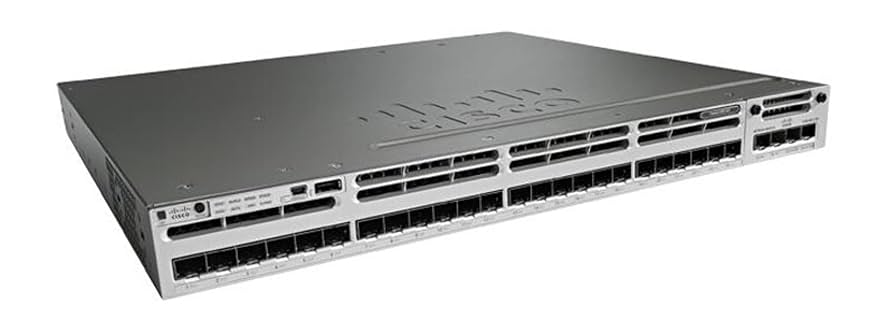
For IT administrators and network engineers, knowing the default credentials for a Cisco Catalyst 3850 switch is a critical step in setup or recovery. While many resources list admin/cisco as the default, enterprise switches often require initial configuration before these credentials are usable.
Tip: Defaults apply only to brand-new switches. Pre-configured devices may have different credentials, requiring password recovery.
Part 2: Why the Default Password May Fail
The password was likely changed during the initial CLI wizard or Express Setup.
Cisco enforces strong passwords for enterprise security.
Access may require physical password recovery or a factory reset.
Part 3: Step-by-Step Catalyst 3850 Password Reset Guide
Service Password Recovery vs. Factory Reset
Service Password Recovery: Enabled by default; allows password reset without losing configuration.
Disabled Recovery: Will remove all configuration and user files when triggered from the boot menu.
Factory Reset Procedure (Mode Button)
Factory Reset Steps for Catalyst 3850
Step
Action
Details
1
Erase startup config (Optional)
Switch# erase startup-config
2
Ensure power on
Switch must be on
3
Press Mode button
LEDs blink after ~3 sec
4
Continue holding
LEDs stop blinking ~7 sec; switch restarts
5
Initial Setup
Run Express Setup for new configuration
Console Access Settings
Console Access Default Settings
Setting
Value
Baud Rate
9600
Data Bits
8
Parity
None
Stop Bits
1
Flow Control
None
Part 4: Critical Security Best Practices
1. Enforce Strong Passwords
Complexity: At least 3 categories among lowercase, uppercase, digits, special characters.
Prohibited Words: Avoid cisco, admin, nimda, and similar variations.
Length: Up to 32 characters.
2. Configure Local AAA Authentication
Switch# enable
Switch# configure terminal
Switch(config)# aaa new-model
Switch(config)# aaa authentication login default local
Switch(config)# aaa authorization exec local
Switch(config)# username [NAME] privilege 15 password 0 [PASSWORD]
Switch(config)# end
3. Save Configuration
Switch# copy running-config startup-config
Part 5: FAQ and Expert Resources
Q1: Initial Web GUI IP?
Express Setup default: 10.0.0.1. May also use 192.168.1.x range for new devices.
Q2: Mode button reset failed?
Connect via console port and manually run CLI Initial Configuration. Ensure 9600 baud, 8 data bits, no parity, 1 stop bit, no flow control.
Q3: Reset without losing config?
Yes, if service password recovery is enabled. Configuration files are preserved.
Q4: Default CLI username/password?
No. First console access triggers setup wizard; credentials must be defined manually.
Tip: For hardware replacement, licensing support, or expert configuration services, Router-switch provides genuine Cisco Catalyst 3850 switches, global stock, and IT-Price tools for fast quotes and potential savings up to 98%.
Expertise Builds Trust
20+ Years • 200+ Countries • 21500+ Customers/Projects
CCIE · JNCIE · NSE7 · ACDX · HPE Master ASE · Dell Server/AI Expert