Solving Warehouse WiFi Coverage and Uptime IssuesDesign reliable warehouse WiFi coverage and uptime with warehouse wifi 6 ap, industrial wireless access points, and warehouse poe switches for racks and docks.
OLT Capacity Planning for GPON Access NetworksPlan OLT capacity for GPON OLT systems and EA5800 capacity planning, optimizing GPON split ratio and OLT uplink design for scalable fiber access.
Enterprise OLT Platform Selection for Fiber AccessDesign enterprise OLT platform strategy for GPON OLT platform, modular OLT chassis, and OLT service boards to scale passive optical LAN and XG-PON evolution.
Scale Data Center Networking Under Long Lead TimesScale data center networking faster under long lead times with data center spine switches, leaf spine data center designs and Cisco UCS fabric interconnects.
Tunnel Video Surveillance VLAN Stability over FiberDesign stable tunnel video surveillance VLANs using optical transport backbone and Arista fiber aggregation for resilient Huawei OptiX OSN CCTV networks.
Fiber vs Copper in Industrial Networks Design GuideCompare fiber vs copper in industrial ethernet, plan hybrid industrial fiber network designs, and select rugged ethernet switches and industrial SFP transceivers.
For IT managers and network engineers, selecting the right access-layer switch is a balancing act between current budget constraints and future scalability. Within the popular Catalyst 9200L family, two models often spark debate: the C9200L-24P-4G-E and the C9200L-24P-4X-E. While they look identical at a glance, the technical differences in their uplink speeds, PoE budgets, and internal capacity can determine whether your network thrives or becomes a bottleneck in a few years. This guide breaks down the specs, engineering logic, and B2B decision factors you need to know.
Part 1: The Core Difference - Fixed Uplinks and Throughput
The most significant distinction lies in the name: 4G vs. 4X.
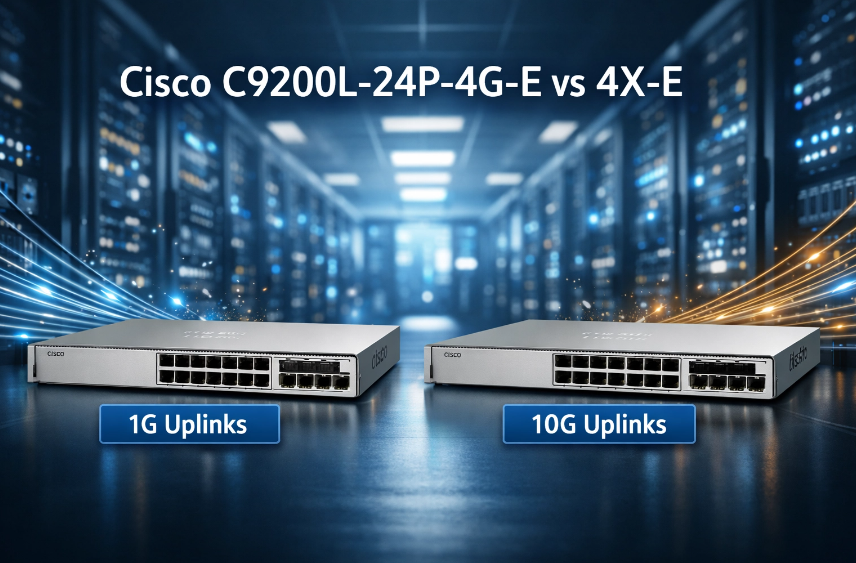
C9200L-24P-4G-E: This model features four fixed 1G SFP uplink ports. It is designed for standard office environments where 1G speeds to the core or distribution layer are sufficient.
C9200L-24P-4X-E: This model provides four fixed 1/10G SFP+ uplink ports. This is critical for environments where high-speed data transfer or 10G backbones are required.
Important Engineering Note: Both models are part of the "L" (Lite) series, which means they have fixed configuration uplinks. Unlike the modular C9200 series, you cannot swap these ports later for 25G or 40G modules. If you need that level of elasticity, you must move up to the modular C9200 SKUs.
Performance Comparison Table:
Feature
C9200L-24P-4G-E
C9200L-24P-4X-E
Uplinks
4 x 1G SFP (Fixed)
4 x 1/10G SFP+ (Fixed)
Switching Capacity
56 Gbps (136 Gbps with stacking)
128 Gbps (208 Gbps with stacking)
Forwarding Rate
41.67 Mpps (101 Mpps with stacking)
95.23 Mpps (155 Mpps with stacking)
Stacking Technology
StackWise-80
StackWise-80
Part 2: PoE Support and Power Budget
Both switches offer 24 full PoE+ ports, making them ideal for powering IoT devices, IP phones, and wireless access points.
C9200L-24P-4G-E: Offers a 370W total PoE budget.
C9200L-24P-4X-E: Offers a slightly higher 445W PoE budget (depending on the power supply configuration).
If you are deploying high-density Wi-Fi 6/6E Access Points or motorized PTZ security cameras, the 4X model provides a larger safety margin for power consumption.
Part 3: Stacking and Scalability (StackWise-80)
Both switches support StackWise-80, allowing you to stack up to 8 units as a single logical unit. This simplifies management and provides a single control plane for up to 384 ports.
The "Mixed Stacking" Warning:
You can mix different C9200L models in a stack (e.g., mixing data-only and PoE+ units) as long as they have the same license level.
You cannot mix C9200L (fixed) with C9200 (modular) models in the same stack because they use different stacking bandwidths (80 Gbps vs. 160 Gbps).
Part 4: Buying Decisions - TCO and Risk Assessment
From a procurement perspective, the C9200L-24P-4G-E is the budget-friendly choice, currently listed around 884.00, while the C9200L-24P-4X-E sits roughly at 1,284.00.
When to choose the 4G-E (Budget Champion):
Low-density access: For 1–3 floors of standard office users using basic VoIP and web browsing.
Cost Sensitivity: When you need the security and reliability of the Catalyst 9000 family but don't expect your traffic demands to exceed 1G in the next 5 years.
When to choose the 4X-E (Future-Proof Core):
10G Core Uplinks: If your distribution or core switches already support 10G, using the 4G model would create a massive bottleneck.
High-Traffic Applications: Frequent large media file transfers, high-definition video conferencing, or supporting Wi-Fi 6/6E APs.
Longer Lifecycle: The 10G capability significantly extends the "useful life" of the switch as network demands grow.
Pro Tip: Before finalizing your switch purchase, map out your office or campus network’s current and future bandwidth needs. If you’re unsure whether the 4G-E will support your traffic growth or if the 4X-E is more than required, Router-switch.com can provide expert guidance, helping you choose the optimal model and offering remote support or rapid RMA if needed, ensuring your investment matches both performance and long-term planning.
Part 5: Final Recommendation
Choose the C9200L-24P-4G-E if you are outfitting a branch office with standard IP phones and PCs where budget is the primary driver, and 1G uplinks are the organizational standard.
Choose the C9200L-24P-4X-E if you are building an AI-ready or data-intensive campus backbone. The extra investment in 10G uplinks and a higher PoE budget prevents the need for a premature "rip and replace" upgrade three years down the road.
Note: Both of these switches require Cisco DNA Essentials (E) or Advantage (A) subscription licenses to unlock advanced automation and analytics. For custom quotes, remote configuration guidance, or advanced RMA support, consult Router-switch.com.
FAQ
Q1.What is the difference between C9200L-24P-4G-E and 4X-E?
The 4G-E has four 1G SFP uplinks, while the 4X-E features four 1/10G SFP+ uplinks. The 4X-E also offers a higher PoE budget and greater switching capacity.
Q2.Can I stack 4G-E and 4X-E switches together?
Yes, but only if both are C9200L models and have the same license level. Do not mix fixed "L" series with modular C9200 switches in the same stack.
Q3.Which switch is better for high-density Wi-Fi 6 access points?
The 4X-E is preferred due to the higher PoE budget (445W vs 370W) and 10G uplinks, ensuring stable power delivery and faster backhaul.
Q4.Do I need a Cisco DNA license for advanced features?
Yes, both switches require Cisco DNA Essentials or Advantage licenses to unlock advanced automation and analytics features.
Expertise Builds Trust
20+ Years • 200+ Countries • 21500+ Customers/Projects CCIE · JNCIE · NSE7 · ACDX · HPE Master ASE · Dell Server/AI Expert