Solving Warehouse WiFi Coverage and Uptime IssuesDesign reliable warehouse WiFi coverage and uptime with warehouse wifi 6 ap, industrial wireless access points, and warehouse poe switches for racks and docks.
OLT Capacity Planning for GPON Access NetworksPlan OLT capacity for GPON OLT systems and EA5800 capacity planning, optimizing GPON split ratio and OLT uplink design for scalable fiber access.
Enterprise OLT Platform Selection for Fiber AccessDesign enterprise OLT platform strategy for GPON OLT platform, modular OLT chassis, and OLT service boards to scale passive optical LAN and XG-PON evolution.
Scale Data Center Networking Under Long Lead TimesScale data center networking faster under long lead times with data center spine switches, leaf spine data center designs and Cisco UCS fabric interconnects.
Tunnel Video Surveillance VLAN Stability over FiberDesign stable tunnel video surveillance VLANs using optical transport backbone and Arista fiber aggregation for resilient Huawei OptiX OSN CCTV networks.
Fiber vs Copper in Industrial Networks Design GuideCompare fiber vs copper in industrial ethernet, plan hybrid industrial fiber network designs, and select rugged ethernet switches and industrial SFP transceivers.
During a midnight maintenance window, a stacked member of your legacy Cisco Catalyst 2960-X access layer fails under a sudden multicast storm. As you attempt to provision a replacement, you are confronted with a harsh reality: the Cisco Catalyst 2960-X Series has officially reached its End of Life (EOL) and End of Support (EOS) milestones. Finding exact replacements through traditional channels is no longer viable, and attempting to patch aging hardware running monolithic IOS Classic exposes your enterprise to severe security vulnerabilities and performance bottlenecks. The 2960-X, while a legendary workhorse of the 1G access layer, cannot keep pace with modern Wi-Fi 6E/7 deployments, dynamic segmentation, or telemetry-driven security policies.
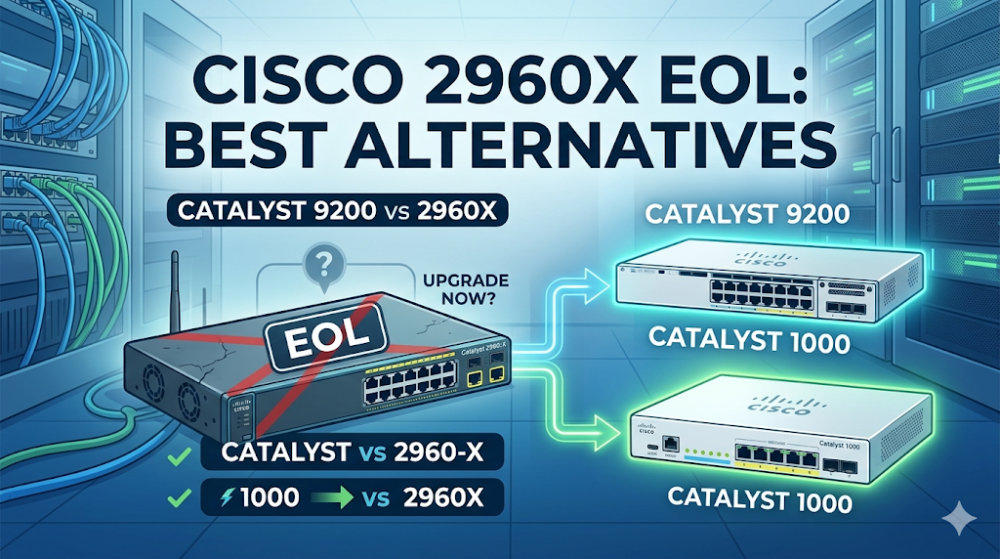
Migrating away from the 2960-X is not merely a hardware swap; it is an architectural transition. Network engineers must choose between transitioning to the enterprise-grade, IOS-XE-powered Catalyst 9200/9200L Series or the simplified, cost-effective Catalyst 1000 Series. Making the wrong choice can lead to severe configuration mismatches, licensing budget overruns, or physical power and cooling issues in shallow wiring closets.
The Catalyst 2960-X EOL Reality: Silicon and Architectural Bottlenecks
To understand why a direct replacement is necessary, we must analyze the architectural limitations of the legacy Cisco Catalyst 2960-X Series. The 2960-X relies on an aging APM86392 dual-core CPU and a proprietary ASIC pipeline designed over a decade ago. This architecture imposes rigid limitations on packet buffer serialization and lookup tables.
Packet Buffer Allocation and Microbursts
The 2960-X features a static 4MB packet buffer shared across all ports. In modern environments characterized by bursty storage traffic, high-definition video conferencing, and IoT telemetry, this static allocation leads to frequent microburst drops. When a high-speed 10G uplink bursts traffic down to a 1G access port, the shallow 4MB buffer quickly saturates, resulting in silent packet drops that degrade application performance without triggering standard interface errors.
In contrast, the Catalyst 9200 Series utilizes the advanced UADP 2.0 Mini (Unified Access Data Plane) ASIC. This programmable silicon features a 6MB internal packet buffer that is dynamically allocated across port queues. The UADP ASIC pipeline supports template-based allocation, allowing engineers to prioritize critical traffic dynamically and absorb microbursts without dropping packets.
Stacking Architecture: FlexStack-Plus vs. StackWise-160
For high-availability access layers, stacking bandwidth is a critical metric. The legacy 2960-X utilizes FlexStack-Plus or FlexStack-Extended modules, capping total stacking bandwidth at 80 Gbps (half-duplex) with a maximum of 8 switches in a stack.
When migrating to a Cisco 2960X replacement, the stacking architecture changes dramatically depending on the chosen path:
Catalyst 1000: Does not support hardware backplane stacking. Instead, it relies on single-IP management (clustering) via front-panel uplink ports, limiting its use in high-density, single-logical-switch deployments.
Operating System: Monolithic IOS vs. Modular IOS-XE
The 2960-X runs classic, monolithic Cisco IOS. If a single process (such as SNMP or HTTP server) experiences a memory leak or crashes, the entire operating system halts, causing a complete network outage.
The Catalyst 9200 Series runs Cisco IOS-XE, a modern, database-driven operating system running on top of a Linux kernel. IOS-XE isolates system processes into independent containers. If a routing protocol or management daemon crashes, it restarts automatically without interrupting the data plane forwarding handled by the UADP ASIC. Furthermore, IOS-XE introduces model-driven programmability (NETCONF/YANG, RESTCONF) and advanced telemetry, allowing real-time streaming of network state metrics.
To evaluate your migration path and secure the best pricing on replacement hardware, explore the Cisco Catalyst Switch Replacement Catalog for real-time availability.
Direct Comparison: Catalyst 9200 vs Catalyst 1000 vs Legacy 2960-X
When planning an enterprise access switch migration, selecting the correct platform requires a granular comparison of hardware specifications, routing scale, and licensing structures. The table below outlines the critical differences between the legacy 2960-X and its primary modern alternatives.
Feature / Specification
Legacy Catalyst 2960-X
Catalyst 1000 Series
Catalyst 9200L Series
Catalyst 9200 Series
ASIC Architecture
Proprietary Fixed ASIC
ARM-based Merchant Silicon
UADP 2.0 Mini (Fixed)
UADP 2.0 Mini (Modular Uplinks)
Operating System
Classic IOS (Monolithic)
Classic IOS (Lightweight)
IOS-XE (Modular Linux-based)
IOS-XE (Modular Linux-based)
Stacking Bandwidth
80 Gbps (FlexStack-Plus)
N/A (Single IP Management only)
80 Gbps (StackWise-80)
160 Gbps (StackWise-160)
Packet Buffer
4 MB (Static)
1.5 MB to 3 MB (Static)
6 MB (Dynamic)
6 MB (Dynamic)
L3 Routing Scale
Static Routing (16 routes)
Static Routing (16 routes)
Full OSPF, EIGRP, RIP (3K routes)
Full OSPF, EIGRP, IS-IS (4K routes)
Power Supply Redundancy
External RPS2300 (Optional)
Fixed Internal (No Redundancy)
Dual FRU Redundant PSUs
Dual FRU Redundant PSUs
Licensing Model
LAN Lite / LAN Base (Perpetual)
Perpetual (No Smart License)
Smart Licensing (DNA + Network)
Smart Licensing (DNA + Network)
For mid-to-large enterprise deployments requiring high availability, dynamic L3 routing (OSPF/EIGRP), and hardware stacking, the Catalyst 9200 vs 2960X comparison clearly favors the 9200. However, for small branch offices, retail environments, or simple layer 2 access layers where budget is the primary constraint, the Catalyst 1000 vs 2960X comparison reveals that the Catalyst 1000 is an excellent, license-free alternative that matches or exceeds the 2960-X's performance without the complexity of Smart Licensing.
Migration CLI Blueprint: Transitioning from IOS Classic to IOS-XE
Migrating configuration files from a legacy 2960-X running IOS Classic to a Catalyst 9200 running IOS-XE requires careful syntax adjustments. Legacy commands related to buffer allocation, QoS, and stacking are deprecated in IOS-XE.
Below is a production-ready CLI blueprint. It demonstrates how to configure a high-availability LACP EtherChannel uplink, apply modern egress queueing to prevent microburst drops on the UADP ASIC, and verify the hardware forwarding engine status.
! =====================================================================
! CISCO CATALYST 9200 (IOS-XE) MIGRATION CONFIGURATION TEMPLATE
! =====================================================================

! 1. Configure Global System Settings and SSH Security
hostname Dist-Access-9200-01
ip domain name enterprise.local
crypto key generate rsa general-keys modulus 2048
!
username admin privilege 15 secret 9 $9$vG8K$1a2b3c4d5e6f...
!
line vty 0 15
 transport input ssh
 login local
!

! 2. Configure LACP EtherChannel Uplink to Core (L3 Interface)
interface Port-channel10
 description Uplink_to_Core_Switch_Stack
 no switchport
 ip address 10.100.1.2 255.255.255.252
 ip ospf 1 area 0
!
interface GigabitEthernet1/1/1
 description Uplink_Physical_Member_1
 no switchport
 no ip address
 channel-group 10 mode active
!
interface GigabitEthernet2/1/1
 description Uplink_Physical_Member_2
 no switchport
 no ip address
 channel-group 10 mode active
!

! 3. Configure Modern Egress Queueing (UADP ASIC Buffer Optimization)
! Unlike 2960-X legacy 'mls qos', IOS-XE uses Class-Based Weighted Fair Queueing (CBWFQ)
class-map match-any VOICE-TRAFFIC
 match dscp ef
class-map match-any CRITICAL-DATA
 match dscp af31 af32 af33
!
policy-map ACCESS-EGRESS-POLICY
 class VOICE-TRAFFIC
  priority level 1
  police rate percent 10
 class CRITICAL-DATA
  bandwidth remaining percent 30
  queue-limit dscp af31 120 packets
 class class-default
  bandwidth remaining percent 60
  queue-limit 100 packets
!
interface range GigabitEthernet1/0/1 - 48
 description Access_Port_Template
 switchport mode access
 switchport access vlan 100
 spanning-tree portfast
 spanning-tree guard root
 service-policy output ACCESS-EGRESS-POLICY
!

! =====================================================================
! DIAGNOSTIC AND VERIFICATION COMMANDS (RUN ON CATALYST 9200)
! =====================================================================
! Verify StackWise-160/80 Ring Status and Bandwidth
! show switch stack-ring speed
!
! Monitor UADP ASIC Buffer Drops and Queue Allocation
! show platform hardware fed switch active fwd-asic drop
!
! Verify Smart License Registration Status
! show license status
Resolving Common Migration Pitfalls: Transceivers, Licensing, and Power Budgets
When executing an enterprise access switch migration from the 2960-X to the Catalyst 9200 or 1000 Series, engineering teams frequently encounter three critical bottlenecks.
1. Transceiver Compatibility and FEC Mismatches
A common issue when migrating from 2960-X to Catalyst 9200 is port flapping or silent link failures on 10G fiber uplinks. The 2960-X utilized legacy SFP+ transceivers that did not require Forward Error Correction (FEC). Modern Catalyst 9200/9200L switches running IOS-XE enforce strict FEC modes (such as CL91 or CL74) on 10G and 25G interfaces by default. If the upstream core switch does not match the FEC configuration, the link will remain down.
Workaround: Manually configure the FEC mode on the Catalyst 9200 uplink interface to match the legacy core, or disable FEC entirely using the error-control-coding fec off command under the interface configuration.
2. Navigating Cisco Smart Licensing (CSSM)
The 2960-X operated on a simple "Right-to-Use" (RTU) perpetual licensing model. Once purchased, the software features (LAN Lite or LAN Base) ran indefinitely without vendor check-ins.
The Catalyst 9200 Series requires Cisco Smart Licensing. Every switch must be ordered with a mandatory 3-, 5-, or 7-year Cisco DNA subscription license (DNA Essentials or DNA Advantage). While the base hardware capabilities (Network Essentials/Advantage) remain perpetual, the advanced features and cloud management require active DNA subscriptions.
Engineering Tip: If your organization does not utilize Cisco DNA Center (DNAC) or cloud monitoring, you can let the DNA subscription expire. The switch will continue to forward packets using the perpetual Network Essentials or Network Advantage feature set. For organizations seeking a completely license-free, perpetual-only model, the Catalyst 1000 Series is the ideal choice, as it bypasses Smart Licensing entirely.
3. PoE+ Power Budgets and Thermal Dissipation
Legacy 2960-X switches (e.g., WS-C2960X-48FPS-L) featured fixed internal power supplies with a maximum PoE budget of 740W. Modern PoE+ (802.3at) and UPOE (802.3bt) devices, such as Wi-Fi 6E access points and pan-tilt-zoom IP cameras, demand significantly higher power.
The Catalyst 9200 Series addresses this with dual, field-replaceable (FRU) redundant power supplies. By installing dual 1150WAC power supplies in a Catalyst 9200, engineers can achieve a PoE budget of up to 1440W, ensuring future-proof power delivery. However, these larger power supplies generate more heat and require higher airflow. Engineers must verify that shallow wiring closets have adequate active cooling to handle the increased thermal output of the Catalyst 9200 compared to the cooler-running, conduction-cooled Catalyst 1000.
Optimizing the Procurement Lifecycle: Bypassing Supply Chain Bottlenecks
Selecting the correct technical alternative is only half the battle; securing the hardware without delaying your project timeline is the other. Traditional distribution channels often impose lead times of 6 to 8 weeks—or even longer—for high-demand enterprise access switches like the Catalyst 9200. These delays can result in project postponement fines and prolonged exposure to EOL hardware risks.
Router-switch addresses these supply chain bottlenecks through its robust physical infrastructure and commercial advantages:
Same-Week Dispatch: By maintaining over $20 million in on-shelf inventory across multiple global warehouses, Router-switch bypasses traditional distributor delays, enabling same-week dispatch for critical migration projects.
BOM Optimization: Router-switch’s flat supply chain bypasses multiple layers of regional middleman markups. This allows Systems Integrators (SIs) and Small-to-Medium Enterprises (SMEs) to secure direct bulk-purchase discounts, maximizing their hardware budget.
Complimentary 3-Year RS Care Warranty: To mitigate post-deployment hardware risks, Router-switch provides a complimentary 3-Year RS Care extended warranty. This includes Rapid RMA standby replacement, where a replacement unit is shipped first to minimize Mean Time to Repair (MTTR) in the event of a hardware failure.
100% Original Genuine Guarantee: Every switch shipped undergoes rigorous quality control. Serial numbers (S/N) are fully verifiable in official vendor databases, ensuring absolute authenticity and peace of mind.
Expert CCIE Consultancy: Router-switch offers free 1-on-1 CCIE-level technical consultancy to assist in validating your Bill of Materials (BOM), verifying transceiver compatibility, and choosing the optimal licensing tier for your specific deployment.
Can I stack a legacy Catalyst 2960-X switch with a new Catalyst 9200 or Catalyst 1000 switch?
No. Stacking technologies are hardware-dependent and cannot be mixed. The Catalyst 2960-X uses FlexStack-Plus, the Catalyst 9200 uses StackWise-160/80, and the Catalyst 1000 does not support backplane stacking. To integrate these switches, you must connect them via standard Layer 2 802.1Q trunk links or Layer 3 routed interfaces.
What happens to my Catalyst 9200 switch if the Cisco DNA subscription license expires?
When the mandatory 3-, 5-, or 7-year Cisco DNA subscription expires, the advanced cloud-management features (such as Cisco DNA Center automation and assurance) will cease to function. However, the core switching capabilities, Layer 2/3 forwarding, and security features governed by the perpetual Network Essentials or Network Advantage license remain fully active and functional.
Is the Catalyst 1000 Series managed via the same CLI as the legacy 2960-X?
Yes. The Catalyst 1000 Series runs a lightweight version of classic Cisco IOS. The CLI syntax is virtually identical to the 2960-X, making it an incredibly easy transition for engineering teams familiar with traditional Cisco commands. It does not require the new IOS-XE syntax or Smart Licensing registration.
How do the physical dimensions and power requirements of the Catalyst 9200 compare to the 2960-X?
The Catalyst 9200 and 9200L have a slightly deeper chassis design than the 2960-X to accommodate the dual, hot-swappable power supplies and enhanced cooling fans. If you are deploying them in shallow wall-mount enclosures or telco racks, verify the depth clearance. Additionally, the Catalyst 9200 has a higher maximum power draw when fully loaded with PoE+ devices, requiring verification of your UPS and PDU capacities.
Expertise Builds Trust
20+ Years • 200+ Countries • 21500+ Customers/Projects
CCIE · JNCIE · NSE7 · ACDX · HPE Master ASE · Dell Server/AI Expert