Solving Warehouse WiFi Coverage and Uptime IssuesDesign reliable warehouse WiFi coverage and uptime with warehouse wifi 6 ap, industrial wireless access points, and warehouse poe switches for racks and docks.
OLT Capacity Planning for GPON Access NetworksPlan OLT capacity for GPON OLT systems and EA5800 capacity planning, optimizing GPON split ratio and OLT uplink design for scalable fiber access.
Enterprise OLT Platform Selection for Fiber AccessDesign enterprise OLT platform strategy for GPON OLT platform, modular OLT chassis, and OLT service boards to scale passive optical LAN and XG-PON evolution.
Scale Data Center Networking Under Long Lead TimesScale data center networking faster under long lead times with data center spine switches, leaf spine data center designs and Cisco UCS fabric interconnects.
Tunnel Video Surveillance VLAN Stability over FiberDesign stable tunnel video surveillance VLANs using optical transport backbone and Arista fiber aggregation for resilient Huawei OptiX OSN CCTV networks.
Fiber vs Copper in Industrial Networks Design GuideCompare fiber vs copper in industrial ethernet, plan hybrid industrial fiber network designs, and select rugged ethernet switches and industrial SFP transceivers.
When you are performing a midnight maintenance window to upgrade a high-density campus access layer, the last thing you want to see is a cascade of port flaps, transceiver authentication failures, or stacking link drops. In modern enterprise environments, selecting the right access switch for campus networks is not merely a matter of comparing port counts and PoE budgets; it is a critical architectural decision that dictates your network's latency profile, security posture, and operational complexity for the next five to seven years.
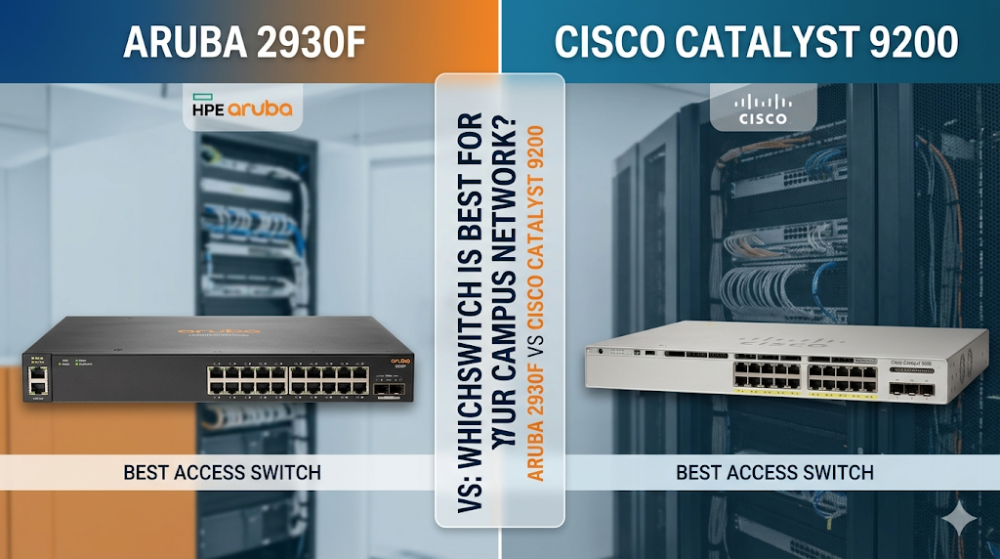
As network architects design next-generation campus infrastructures, two prominent platforms consistently dominate the conversation: the Aruba 2930F and the Cisco Catalyst 9200. While both are positioned as premier Layer 3 access switches, they represent fundamentally different philosophies in silicon design, stacking topology, and licensing models. This deep-dive technical analysis will dissect the architectural differences, performance metrics, and deployment realities of the Aruba 2930F vs Cisco Catalyst 9200 to help you make an informed engineering decision.
Silicon and Pipeline Architecture: UADP vs. ProVision ASIC
At the heart of any enterprise switch lies its Application-Specific Integrated Circuit (ASIC). The ASIC determines how packets are parsed, classified, queued, and forwarded. The architectural divergence between Cisco and Aruba begins at this silicon layer.
Cisco Catalyst 9200: The UADP 2.0 Mini Architecture
The Cisco Catalyst 9200 series utilizes the Unified Access Data Plane (UADP) 2.0 Mini ASIC. Built on a programmable pipeline architecture, the UADP ASIC allows for the execution of complex packet-processing features without sacrificing line-rate performance.
Programmable Pipeline: The UADP 2.0 Mini features a programmable parser and search engine, enabling support for future protocols and encapsulation methods via microcode updates.
Flexible Allocation (SDM Templates): Cisco's Switch Database Management (SDM) templates allow network engineers to reallocate TCAM (Ternary Content-Addressable Memory) resources. If your campus network switch comparison prioritizes Layer 3 routing over Layer 2 MAC tables, you can shift TCAM allocation to accommodate larger routing tables.
Packet Buffer Allocation: The Catalyst 9200 utilizes a shared packet buffer architecture, dynamically allocating buffer space to ports experiencing microbursts, thereby mitigating packet drops during transient congestion.
Aruba 2930F: The 6th Generation ProVision ASIC
The Aruba 2930F is powered by the proprietary 6th Generation ProVision ASIC. Unlike generic merchant silicon, the ProVision ASIC is custom-built for low-latency, high-performance packet processing with integrated ARM-based co-processors.
Parallel Processing Pipeline: The ProVision ASIC utilizes a highly parallel architecture that executes security policies, Quality of Service (QoS) classification, and routing lookups simultaneously in a single clock cycle. This results in extremely low port-to-port latency.
Static Buffer Allocation: The 2930F employs a more structured packet buffer allocation per port group. While highly efficient for predictable campus traffic, it requires careful QoS configuration to prevent egress queue drops during sustained microbursts.
Energy Efficiency: The ProVision ASIC is optimized for low power consumption, making the Aruba 2930F an exceptionally green choice for high-density PoE+ deployments where thermal dissipation in wiring closets is a concern.
When evaluating these platforms as an access switch for campus networks, the UADP's programmability offers superior future-proofing for Software-Defined Access (SD-Access) deployments, whereas the ProVision ASIC delivers highly optimized, low-latency forwarding for traditional hierarchical network designs.
Stacking Architecture and Backplane Throughput
Stacking is critical for simplifying management and providing high availability at the campus access layer. However, the physical and logical implementation of stacking differs significantly between these two platforms.
Aruba 2930F: Virtual Switching Framework (VSF)
The Aruba 2930F utilizes Virtual Switching Framework (VSF) for stacking. VSF is a front-panel stacking technology that allows up to 8 switches to be combined into a single logical device.
Port Flexibility: VSF uses standard 10G SFP+ ports. Engineers can use standard Direct Attach Copper (DAC) cables or optical transceivers, allowing stack members to be distributed across different physical locations or wiring closets.
Bandwidth Constraints: Because VSF relies on front-panel ports, stacking bandwidth is limited by the number of allocated 10G ports. A typical configuration using two 10G ports per switch yields a 20 Gbps full-duplex (40 Gbps aggregate) stacking backplane. Furthermore, using these ports for stacking reduces the available uplink capacity.
The Cisco Catalyst 9200 (excluding the 9200L models, which use StackWise-80) supports StackWise-160, a dedicated hardware-based stacking architecture.
Dedicated Backplane: StackWise-160 utilizes proprietary stacking modules and cables connected to the rear of the chassis. This preserves all front-panel uplink ports for high-speed connectivity to the distribution or core layer.
High Throughput: As the name implies, StackWise-160 delivers up to 160 Gbps of stacking bandwidth. This massive backplane ensures that inter-switch traffic within the stack never encounters a bottleneck.
Stateful Switchover (SSO): StackWise-160 supports sub-second failover with Non-Stop Forwarding (NSF/SSO), ensuring that if the active switch fails, the standby switch takes over without dropping active voice calls or data sessions.
To assist in your campus network switch comparison, the following table outlines the critical hardware specifications and performance metrics of the Aruba 2930F and Cisco Catalyst 9200.
Feature / Specification
Aruba 2930F Series
Cisco Catalyst 9200 Series
ASIC Architecture
6th Gen ProVision ASIC (Fixed/Optimized)
UADP 2.0 Mini (Programmable)
Switching Capacity
Up to 176 Gbps
Up to 176 Gbps (128 Gbps for 9200L)
Forwarding Rate
Up to 112 Mpps
Up to 261.9 Mpps (with uplinks)
Stacking Bandwidth
Up to 40 Gbps (VSF via SFP+ ports)
Up to 160 Gbps (StackWise-160)
Max Stack Members
8 Members
8 Members
MAC Address Table
32,768 entries
32,000 entries
Packet Buffer
12.38 MB (Dynamic/Static hybrid)
6 MB shared buffer
PoE+ Power Budget
Up to 740W (Internal fixed PSU)
Up to 1440W (Dual redundant PSUs)
Operating System
ArubaOS-S (Classic ProVision)
Cisco IOS-XE
A common pain point in multi-vendor environments is managing transceiver compatibility and diagnosing interface packet drops. Below is a copy-paste-ready CLI script demonstrating how to enable third-party transceivers and diagnose interface drops on both platforms.
Aruba 2930F (AOS-S) Configuration & Diagnostics
# Enable third-party/unsupported transceivers
configure terminal
allow-unsupported-transceiver
write memory

# Verify transceiver status and DOM (Digital Optical Monitoring)
show tech transceivers
show interfaces transceiver 49

# Check for interface packet drops and buffer errors
show interfaces controller 1-24
show interfaces port-utilization
# Enable third-party/unsupported transceivers
configure terminal
service unsupported-transceiver
no errdisable detect cause gbic-invalid
exit

# Verify transceiver status and DOM
show interfaces transceiver detail
show idprom interface GigabitEthernet1/0/1

# Check for interface packet drops, input errors, and buffer drops
show interfaces GigabitEthernet1/0/1 counters errors
show platform hardware fed switch 1 fwd-asic register read ...
Strategic Procurement, Supply Chain, and Lifecycle Management
Selecting the right access switch for campus networks involves more than just technical specifications; it requires a strategic evaluation of procurement timelines, total cost of ownership (TCO), and post-deployment support.
In the current global supply chain landscape, traditional distribution channels often quote lead times of 6 to 8 weeks or longer for enterprise-grade switches. For system integrators and enterprise IT departments in the United States, such delays can result in missed project deadlines and financial penalties.
Router-switch addresses these supply chain bottlenecks by maintaining a $20M+ multi-warehouse on-shelf stock, enabling same-week dispatch to the United States. This extensive inventory ensures that whether you are deploying a single replacement switch or executing a multi-site campus refresh, your hardware is shipped immediately, minimizing project downtime.
Furthermore, Router-switch's flat supply chain model bypasses multiple layers of regional distributor markups, allowing us to pass direct bulk-purchase discounts to our customers. To mitigate post-deployment risks, we provide:
Free 1-on-1 CCIE Technical Consultancy: Access expert guidance for configuration, interoperability testing, and design validation.
Complimentary 3-Year RS Care Extended Warranty: Enjoy peace of mind with long-term hardware protection.
Rapid RMA Standby Replacement: In the rare event of a hardware failure, we ship a replacement unit first to minimize your Mean Time to Repair (MTTR).
100% Original Genuine Guarantee: Every switch shipped features a verifiable serial number (S/N) that can be validated directly in the manufacturer's official database.
Expert Troubleshooting and Community Pain Q&As
Q1: How do I resolve transceiver compatibility issues on Cisco Catalyst 9200 and Aruba 2930F?
On the Cisco Catalyst 9200, third-party transceivers often trigger an err-disable state. To resolve this, execute service unsupported-transceiver and no errdisable detect cause gbic-invalid in global configuration mode. On the Aruba 2930F, use the command allow-unsupported-transceiver in the CLI. Note that while this allows the interface to link up, both vendors limit TAC support for physical layer issues if non-certified optics are used.
Q2: What are the key differences in multicast routing support between these two switches?
The Aruba 2930F supports basic Layer 3 features, including static IP routing, RIP, and OSPF Access (which limits the switch to a single area). It supports IGMP snooping and basic PIM-DM/SM. The Cisco Catalyst 9200, when licensed with Network Advantage, supports full OSPF, EIGRP, IS-IS, BGP, and advanced multicast routing protocols like PIM Source-Specific Multicast (SSM), making it better suited for complex multicast environments such as IP video surveillance or financial data feeds.
Q3: How does Aruba's VSF stacking compare to Cisco's StackWise-160 in terms of control plane redundancy?
Aruba's VSF uses a virtualized control plane where one switch is designated as the Commander (Active) and another as the Standby. If the Commander fails, the Standby takes over, but because it relies on front-panel 10G ports, the convergence time can be slightly higher than Cisco's StackWise-160. StackWise-160 utilizes dedicated hardware ASIC rings and NSF/SSO (Non-Stop Forwarding with Stateful Switchover), keeping the data plane active during a control plane switchover, resulting in sub-second failover times that are virtually transparent to end-users.
Q4: Can I run OSPF and advanced Layer 3 protocols on both switches without additional licensing?
The Aruba 2930F includes all software features in the base AOS-S image; there are no additional software licenses to purchase. You get static routing, RIP, and OSPF Access out of the box. The Cisco Catalyst 9200 requires a tiered licensing model (Network Essentials or Network Advantage). To run advanced routing protocols like full OSPF, EIGRP, BGP, and VRF-Lite, you must purchase the Network Advantage license, which increases the initial procurement cost.
Expertise Builds Trust
20+ Years • 200+ Countries • 21500+ Customers/Projects CCIE · JNCIE · NSE7 · ACDX · HPE Master ASE · Dell Server/AI Expert